{{ totalProductsCount }}

In cart {{totalProductsCount}} item(s)

Total:
{{sum | formatAmount}}

Your cart is empty

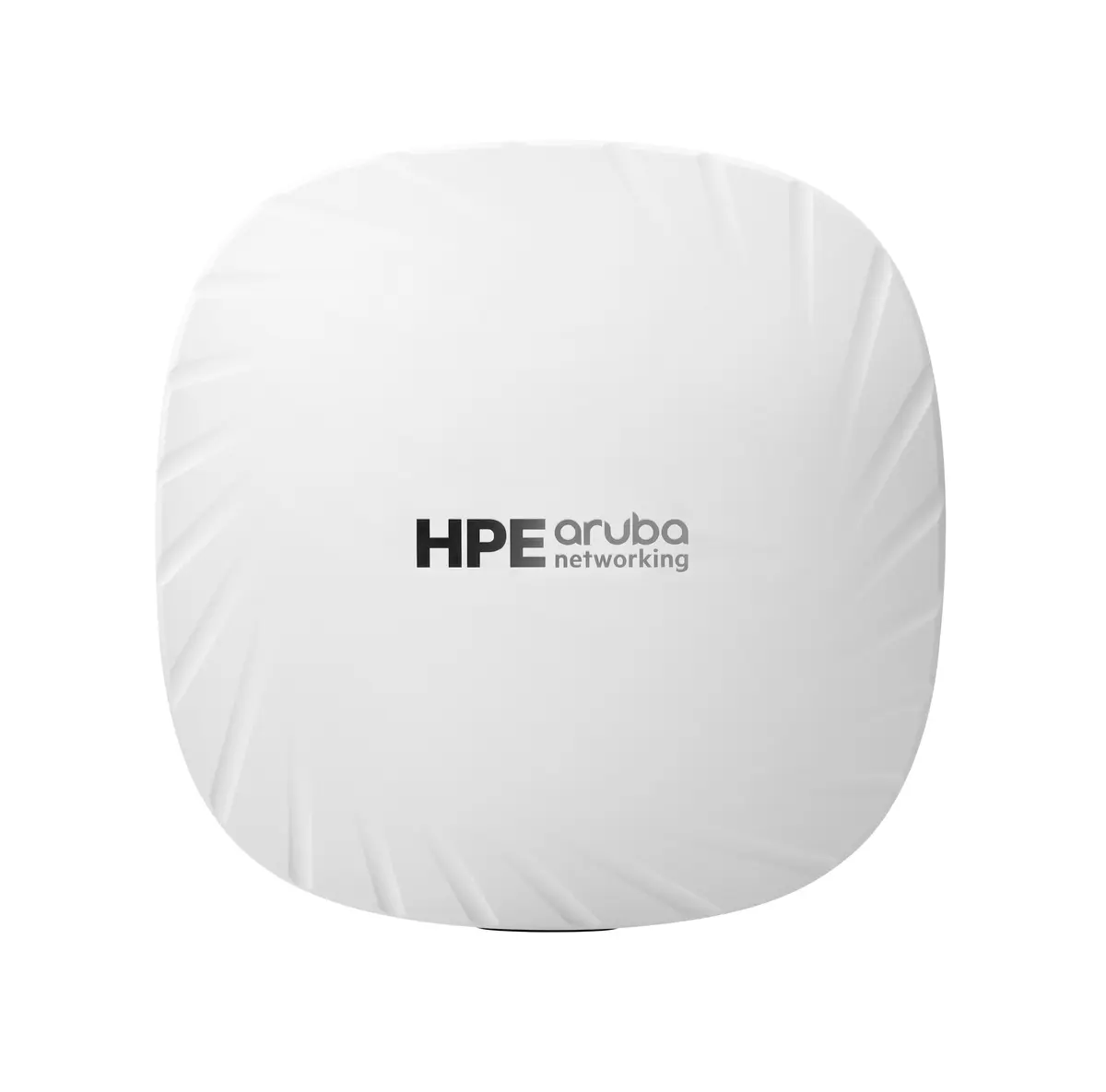
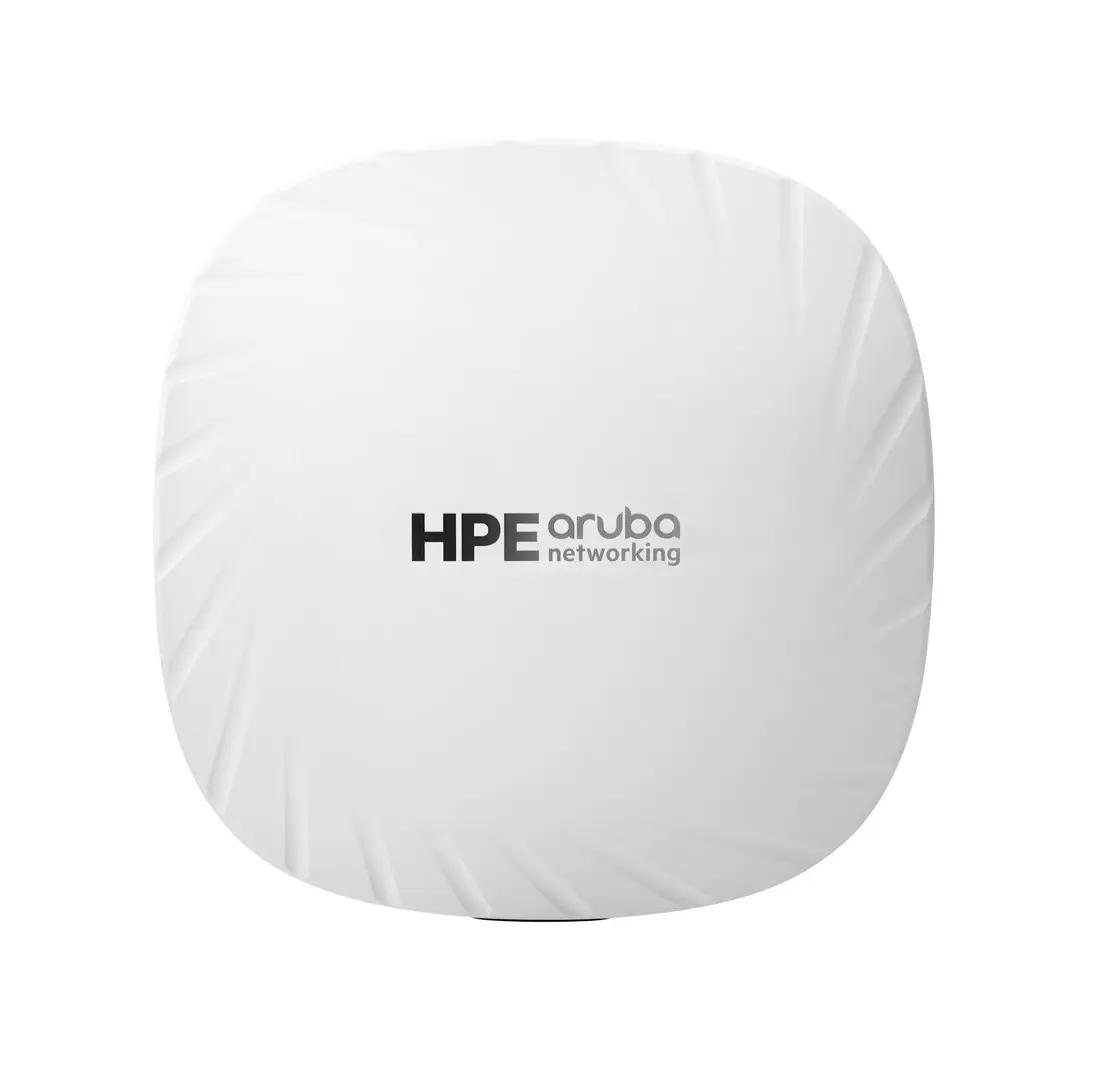
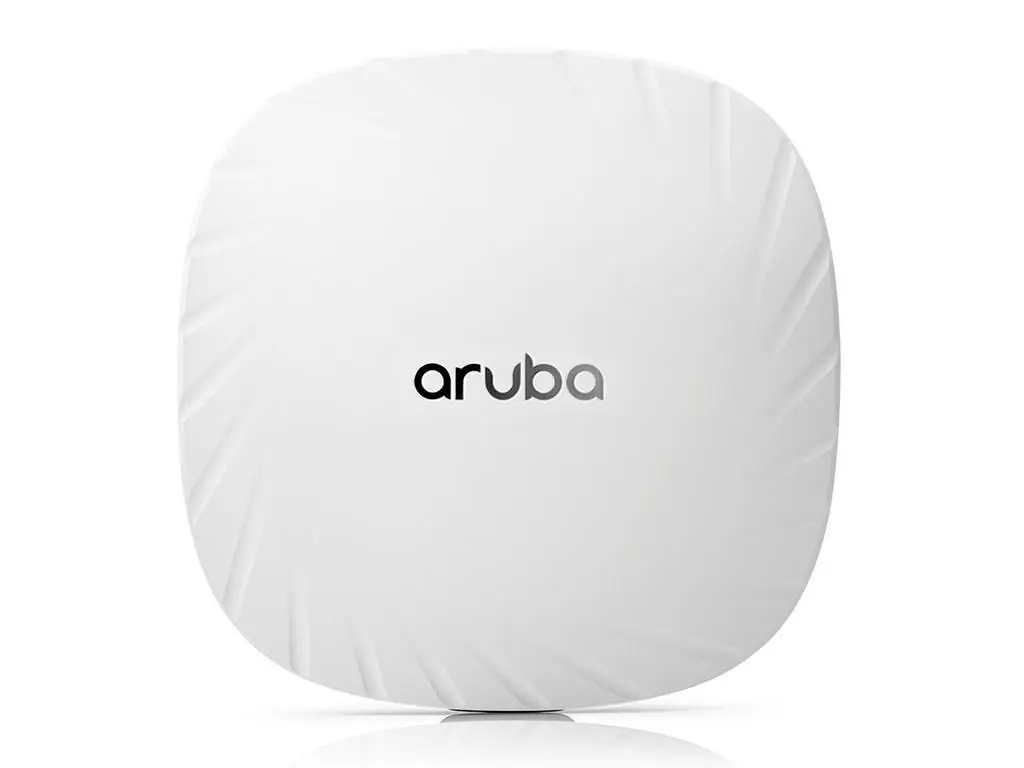
header-product HP Aruba Networking AP-505 Dual Radio 2x2 802.11ax Internal Antennas Unified Campus Wireless Access Point with PoE and 1774 Mbit/s Data Rate
395.99 €

HP Aruba Networking AP-505 Dual Radio 2x2 802.11ax Internal Antennas Unified Campus Wireless Access Point with PoE and 1774 Mbit/s Data Rate

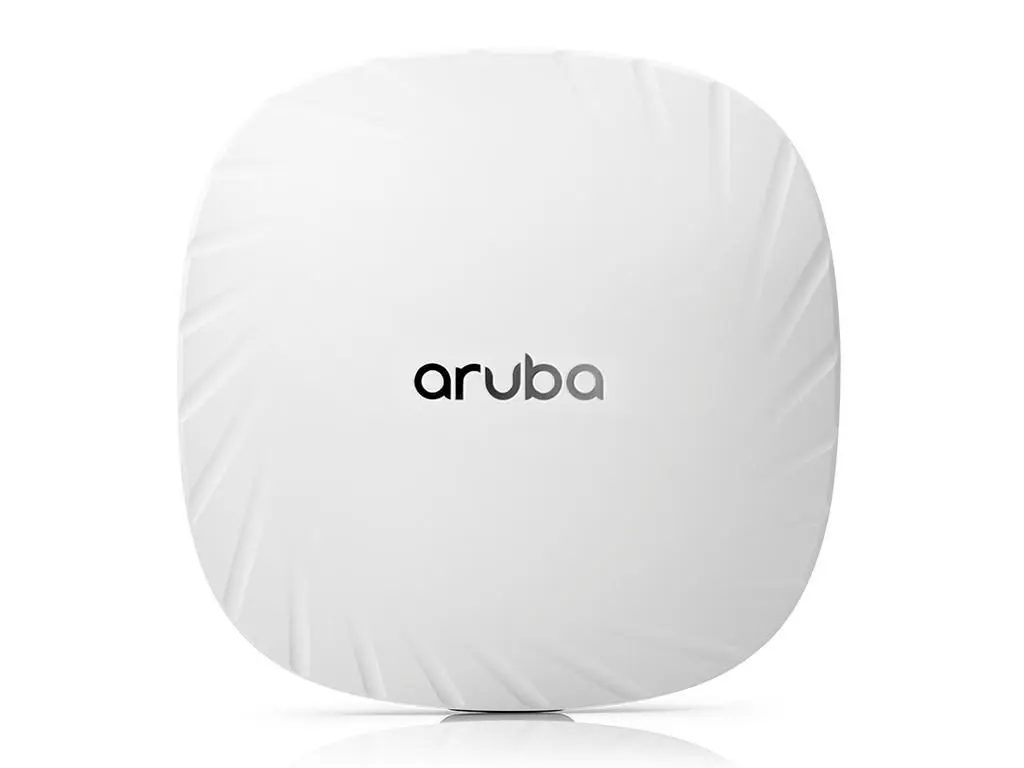
HP Aruba AP-505 Wireless Access Point Photo 1
Keep track of price changes You keep track of price changes
Watch the price drop

Leave your address - as soon as the price of the product goes down, you'll know about it right away

You keep track of price changes

HP Aruba Networking AP-505 Dual Radio 2x2 802.11ax Internal Antennas Unified Campus Wireless Access Point with PoE and 1774 Mbit/s Data Rate

{{email}}
You keep track of price changes

HP Aruba Networking AP-505 Dual Radio 2x2 802.11ax Internal Antennas Unified Campus Wireless Access Point with PoE and 1774 Mbit/s Data Rate

{{email}}
{{selectedOffer && selectedOffer.price | formatAmount}}

Short description

HP Aruba Networking AP-505 dual radio wireless access point designed for unified campus environments. Features 2x2 802.11ax Wi-Fi technology operating on 2.4 GHz and 5 GHz bands, delivering a maximum data transfer rate of 1774 Mbit/s. Equipped with internal antennas, Power over Ethernet support, Gigabit Ethernet LAN port, and advanced WPA3 security algorithms. Suitable for wall and ceiling placement to provide reliable enterprise network connectivity.
Available for order: 80 pcs.
Warranty: 2 Years
SKU: 4436276
free shipment

Cheapest delivery:

Unisend LV

Pick-up points

Unisend LV

Cost

1.79 €

Deliver

{{selectedOffer.parcelStationDeliveryString}}

Customer service center
2b. Kengaraga str., Riga, Latvia, LV-1063
21.09.2026 {{selectedOffer.officeDeliveryString}}
free
Courier Delivery Please note that in case of a large parcel additional delivery costs may apply!
24.09.2026 {{selectedOffer.courierDeliveryString}}
From 4.99 € (Weight: 0.50 kg)
Parcel couriers
Unisend LV / Venipak Pickup LV / Venipak Locker LV / Latvijas Pasts pakomāts / DPD Paku skapis / Omniva LV / Latvijas Pasts nodaļa
24.09.2026 {{selectedOffer.parcelStationDeliveryString}}
From 1.79 €
0 credit

pay in 3 equal parts

today

0 €

afterward

3 mth. х 132 €

overpayment

0 €

All payment Methods:
Bank transfer, Bank cards on-line, Apple Pay, Google Pay, Installment
36 months installment: from 11.00 euros per month
Together cheaper
{{product.price | formatAmount}}
{{product.title}}
{{productBundle.reference.specialPrice | formatAmount}}
{{productBundle.title}}
{{productBundlePreviousPrice | formatAmount}}
{{productBundleSpecialPrice | formatAmount}}

You saving {{productBundleYouSave | formatAmount}}

Product information

Description

The HP Aruba Networking AP-505 Dual Radio 2x2 802.11ax Internal Antennas Unified Campus Wireless Access Point is a reliable networking device designed to deliver efficient Wi-Fi 6 connectivity for indoor environments. Operating on both 2.4 GHz and 5 GHz frequency bands, this access point ensures stable wireless performance for modern business operations, educational institutions, and mid-sized offices. Equipped with integrated internal antennas and support for Power over Ethernet, it offers a clean aesthetic and flexible installation options for professional deployments.

Advantages

This wireless access point leverages advanced 802.11ax Wi-Fi technology to maximize network efficiency and data throughput in medium-density environments. Dual-band operation allows simultaneous connections on 2.4 GHz and 5 GHz bands, distributing network traffic effectively. Advanced WPA3 security algorithms protect sensitive data and ensure enterprise-grade network safety. The inclusion of Power over Ethernet support simplifies infrastructure requirements by combining power and data delivery over a single Ethernet cable. Internal antennas provide a streamlined appearance while maintaining consistent signal propagation throughout the coverage area.

Suitable for

  • Mid-sized office wireless networking
  • Educational institution classrooms and libraries
  • Retail space indoor coverage
  • Unified campus network expansion

When it may not be suitable

This device may not be suitable for large-scale outdoor deployments or massive enterprise environments requiring extreme multi-gigabit throughput across thousands of simultaneous high-bandwidth users without additional infrastructure support. It is also not designed for environments requiring external directional antennas for long-range point-to-point bridging.

Key specifications

  • Dual radio 2x2 802.11ax Wi-Fi technology
  • Operating frequency bands: 2.4 GHz and 5 GHz
  • Maximum data transfer rate of 1774 Mbit/s
  • Internal integrated antennas
  • Power over Ethernet (PoE) support
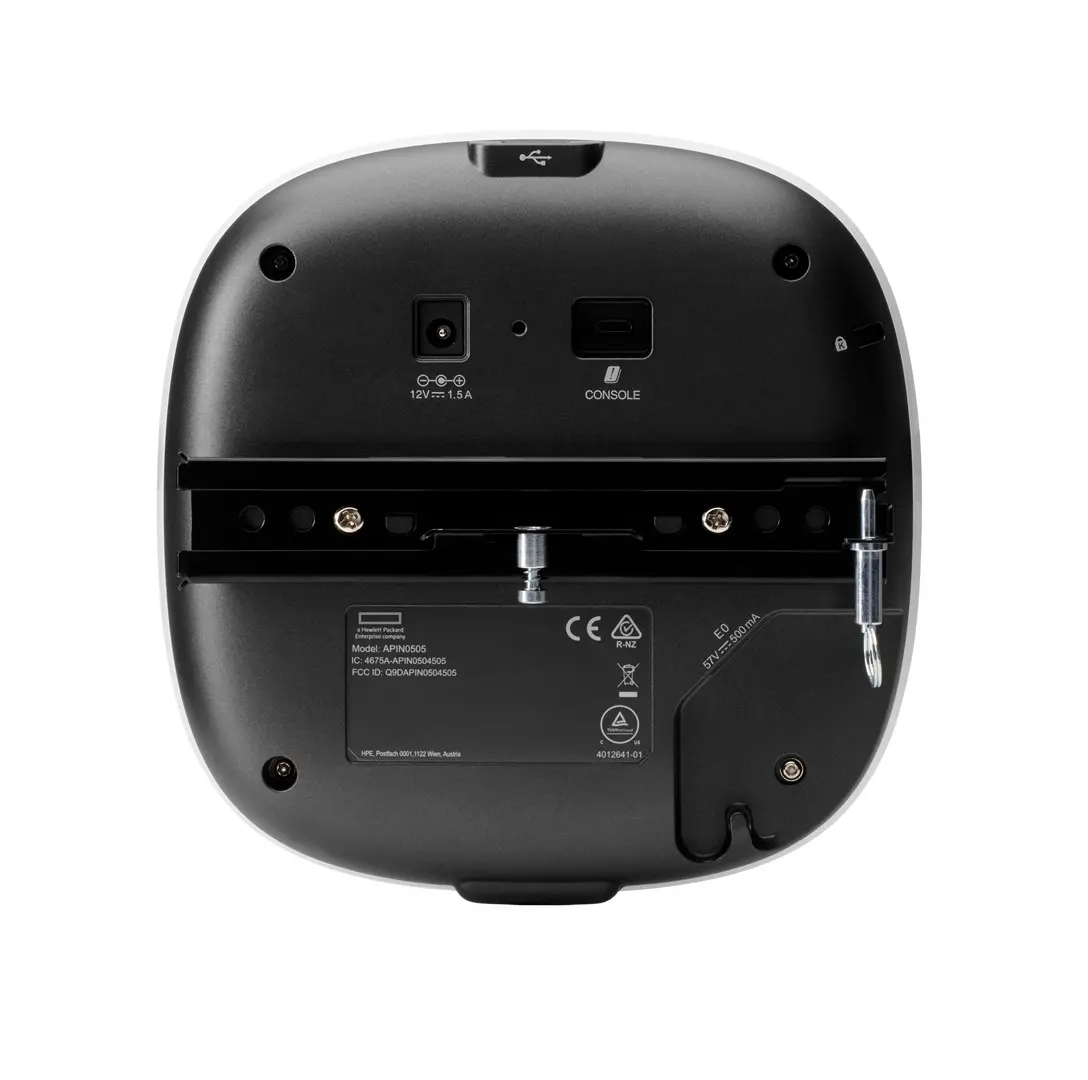
  • One Ethernet LAN RJ-45 port
  • One USB 2.0 port
  • Security algorithms: WPA3, WPA, WPA2
  • Wall and ceiling placement options
  • White product colour

How to use

To deploy the access point, securely mount the unit to a wall or ceiling using the appropriate hardware brackets. Connect the device to a Power over Ethernet capable network switch using an Ethernet cable to supply both network data and electrical power. Access the network management interface to configure SSID settings, security parameters, and operational bands according to your network environment requirements.

What to consider before purchase

  • Verify that your existing network switch supports Power over Ethernet or plan for an alternative power injector.
  • Assess the physical coverage area to determine if multiple access points are required for complete indoor signal distribution.
  • Check compatibility with your current network management infrastructure and security protocols.

For optimal network performance, position the access point centrally on ceilings or upper wall sections away from large metal objects and heavy structural obstructions, and ensure firmware is regularly updated to maintain security compliance.

Specifications

Antenna type: Type of antenna, also known an aerial, e.g. external, internal.
Internal
Power over Ethernet (PoE): The device supports Power over Ethernet (PoE), which is one of several standardized or ad-hoc systems which pass electrical power along with data on Ethernet cabling. This allows a single cable to provide both data connection and electrical power to devices such as wireless access points or IP cameras.
Yes
USB 2.0 ports quantity: Number of USB 2.0 ports (connecting interfaces) in the device. USB 2.0 was released in April 2000 (now called "Hi-Speed"), adding higher maximum signaling rate of 480 Mbit/s (effective throughput up to 35 MB/s or 280 Mbit/s), USB 2.0 ports are usually black.
1
Ethernet LAN (RJ-45) ports: Number of Ethernet LAN (RJ-45) ports (connecting interfaces) in the device. Ethernet LAN (RJ-45) ports allow a computer to connect to the ethernet.
1
Maximum data transfer rate: The maximum speed with which data can be transmitted from one device to another.
1774 Mbit/s
5 GHz:
Yes
2.4 GHz:
Yes
Product colour: The colour e.g. red, blue, green, black, white.
White
Placement: Where the product can be placed e.g. floor, wall.
Wall, Ceiling
Security algorithms: Security algorithms are used to provide authentication, cipher key generation, integrity and radio link privacy to users on mobile networks. The security algorithms supported are the ones that can be used with this product.
WPA3, WPA, WPA2
All features

Logistics data

Harmonized System (HS) code:
85176990

Operational conditions

Storage relative humidity (H-H):
5 - 93
Storage temperature (T-T): The minimum and maximum temperatures at which the product can be safely stored.
-40 - 70
Operating temperature (T-T): The minimum and maximum temperatures at which the product can be safely operated.
0 - 50
Operating relative humidity (H-H):
5 - 93

Other features

Weight (imperial):
1.1 lbs
I/O ports: An interface on a device to which you can connect another device.
E0: Ethernet wired network port (RJ-45) USB 2.0 host interface (Type A connector) Serial console interface (proprietary, micro-B USB physical jack) Kensington security slot.

Weight & dimensions

Weight: Weight of the product without packaging (net weight). If possible, the net weight is given including standard accessories and supplies. Please note that sometimes the manufacturer leaves out the weight of accessories and/or supplies.
0.5 kg
Height: The measurement of the product from head to foot or from base to top.
37 mm
Depth: The distance from the front to the back of something.
161 mm
Width: The measurement or extent of something from side to side.
160 mm

Certificates

Certification:
UL2043 plenum rating Wi‐Fi Alliance: Wi-Fi CERTIFIED a, b, g, n, ac Wi-Fi CERTIFIED 6 (ax) WPA, WPA2 and WPA3-Enterprise with CNSA option, Personal (SAE), Enhanced Open (OWE) WMM, WMM-PS, W-Fi Agile Multiband Wi-Fi CERTIFIED Location Bluetooth SIG Ethernet Alliance (PoE, PD device, Class 4)
Compliance certificates: Indicates which regulatory, safety, and environmental standards the product complies with, as verified by recognized authorities or certification bodies.
Low Voltage Directive (LVD), Electromagnetic Compatibility (EMC), CE, ISED, Federal Communications Commission (FCC)

Performance

Compatible operating systems: List of desktop operating systems tested as compatible with this product.
HPE Aruba Networking Wireless Operating System 8.6.0.0 or later; HPE Aruba Networking Instant OS 8.6.0.0 or later; HPE Aruba Networking Wireless Operating System 10.0.0.0 or later

Antenna

Antennas quantity:
2
Antenna features:
Integrated antenna
Antenna direction type:
Omni-directional
Antenna type: Type of antenna, also known an aerial, e.g. external, internal.
Internal

Design

Recommended usage: What the product should be used for, and how it should be used (e.g. ambient temperature).
Indoor
Cable lock slot type:
Kensington
Cable lock slot: Holes on the edge of devices through which a cable lock can be passed, so the device can be locked to a desk etc.
Yes
Product colour: The colour e.g. red, blue, green, black, white.
White
Placement: Where the product can be placed e.g. floor, wall.
Wall, Ceiling

Power

Power consumption (max): The maximum amount of power used by the device.
16.5 W
Power over Ethernet (PoE): The device supports Power over Ethernet (PoE), which is one of several standardized or ad-hoc systems which pass electrical power along with data on Ethernet cabling. This allows a single cable to provide both data connection and electrical power to devices such as wireless access points or IP cameras.
Yes

Ports & interfaces

USB connector type: The type of USB connector/port that this product has.
USB Type-A
USB 2.0 ports quantity: Number of USB 2.0 ports (connecting interfaces) in the device. USB 2.0 was released in April 2000 (now called "Hi-Speed"), adding higher maximum signaling rate of 480 Mbit/s (effective throughput up to 35 MB/s or 280 Mbit/s), USB 2.0 ports are usually black.
1
Ethernet LAN (RJ-45) ports: Number of Ethernet LAN (RJ-45) ports (connecting interfaces) in the device. Ethernet LAN (RJ-45) ports allow a computer to connect to the ethernet.
1

Management features

Access point management:
On-premises; Public Cloud; Virtual Private Cloud (VPC); as a Service

Security

Security algorithms: Security algorithms are used to provide authentication, cipher key generation, integrity and radio link privacy to users on mobile networks. The security algorithms supported are the ones that can be used with this product.
WPA3, WPA, WPA2

Features

MACsec support:
No
Modulation: Modulation is the process of varying one or more properties of a periodic waveform, called the carrier signal (High Frequency Signal), with a modulating signal which typically contains information to be transmitted. The aim of digital modulation is to transfer a digital bit stream over an analog bandpass channel, for example over the public switched telephone network (where a bandpass filter limits the frequency range to between 300 and 3400 Hz), or over a limited radio frequency band. The aim of analog modulation is to transfer an analog baseband (or lowpass) signal, for example an audio signal or TV signal, over an analog bandpass channel at a different frequency, for example over a limited radio frequency band or a cable TV network channel.
BPSK, CCK, 1024-QAM, 256-QAM, 64-QAM, 16-QAM, QPSK
Spread spectrum method:
OFDMA, OFDM, DSSS
MIMO type:
Multi User MIMO
MIMO:
Yes
Auto MDI/MDI-X: A Medium Dependent Interface (MDI) describes the interface (both physical and electrical) in a computer network from a physical layer implementation to the physical medium used to carry the transmission. Ethernet over twisted pair also defines a medium dependent interface crossover (MDIX) interface. Auto-MDIX ports on newer network interfaces detect if the connection would require a crossover, and automatically chooses the MDI or MDIX configuration to properly match the other end of the link.
Yes
Networking standards: The way in which the network is working, e.g. IEEE 802.11a, IEEE 802.11b, IEEE 802.11g.
IEEE 802.11mc, IEEE 802.11ax
Frequency band: A small section of the spectrum of radio communication frequencies, in which channels are usually used or set aside for the same purpose e.g.for a channel on FM radio; for mobile networks to communicate with mobile phones.
20/40 (2.4 GHz), 20/40/80 (5 GHz), maximum peak data rate 1.49 Gbps
Ethernet LAN data rates: The different speed levels of the Ethernet LAN connection.
1000
Maximum data transfer rate (5 GHz):
1200 Mbit/s
Maximum data transfer rate (2.4 GHz):
574 Mbit/s
Maximum data transfer rate: The maximum speed with which data can be transmitted from one device to another.
1774 Mbit/s
5 GHz:
Yes
2.4 GHz:
Yes

Description

Machine translation. Load original

Reasons to buy

Wi-Fi 6 Performance

HPE Aruba Networking 500 Series Campus Access Points deliver a maximum combined data rate of 1.49 Gbps with 2 spatial streams to meet the needs of low and medium-density environments.
Wi-Fi CERTIFIED with support for Wi-Fi 6 features such as OFDMA, bidirectional MU-MIMO, and target wait time (TWT) to drive improved efficiency. It handles multiple Wi-Fi 6 capable clients on each channel simultaneously, regardless of device or traffic type.
Enhanced wireless experience with HPE Aruba Networking ClientMatch technology that removes sticky client issues by steering a client to the AP where it receives the best radio signal.

Cloud Management and Ready for IoT

HPE Aruba Networking 500 Series Campus Access Points can managed with HPE Aruba Networking Central, an AI-powered solution that simplifies IT operations, improves agility, and reduces costs by unifying management of campus, branch, remote, data center, and IoT networks from one dashboard.
Supports Bluetooth 5 and Zigbee wireless protocols through an integrated IoT radio, and third-party expansion with an integrated USB port.
HPE Aruba Networking Central Client Insights uses deep packet inspection to provide additional context and behavioral information that help verify devices are receiving proper policy enforcement and continuously monitor for rogue devices.

Simple and Secure Access

HPE Aruba Networking 500 Series Campus Access Points offer enhanced security with dynamic segmentation to remove the time-consuming and error-prone task of managing complex and static VLANs, ACLs, and subnets by dynamically assigning policies and keeping traffic protected and separated.
It offers stronger encryption and authentication with WPA3, protected credentials/keys storage for guest access with Enhanced Open (OWE), and user and IoT access policy enforcement firewalls (PEF).
WPA3 and Enhanced Open security increases enterprise-level security by providing stronger guest access protections without increasing complexity.
For enhanced device assurance, the APs include an installed trusted platform module (TPM) for protected storage of credentials and keys, and boot code.

Similar products

{{product.title}}
Show details Hide details

{{highlightedFeature.featureTitle}}:

{{getProductFeatureValueById(product, highlightedFeature.featureId)}}

{{product.price | formatAmount}}
Might be useful
{{product.manufacturerName}}
{{product.categoryName}}
{{product.title}}
{{product.specialPrice}}
{{product.price}}

Customer reviews

Customer questions

FAQ

How much does the HP Aruba AP-505 Wireless Access Point cost, and is it available for purchase?

The price is 395.99 € (valid at the time of publication and already includes all taxes). The item is available for order — 80 pcs. are in stock, and you can place your purchase right now with delivery across Latvia and Europe or choose pickup at the Riga collection point. We offer favorable purchase terms, including the option to split the payment into convenient monthly installments. Availability and price are updated in real time, so we recommend placing your order in advance.

If I order this product today, when will I receive my order?

If you place your order today, delivery will be as fast and convenient as possible. You will be able to pick up your order on 21.09.2026 at the Riga pickup point or choose delivery across Latvia and Europe. We carefully inspect every purchase and pack it securely for safe transportation.

What payment options are available?

AiO.lv offers several payment methods: Bank transfer, Bank cards on-line, Apple Pay, Google Pay, Installment. All transactions are 100% secure and encrypted.

Can HP Aruba AP-505 Wireless Access Point be purchased with a lease?

Yes, the purchase is available both on credit and with an interest-free installment plan. We work with leading banks and leasing companies in Latvia, allowing you to make your purchase on convenient terms — with a minimal down payment and a repayment period from 3 to 36 months. You can apply for credit or installments for the HP Aruba AP-505 Wireless Access Point online, and the application process is as simple as possible:
  • Select the product on the website and add it to your cart;
  • When placing your order, choose the payment method “Installments”;
  • Fill in the required details for the lending partner;
  • Receive a decision within a few minutes.
For more information about available payment options, interest-free installment terms, and credit conditions in Latvia, please visit the Payment page.

Can this product be purchased for a company (with VAT)?

Yes. AiO.lv works with legal entities in Latvia and across Europe. The product price already includes VAT. For certain product categories, as well as for companies from other EU countries with a valid VAT number, a 0% VAT rate may apply. We issue the invoice immediately after the order is placed, support electronic BIS invoices, and automatically generate all necessary accounting documents. You can complete the purchase for a company online — simply select the company profile and choose bank transfer as the payment method during checkout.

What is the warranty period?

All HP products come with an official 2 Years warranty. It covers all manufacturing defects and malfunctions that may occur during use. The warranty is valid at all authorized HP service centers and through AiO.lv

Can the product be returned after purchase?

Yes, you can return the product within 14 days of purchase if you bought it as a consumer (not a legal entity). Returns are possible without giving any reason — the main condition is that the product retains its original appearance and full set of accessories. We will make the process as simple and convenient as possible: just contact our customer support team, and we will help you arrange the return.

Where should I contact for warranty service?

For warranty-related questions you can contact the AiO.lv (SIA VSPRO) customer support team. We will assist with consultation, warranty claim processing, and coordination with certified service centers.

How can I tell if this product suits my needs?

When making a choice, we recommend paying attention to the key features: antenna type, power over ethernet (poe), usb 2.0 ports quantity, ethernet lan (rj-45) ports, maximum data transfer rate, 5 ghz, 2.4 ghz, product colour, placement, security algorithms, compatibility with your devices or usage conditions, material quality, functionality, and warranty terms. These characteristics will help you determine how well the model meets your needs.

Where can I download the instructions for HP Aruba AP-505 Wireless Access Point?

You can download the instructions in PDF format from the “Instructions” section on the product description page. The file contains complete information about installation, setup, and usage.

warranty
14-Day Return Policy We are confident in our quality, but if the purchase doesn’t fit — you have 14 days to return the product with peace of mind.
shipping
Fast Delivery Get your orders as quickly as possible — right to your door, parcel lockers, or pickup points across Latvia and the EU.
payment
Secure Payment Pay the way you prefer: cash, VISA, MasterCard, Apple Pay, Google Pay, bank transfer, or 0% installment plan.
warranty
Quality Since 2008 AiO.lv has been on the market for over 18 years and has earned trust — with more than 6000 genuine positive reviews on Google.