
Dreame vacuums for fast and efficient cleaning!
In cart {{totalProductsCount}} item(s)
Your cart is empty
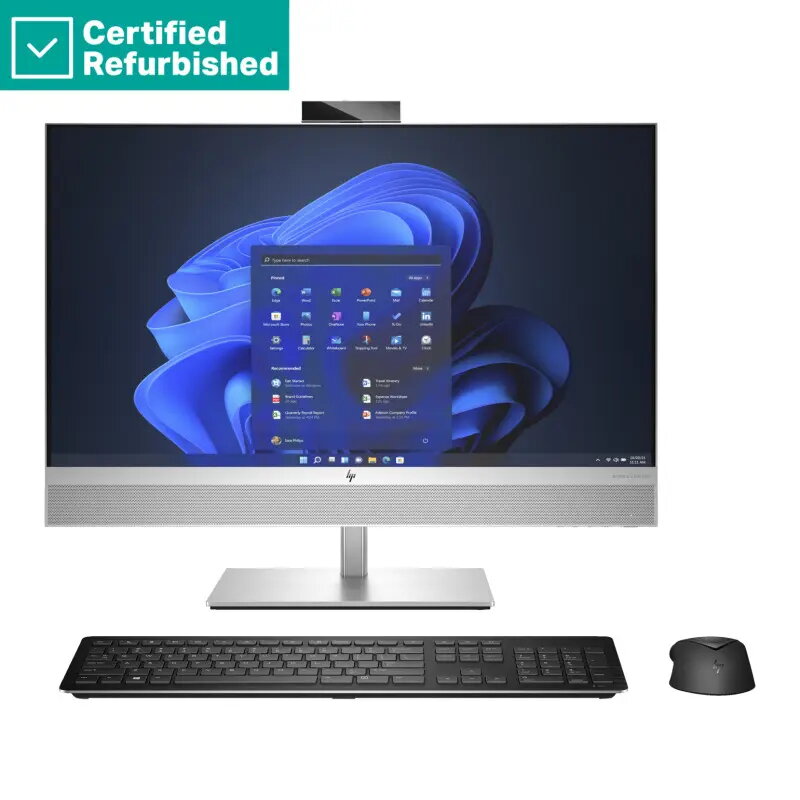
All-in-One PC HP RENEW Elite 870 G9 AIO — Intel i7-13700, 32GB RAM, 1TB SSD, 27" QHD Touch AG, GeForce RTX 3050 Ti 4GB, Height Adjustable, Windows 11...
HP RENEW Elite 870 G9 AIO is a compact all-in-one workstation built around an Intel Core i7-13700 processor, 32 GB of RAM and a 1 TB solid-state drive for responsive system performance and fast application load times. The 27" QHD anti-glare touch display supports precise input and reduces reflections in brightly lit environments, while an NVIDIA GeForce RTX 3050 Ti 4 GB GPU provides hardware acceleration for graphics, video editing and light 3D work. The unit ships with a height-adjustable stand and Windows 11 Pro preinstalled, making it suitable for professional desks where space efficiency and a clean setup are required.
The combination of a 13th-generation Intel Core i7 CPU and 32 GB of RAM ensures strong multitasking capability and smooth performance with office suites, browser workloads and creative applications. A 1 TB SSD offers large, fast local storage for projects and system files. The 27" QHD anti-glare touch panel delivers both high resolution and touch interaction while minimizing screen glare. Discrete NVIDIA GeForce RTX 3050 Ti graphics accelerate GPU-aware workflows and improve responsiveness in GPU-accelerated tasks. The height-adjustable stand allows ergonomic positioning to reduce neck and eye strain at different workstations.
Set the HP RENEW Elite 870 G9 AIO on a stable desk surface and adjust the stand height to a comfortable eye level. Connect necessary peripherals such as keyboard, mouse and network cable if required; the built-in display and speakers reduce the immediate need for external monitors. Use Windows 11 Pro to configure user accounts, updates and security settings before installing productivity or creative applications. For GPU-accelerated software, install the latest NVIDIA drivers via the official NVIDIA or HP support site to ensure compatibility and optimal performance.
For everyday office tasks and content creation workflows, keep the system firmware and drivers up to date, enable regular backups to external or cloud storage, and position the display to minimize reflections despite the anti-glare surface. When working on graphics- or GPU-intensive projects, monitor thermals and allow adequate ventilation around the chassis to maintain sustained performance.
{{highlightedFeature.featureTitle}}:
{{getProductFeatureValueById(product, highlightedFeature.featureId)}}
{{ productComparisonGenerationError }}