Leave your address - as soon as the price of the product goes down, you'll know about it right away
Wireless Router HUAWEI AX1 WS5203-20 — Dual-Band Wi‑Fi 6, Gigabit Ethernet
In cart {{totalProductsCount}} item(s)
Your cart is empty
Wireless Router HUAWEI AX1 WS5203-20 — Dual-Band Wi‑Fi 6, Gigabit Ethernet
Leave your address - as soon as the price of the product goes down, you'll know about it right away
Wireless Router HUAWEI AX1 WS5203-20 — Dual-Band Wi‑Fi 6, Gigabit Ethernet
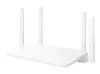
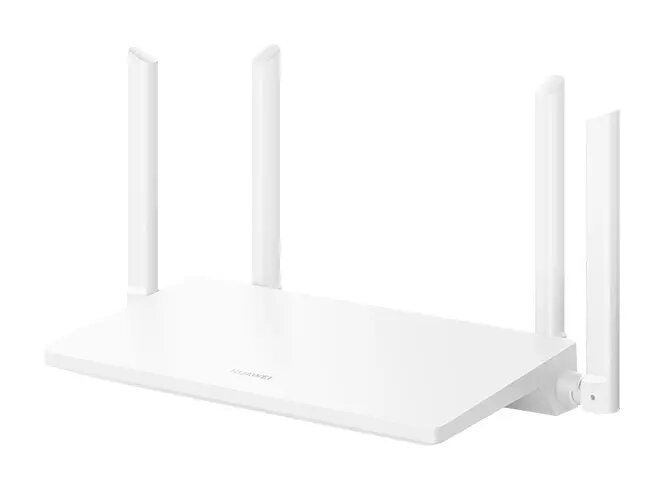
HUAWEI AX1 WS5203-20 is a dual-band home wireless router that implements Wi‑Fi 6 (802.11ax) technology to provide improved wireless capacity, lower latency and more stable connections for multiple devices. The device combines 2.4 GHz and 5 GHz bands with Gigabit Ethernet ports for wired devices, and supports standard routing functions suitable for everyday tasks such as video streaming, online gaming and remote work.
Built on Wi‑Fi 6 standards, this router offers higher throughput and better performance in crowded wireless environments compared with previous-generation devices. Dual-band operation helps separate traffic for bandwidth-sensitive applications, while multiple Gigabit Ethernet ports deliver reliable wired connections for desktops, smart TVs or NAS devices. The compact design and straightforward setup simplify deployment in apartments and small homes.
Place the router centrally in the coverage area and connect the WAN port to your broadband modem using an Ethernet cable. Power on the device and follow the initial setup steps using the HUAWEI router app or the web management interface to configure SSIDs, security (WPA3/WPA2 where available) and access credentials. Connect wired devices to the LAN ports and join wireless devices to the appropriate 2.4 GHz or 5 GHz network depending on range and throughput needs.
For optimal performance, keep firmware up to date, position the router away from large metal objects and other electronic devices that may cause interference, and assign bandwidth-sensitive devices to the 5 GHz band when possible. Use wired Gigabit connections for stationary high-bandwidth equipment such as desktop PCs or media servers.
{{highlightedFeature.featureTitle}}:
{{getProductFeatureValueById(product, highlightedFeature.featureId)}}