JBL speakers and headphones for pure and deep sound!
In cart {{totalProductsCount}} item(s)
Your cart is empty
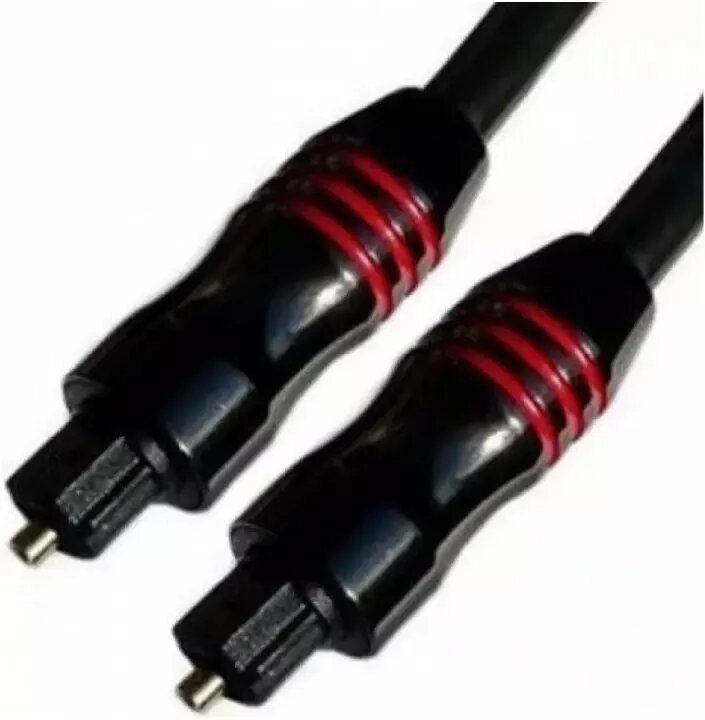
Optical Toslink Audio Cable 1.5 m ICIDU Brackton Audio
ICIDU Brackton Audio optical Toslink cable, 1.5 m, is a fiber-optic S/PDIF cable designed for digital audio transmission between devices equipped with Toslink/optical ports. The cable carries a lossless optical audio signal, providing galvanic isolation and immunity to electromagnetic interference. Its 1.5 m length makes it suitable for typical home entertainment layouts where a short to medium cable run is required between TV, soundbar, AV receiver, CD player or external DAC.
The optical design ensures electrical isolation between connected devices and eliminates ground loop hum. The Toslink connector and fiber core deliver error-free digital audio up to standard S/PDIF rates, supporting clear transmission of stereo and compressed multi-channel formats where supported by source and sink devices. The 1.5 m length balances flexibility and tidy installation in cabinets or behind furniture, and the cable’s connectors are shaped for secure insertion and easy handling during setup.
Insert one Toslink connector into the optical output of the source device (for example, a television, CD player or set-top box) and the other connector into the optical input of the target device (soundbar, AV receiver or DAC). Ensure that protective caps, if present, are removed before insertion and align the square-shaped connector with the port to avoid excessive force. After connection, select the optical/S/PDIF output on the source device and the corresponding input on the receiver to enable audio playback. Keep connectors free of dust and avoid sharp bends in the cable to maintain signal quality.
For reliable performance, avoid running the cable alongside high-voltage power lines and maintain gentle curves rather than sharp bends. Use the 1.5 m length to place devices at a reasonable distance without stretching the cable; when storing, coil loosely to prevent microbends in the fiber. Verify device compatibility with optical S/PDIF and confirm that both source and receiver support the audio format you intend to use.
{{highlightedFeature.featureTitle}}:
{{getProductFeatureValueById(product, highlightedFeature.featureId)}}
{{ productComparisonGenerationError }}