Leave your address - as soon as the price of the product goes down, you'll know about it right away
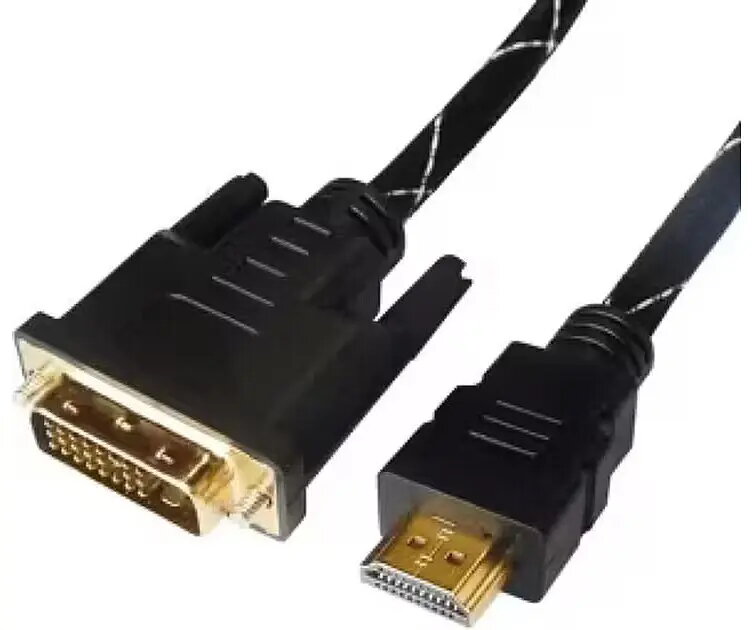
HDMI to DVI Cable ICIDU DHD-BKR-0100.BS — 1 m, 4K compatible
In cart {{totalProductsCount}} item(s)
Your cart is empty
HDMI to DVI Cable ICIDU DHD-BKR-0100.BS — 1 m, 4K compatible
Leave your address - as soon as the price of the product goes down, you'll know about it right away
HDMI to DVI Cable ICIDU DHD-BKR-0100.BS — 1 m, 4K compatible
The ICIDU HDMI to DVI Cable DHD-BKR-0100.BS is a 1-meter digital video cable that connects HDMI sources to DVI displays. It provides a direct wired link for transferring video signals between computers, media players, game consoles and DVI-equipped monitors or projectors. The cable supports up to 4K-compatible resolutions where the connected devices and interfaces allow it, offering a simple solution for desktop setups, meeting rooms and AV installations that require a reliable digital connection.
This HDMI to DVI cable delivers a stable digital video connection without adapters when connecting HDMI output devices to DVI input displays. At 1 m length it is compact and suitable for short-distance connections behind desks, on media racks or between nearby AV devices. The cable construction focuses on maintaining signal integrity for high-definition video and reduces the need for additional converters or active electronics.
Insert the HDMI connector into the HDMI output of your source device and the DVI connector into the DVI input of the display. Ensure both devices are powered on and select the appropriate input on the display. If the display does not automatically detect the signal, use the source or display settings to select the correct resolution and refresh rate. Note that DVI does not carry audio, so a separate audio connection is required when sound is needed.
For best results, use the cable for short, direct connections and avoid tight bends near the connectors. Verify that both devices support the desired resolution; when aiming for 4K output, confirm that the source and display interfaces and settings permit that resolution. Use a dedicated audio cable or audio output when sound is required, since DVI does not transmit audio.
{{highlightedFeature.featureTitle}}:
{{getProductFeatureValueById(product, highlightedFeature.featureId)}}