Leave your address - as soon as the price of the product goes down, you'll know about it right away
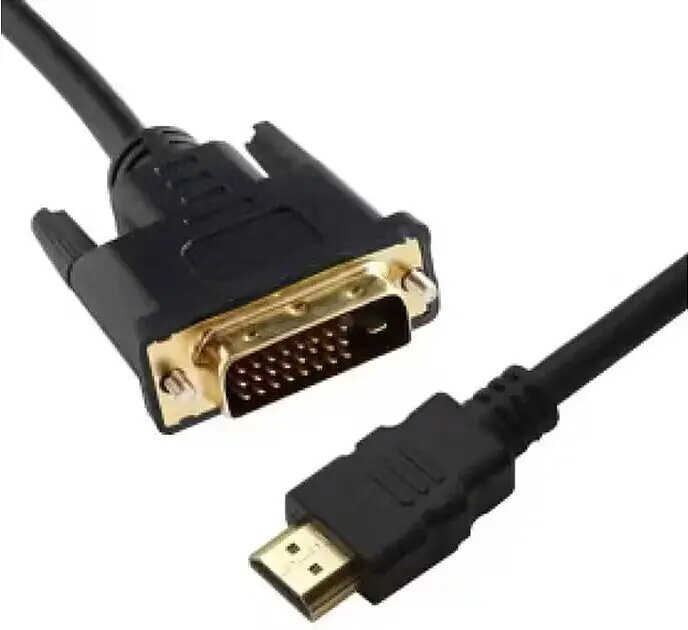
DVI–HDMI cable ICIDU DHD-SKB-0100.B 1 m, supports 2K 60Hz
In cart {{totalProductsCount}} item(s)
Your cart is empty
DVI–HDMI cable ICIDU DHD-SKB-0100.B 1 m, supports 2K 60Hz
Leave your address - as soon as the price of the product goes down, you'll know about it right away
DVI–HDMI cable ICIDU DHD-SKB-0100.B 1 m, supports 2K 60Hz
The ICIDU DHD-SKB-0100.B DVI–HDMI cable is a 1 m digital video cable engineered to connect a DVI source to an HDMI display. It supports transmission of digital video signals up to 2K (2560×1440) at 60 Hz, allowing desktop computers, graphics cards or other DVI-equipped devices to deliver a high-resolution image to HDMI-compatible monitors, TVs and projectors. The cable provides a short, fixed-length connection suitable for desk setups, conference rooms and AV installations that require a direct digital link.
This DVI–HDMI cable preserves digital video quality without analogue conversion, supporting 2K resolution at 60 Hz for smooth motion and clear detail. The 1 m length reduces signal degradation for close-proximity setups and keeps cable routing tidy. Its single-cable design eliminates the need for separate adapters and simplifies connecting legacy DVI equipment to modern HDMI displays.
Power off both source and display before connecting. Insert the DVI connector into the DVI output of your computer or device and the HDMI connector into the HDMI input of the display. Secure any thumbscrews on the DVI plug if present. Power on the devices and select the appropriate HDMI input on the display. Configure the output resolution on the source device to a supported setting (up to 2K at 60 Hz) if necessary. No additional drivers are required for basic video transmission.
For optimal performance, keep the cable length appropriate for the distance between devices and avoid tight bends near the connectors. Since this cable carries digital video only, use separate audio connections if your setup requires sound from a DVI-only source.
{{highlightedFeature.featureTitle}}:
{{getProductFeatureValueById(product, highlightedFeature.featureId)}}