Leave your address - as soon as the price of the product goes down, you'll know about it right away
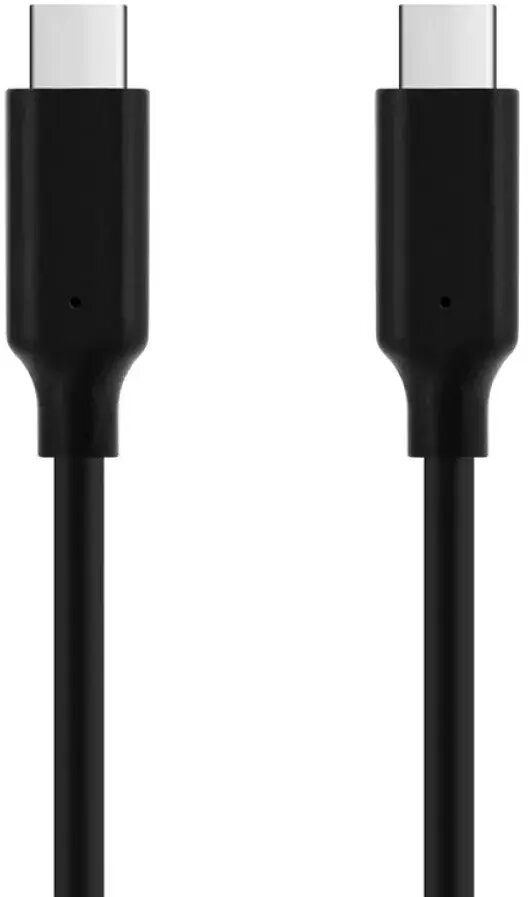
USB Type-C to USB Type-C cable ICIDU U-43-01.0 — 1 m, supports 8K
In cart {{totalProductsCount}} item(s)
Your cart is empty
USB Type-C to USB Type-C cable ICIDU U-43-01.0 — 1 m, supports 8K
Leave your address - as soon as the price of the product goes down, you'll know about it right away
USB Type-C to USB Type-C cable ICIDU U-43-01.0 — 1 m, supports 8K
ICIDU U-43-01.0 is a 1 m USB Type-C to USB Type-C cable engineered for contemporary devices that use USB-C connectors. It supports data transfer and video/audio transmission up to 8K resolution, enabling a single-cable connection between laptops, smartphones, tablets, displays, docking stations and compatible chargers. The male-to-male design and 1 m length provide a balance between reach and cable management for desktop and mobile setups.
This USB Type-C cable supports high-resolution video up to 8K while also carrying data and audio, reducing the need for multiple cables. Its 1 m length is convenient for typical workstation and travel use, offering a straightforward plug-and-play connection for devices with USB-C ports. The cable is compatible with modern laptops, displays and mobile devices that accept USB-C video and data signals.
Plug one end of the cable into the USB-C port of the source device (for example a laptop or smartphone) and the other end into the USB-C port of the target device (monitor, docking station or another computer). Ensure both devices support the required video and data modes for 8K output; check device documentation if necessary. Once connected, the devices should recognize the cable automatically; select the appropriate display settings on the source device to enable external output or data transfer.
For stable 8K video transmission, use the cable with devices and displays that explicitly support 8K over USB-C or relevant alternate modes. Avoid sharp bends and excessive tension on the cable; store it coiled loosely when not in use. If video or data performance is limited, verify device compatibility, update firmware or drivers, and test with another certified USB-C cable to isolate the issue.
{{highlightedFeature.featureTitle}}:
{{getProductFeatureValueById(product, highlightedFeature.featureId)}}