Leave your address - as soon as the price of the product goes down, you'll know about it right away
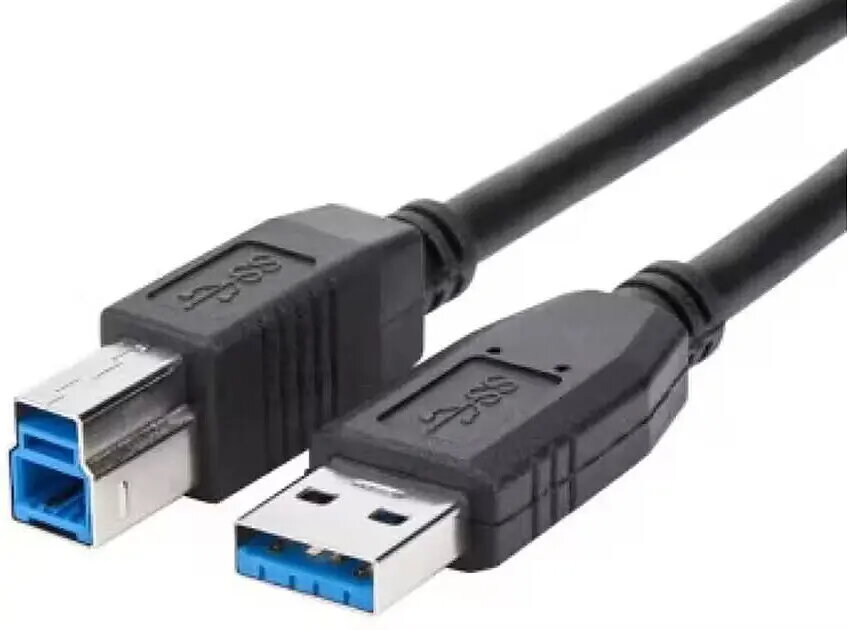
USB Type-A to Type-B cable ICIDU US3-ABB-0100.B 1 m, up to 5 GB/s
In cart {{totalProductsCount}} item(s)
Your cart is empty
USB Type-A to Type-B cable ICIDU US3-ABB-0100.B 1 m, up to 5 GB/s
Leave your address - as soon as the price of the product goes down, you'll know about it right away
USB Type-A to Type-B cable ICIDU US3-ABB-0100.B 1 m, up to 5 GB/s
ICIDU USB Type-A to Type-B cable US3-ABB-0100.B is a 1 m connection and data cable designed for wired communication between computers with USB Type-A ports and peripheral devices with USB Type-B connectors. The cable supports transfer speeds up to 5 GB/s, providing a standard A-to-B interface for stable data transfer and device control in office and home environments.
This USB Type-A to Type-B cable offers a reliable physical connection for printers, scanners and external drives. With a 1 m length it balances reach and cable management for desktop setups. The cable supports high transfer rates up to 5 GB/s, which reduces wait times for large file transfers and improves responsiveness when using external storage. Its standardized connectors ensure broad compatibility with common USB Type-A host ports and Type-B peripheral ports.
Connect the USB Type-A plug to a free USB Type-A port on the computer or host device and insert the USB Type-B plug into the peripheral device's Type-B port, such as a printer, scanner or external drive. Ensure both devices are powered on and, if necessary, install the appropriate drivers or allow the operating system to recognize the peripheral. Route the cable to avoid sharp bends and reduce electromagnetic interference by keeping it away from power cables where possible.
For optimal performance, use the cable for direct device-to-host connections and avoid long daisy-chains or passive hubs. Replace the cable if connectors show signs of wear or if data errors occur. Keep the cable length appropriate for your setup to maintain the specified transfer rate and limit signal degradation.
{{highlightedFeature.featureTitle}}:
{{getProductFeatureValueById(product, highlightedFeature.featureId)}}