
Leave your address - as soon as the price of the product goes down, you'll know about it right away
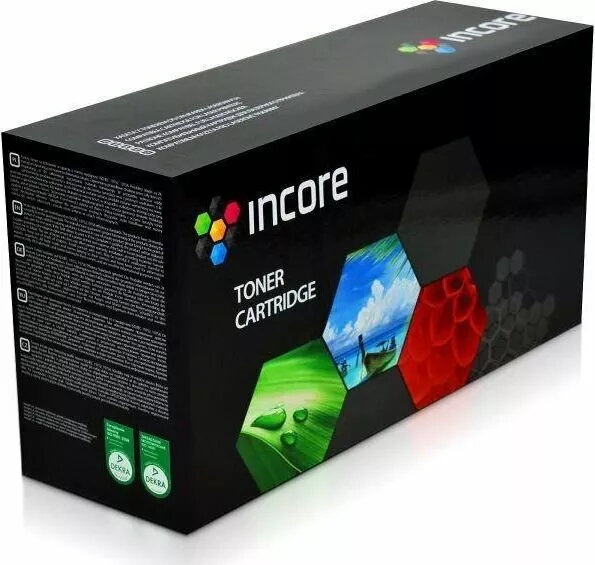
Toner cartridge Incore IH-1106A black — replacement for 106A, MPN IH-1106A
In cart {{totalProductsCount}} item(s)
Your cart is empty
Toner cartridge Incore IH-1106A black — replacement for 106A, MPN IH-1106A
Leave your address - as soon as the price of the product goes down, you'll know about it right away
Toner cartridge Incore IH-1106A black — replacement for 106A, MPN IH-1106A
Incore IH-1106A black is a replacement toner cartridge compatible with printers that accept the 106A family of cartridges. It supplies black toner intended for monochrome printing of text documents, reports and invoices. The cartridge is positioned as a cost-effective alternative to original manufacturer cartridges while maintaining the standard print functionality required for everyday office and home printing tasks.
The cartridge provides reliable black toner coverage for standard mono printing and is designed for straightforward installation and replacement. It offers predictable page yield and consistent text density for business documents. By using a compatible replacement like this model, users can reduce consumable costs without changing existing printing workflows.
Turn the printer off if recommended by the manufacturer, open the cartridge access panel and remove the empty cartridge following the printer’s removal procedure. Unpack the replacement cartridge, remove any protective seals according to the included instructions, and insert it into the correct slot until it clicks into place. Close the access panel, power on the printer if necessary, and run a test print or alignment procedure if the printer prompts for it.
Store the cartridge in a cool, dry place away from direct sunlight. For consistent print quality, handle the cartridge by its sides and avoid touching the drum or toner outlet. Use routine printer maintenance and run calibration or test prints after installation to ensure optimal text density and alignment.
{{highlightedFeature.featureTitle}}:
{{getProductFeatureValueById(product, highlightedFeature.featureId)}}