
Hurry and order now – up to 50% off!
In cart {{totalProductsCount}} item(s)
Your cart is empty
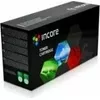
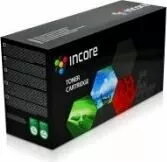
Toner cartridge Incore IX-X3020N replacement for 106R02773, black
Incore IX-X3020N is a black replacement toner cartridge designed as a direct substitute for printers that accept the 106R02773 cartridge profile. It supplies black toner for everyday monochrome printing tasks such as text documents, invoices and basic office prints. The cartridge is intended for routine use and straightforward installation, providing a practical option for maintaining print functionality without using the original manufacturer's consumable.
This replacement toner offers consistent black print output and is made to fit compatible monochrome laser printers that use the specified cartridge profile. The design simplifies installation and handling during cartridge change. Using this cartridge supports standard office workflows by supplying the black toner needed for clear text and simple graphics while offering an economical alternative to original-brand consumables.
Turn off the printer and open the printing unit following the printer manufacturer's instructions. Remove the empty cartridge by gently pulling it out along the guide rails. Unpack the Incore IX-X3020N replacement, remove any protective seals or tape, and insert the cartridge into the same slot until it clicks into place. Close the printing unit, power the printer back on and run a calibration or test page if available to confirm correct installation and print alignment.
Store the cartridge in a dry, cool place away from direct sunlight and extreme temperatures. Use the cartridge within the manufacturer's suggested shelf life for best results. If print quality declines, perform routine maintenance such as cleaning the printer's paper path and running built-in cleaning cycles before replacing the cartridge.
{{highlightedFeature.featureTitle}}:
{{getProductFeatureValueById(product, highlightedFeature.featureId)}}
{{ productComparisonGenerationError }}