
Leave your address - as soon as the price of the product goes down, you'll know about it right away
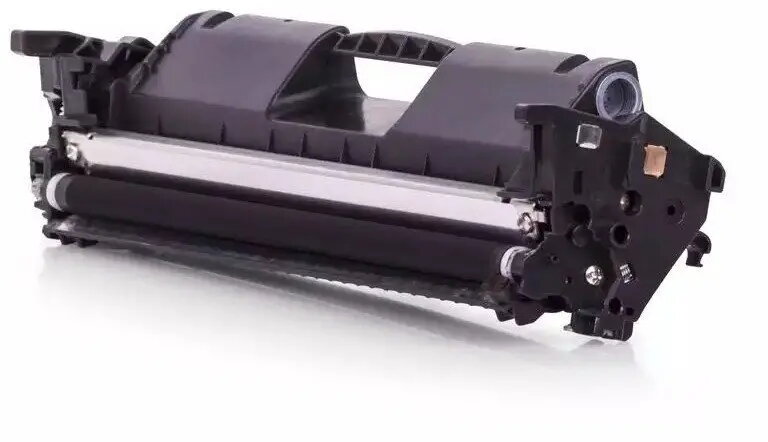
Toner cartridge JetWorld GenerInk for HP CF294X / H.94X-GI-N, black
In cart {{totalProductsCount}} item(s)
Your cart is empty
Toner cartridge JetWorld GenerInk for HP CF294X / H.94X-GI-N, black
Leave your address - as soon as the price of the product goes down, you'll know about it right away
Toner cartridge JetWorld GenerInk for HP CF294X / H.94X-GI-N, black
JetWorld GenerInk replacement toner cartridge for HP CF294X / H.94X-GI-N in black is a compatible mono laser consumable intended for printers that accept the CF294X family. It supplies standard black toner formulated for clear, legible text and consistent page coverage when producing office documents, reports and everyday monochrome prints. The cartridge is suitable as a cost-effective alternative to original manufacturer supplies and is designed to fit and operate in printers compatible with CF294X cartridges.
The cartridge offers reliable printing performance with stable output density across print runs, helping maintain uniform black text and graphics. It is produced to meet functional compatibility with CF294X-compatible printers and aims to reduce running costs compared with original-brand cartridges. Installation is straightforward and the cartridge design supports typical office print volumes without requiring special handling.
Turn off the printer and open the toner access cover according to the printer manufacturer’s instructions. Remove any protective seals or packaging from the JetWorld GenerInk cartridge, then insert it into the correct slot until it clicks into place. Close the access cover and power the printer on. Allow the printer to complete any initialization steps and run a test print or alignment if prompted. Follow on-screen or manual instructions from the printer to confirm proper installation.
Store cartridges in a cool, dry place away from direct sunlight and extreme temperatures. If prints show streaks or uneven density, perform a printer cleaning cycle or check cartridge seating; replace the cartridge when print quality degrades beyond acceptable levels. Use with printers specified to accept CF294X-compatible cartridges for best results.
{{highlightedFeature.featureTitle}}:
{{getProductFeatureValueById(product, highlightedFeature.featureId)}}