
Powerful EcoFlow stations for energy anywhere!
In cart {{totalProductsCount}} item(s)
Your cart is empty
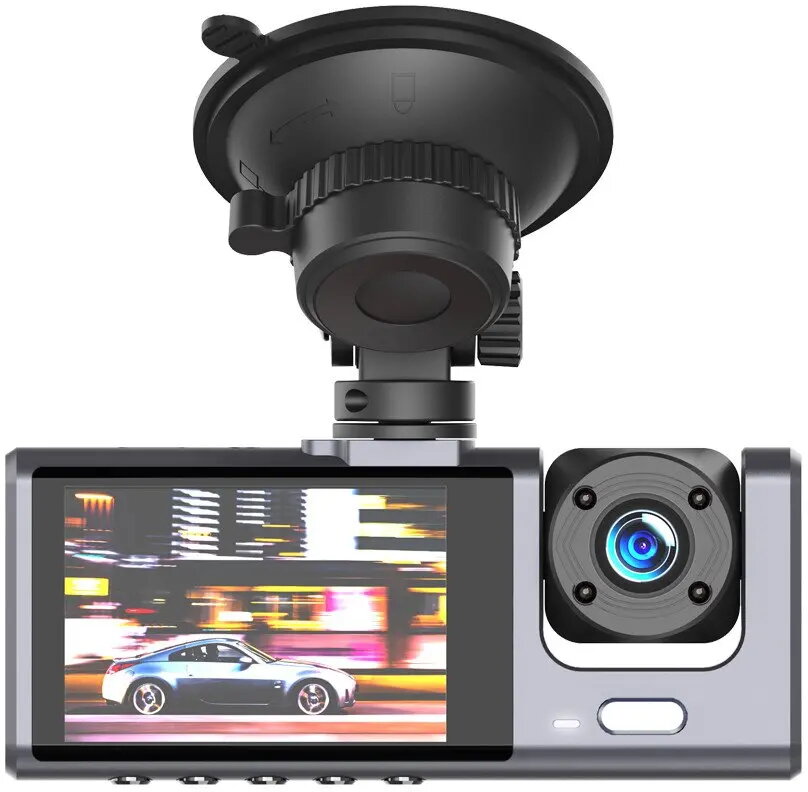
Dash Camera JR XJ03 front-rear Full HD dual-channel
JR XJ03 dash camera is a dual-channel Full HD front-and-rear recorder designed to capture continuous and event-triggered video inside and outside a vehicle. The device provides synchronized Full HD footage from both the forward-facing and rear-facing cameras, enabling documentation of driving routes, traffic incidents and parking events. The compact design is intended for discreet mounting on windshields and rear windows, while on-board recording modes support loop recording and automatic event saving when motion or impact is detected.
The JR XJ03 front-rear Full HD dual-channel dash camera records both front and rear views in Full HD resolution, ensuring clear visual evidence for traffic incidents and everyday driving. Dual-channel synchronization maintains time-aligned footage from both cameras. The unit supports continuous loop recording, automatic event preservation on impact, and parking monitoring to capture incidents while the vehicle is stationary. Its compact form factor allows unobtrusive installation without significantly blocking the driver’s view.
Mount the front camera on the windshield behind the rear-view mirror and position the rear camera to provide an unobstructed view from the rear window. Insert a compatible memory card and connect the camera to the vehicle power supply. On first use, set date and time and configure recording modes and sensitivity for event detection. During driving the device records continuously, saving recent footage in loop mode and locking event files when motion or impact is detected. For parking monitoring, enable the corresponding mode and ensure the camera has a stable power source when the ignition is off.
To ensure reliable recording, use a high-endurance memory card from a reputable brand and format it in the camera before first use. Position the cameras to avoid reflections and obstructions, periodically check lens cleanliness, and review and transfer important clips to external storage after incidents to prevent accidental overwriting.
{{highlightedFeature.featureTitle}}:
{{getProductFeatureValueById(product, highlightedFeature.featureId)}}
{{ productComparisonGenerationError }}