JBL speakers and headphones for pure and deep sound!
In cart {{totalProductsCount}} item(s)
Your cart is empty
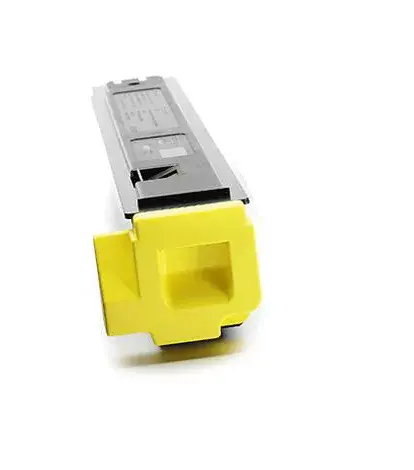
Toner Kyocera TK-5135Y 10000 pages Yellow
Kyocera TK-5135Y Yellow toner is formulated for laser printers to deliver up to 10,000 pages of consistent yellow output. The cartridge is compatible with Kyocera devices and designed to reproduce vivid color and sharp text for professional documents and presentations. For optimum performance, use genuine Kyocera toner to maintain print quality and protect long-life drum components.
Genuine Kyocera toner ensures particle size and composition tuned to the printer’s imaging system, reducing the risk of streaks, ghosting and grey background. The toner contains ceramic cleaning beads that help keep the drum surface clean and free of particles, which supports the long service life of Kyocera drums and stable print quality across high-volume runs.
Turn off the printer and open the front cover according to the printer manual. Remove the empty cartridge following the device’s instructions and unpack the replacement Kyocera TK-5135Y. Gently shake the cartridge side to side to distribute toner evenly, remove protective seals, insert the cartridge into the correct slot, and close the cover. Power on the printer and run any recommended calibration or print test as described in the printer documentation.
For best results, store the cartridge in a cool, dry place and install genuine Kyocera toner to maintain image quality and extend the drum’s service life. Avoid exposure to direct sunlight, and follow the printer manufacturer’s maintenance guidelines.
{{highlightedFeature.featureTitle}}:
{{getProductFeatureValueById(product, highlightedFeature.featureId)}}
{{ productComparisonGenerationError }}