
Powerful EcoFlow stations for energy anywhere!
In cart {{totalProductsCount}} item(s)
Your cart is empty
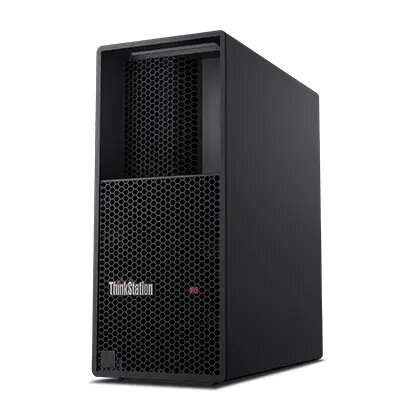
Desktop Workstation Lenovo ThinkStation P/P3 Tower Gen 2 U5-245K — 32GB RAM, 512GB SSD, Intel, Windows 11 Pro, 3R On‑Site
Lenovo ThinkStation P/P3 Tower Gen 2 U5-245K is a professional desktop workstation in a black tower chassis configured with an Intel Core Ultra 5 245K processor, 32GB DDR5 memory and a 512GB PCIe 4.0 NVMe SSD. It ships with Windows 11 Pro (Czech/Slovak/English) and includes a discrete TPM 2.0 security module. The system offers integrated Intel graphics, multiple front and rear I/O ports including USB-C 20Gbps and DisplayPort 1.4 outputs, Gigabit Ethernet and a memory card reader. The chassis dimensions are compact for a tower and the unit is covered by a 3‑year onsite warranty and 3R on‑site support for professional maintenance.
This workstation combines a high‑frequency Intel processor with fast DDR5 memory and a PCIe 4.0 NVMe SSD to deliver responsive performance for single‑threaded and multithreaded professional tasks. Built‑in security features such as TPM 2.0 (TCG and FIPS 140‑2 certified) support platform integrity and data protection. A variety of modern connectivity options — including a front USB‑C port with up to 20Gbps, multiple USB‑A ports, HDMI 2.1 and DisplayPort 1.4 — provide adaptability for displays and peripherals without additional adapters. The tower format balances expansion potential and a small desktop footprint for office or studio environments.
Set the workstation on a stable, well‑ventilated surface and connect a monitor via DisplayPort or HDMI depending on your display. Attach keyboard, mouse and any external storage to available USB ports; use the front USB‑C port for high‑speed data transfers. Configure Windows 11 Pro on first boot, apply updates and install required professional applications. For networked environments, connect the Ethernet cable for stable wired connectivity. Use the memory card reader to import media files directly from cameras or other devices.
For sustained heavy workloads such as large assemblies or long renders, ensure adequate airflow around the tower and keep system firmware and drivers updated. If you require wireless connectivity or additional GPU acceleration for GPU‑bound workloads, consider adding certified expansion options compatible with the tower chassis. Maintain regular backups and use the onboard TPM for secure key storage and encryption when handling sensitive data.
{{highlightedFeature.featureTitle}}:
{{getProductFeatureValueById(product, highlightedFeature.featureId)}}
{{ productComparisonGenerationError }}
