
JBL speakers and headphones for pure and deep sound!
In cart {{totalProductsCount}} item(s)
Your cart is empty
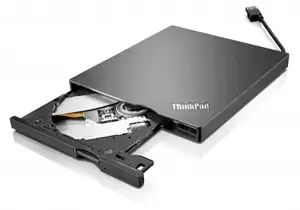
DVD±RW Drive Lenovo ThinkPad UltraSlim USB Burner
The Lenovo ThinkPad UltraSlim USB DVD Burner is a compact external DVD±RW optical drive designed for use with desktops and notebooks. It connects via USB 3.2 Gen 1 (backward compatible with USB 2.0) and supports reading and writing of a wide range of disc formats, including CD-R, CD-RW, CD-ROM, DVD-R/RW, DVD+R/RW, dual-layer DVD-R/DVD+R and DVD-RAM. The drive uses a 9.5 mm UltraSlim mechanism and comes in a slim black housing suitable for mobile and desktop use.
The UltraSlim design is about 20% thinner than previous models, providing a smaller footprint and easier portability. USB 3.2 Gen 1 interface enables faster data transfer when used with compatible ports while remaining compatible with USB 2.0. A 0.75 MB buffer under-run protection helps reduce write errors during disc burning. Bundled media software (PowerDVD Create and PowerDVD) allows basic video capture, editing and DVD playback.
Connect the ThinkPad UltraSlim USB DVD Burner to an available USB port on your desktop or notebook. Wait for the operating system to detect the device and install any required drivers; on modern systems this typically happens automatically. Insert a disc into the tray or slot and use your preferred media application to read, play or burn content. Use the included PowerDVD Create or other third-party burning software to author DVDs and create video discs.
For reliable burning results, use high-quality blank media of the appropriate format, avoid moving the drive while writing, and connect the drive directly to a computer USB port rather than through an unpowered hub. Ensure your system meets any software requirements for bundled applications.
{{highlightedFeature.featureTitle}}:
{{getProductFeatureValueById(product, highlightedFeature.featureId)}}
{{ productComparisonGenerationError }}
