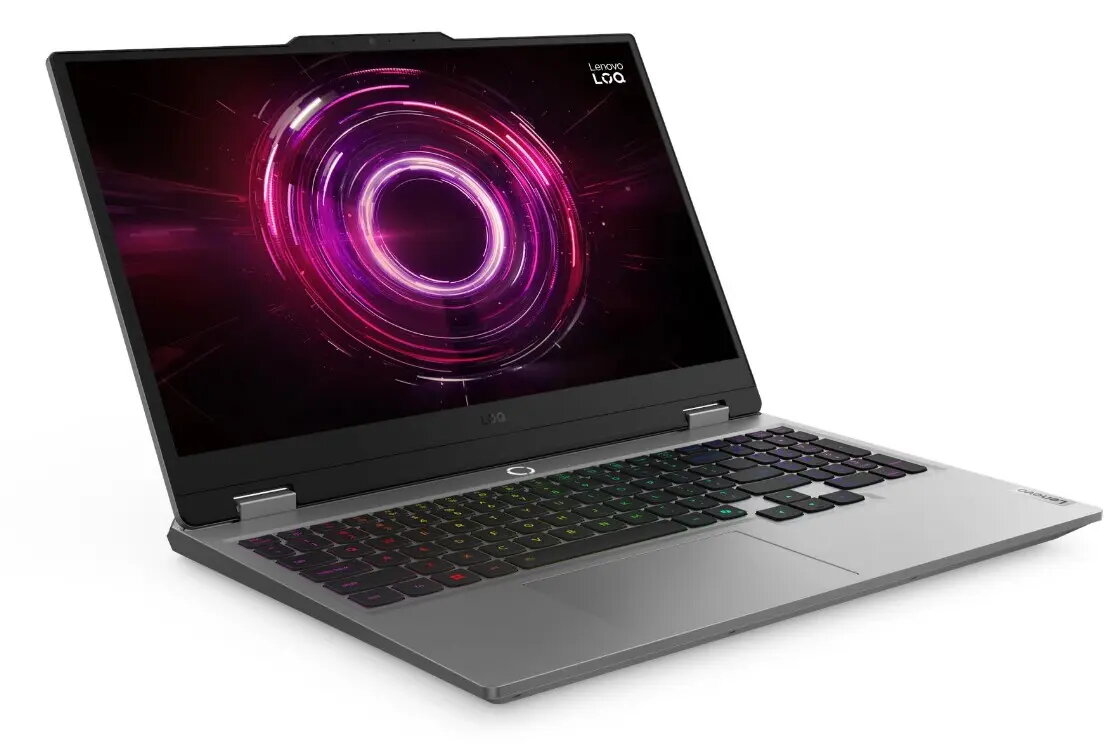
The Lenovo LOQ 15AHP10 is a high-performance laptop designed to deliver reliable power for both gaming and professional productivity. Featuring a 15.6-inch Full HD display, this device provides clear visuals and a responsive experience for various digital tasks. With its robust internal hardware, including a powerful AMD Ryzen 7 processor and a dedicated RTX 5050 graphics card, it handles demanding software and modern games with ease. The sleek gray chassis houses a comprehensive cooling system and a comfortable keyboard, making it a versatile choice for users who need a balance of portability and desktop-class performance.
Advantages
This laptop stands out due to its substantial 32GB of RAM, which ensures smooth multitasking even when running multiple resource-heavy applications simultaneously. The inclusion of a 1TB solid-state drive offers ample space for large game libraries, creative projects, and extensive file storage while maintaining fast boot and load times. The dedicated graphics card provides the necessary graphical fidelity for gaming and video editing, while the Windows 11 Home operating system offers a modern, intuitive interface optimized for current software standards.
Suitable for
- Modern gaming and interactive entertainment
- Video editing and graphic design tasks
- Multitasking with complex productivity software
- Academic and professional work requiring high processing power
When it may not be suitable
This device may not be the ideal choice for users who prioritize extreme portability and lightweight design for frequent travel, as its performance-oriented hardware results in a larger form factor. Additionally, it may exceed the requirements for basic office tasks, web browsing, or media consumption, where a more budget-friendly or power-efficient ultrabook might be more appropriate.
Key specifications
- 15.6-inch Full HD display
- AMD Ryzen 7 250 processor
- 32GB RAM
- 1TB storage capacity
- NVIDIA RTX 5050 graphics card
- Windows 11 Home operating system
How to use
To begin using the Lenovo LOQ 15AHP10, connect the provided power adapter to the charging port and press the power button located on the chassis. Follow the on-screen prompts provided by the Windows 11 setup wizard to configure your language, network settings, and user account. Once the initial setup is complete, you can install your preferred applications and games. Ensure the laptop is placed on a flat, hard surface during operation to allow the cooling vents to function effectively and prevent overheating.
What to consider before purchase
- Check if the physical dimensions fit your preferred carrying bag or workspace.
- Verify that the available ports meet your requirements for external peripherals.
- Consider whether the battery life meets your specific mobility needs during extended work sessions.
Usage recommendations
For optimal performance during gaming or intensive rendering, keep the laptop connected to a power source and ensure that the air vents remain unobstructed. Regularly update your graphics drivers and system software through the manufacturer's support portal to maintain stability and security.