
Dreame vacuums for fast and efficient cleaning!
In cart {{totalProductsCount}} item(s)
Your cart is empty
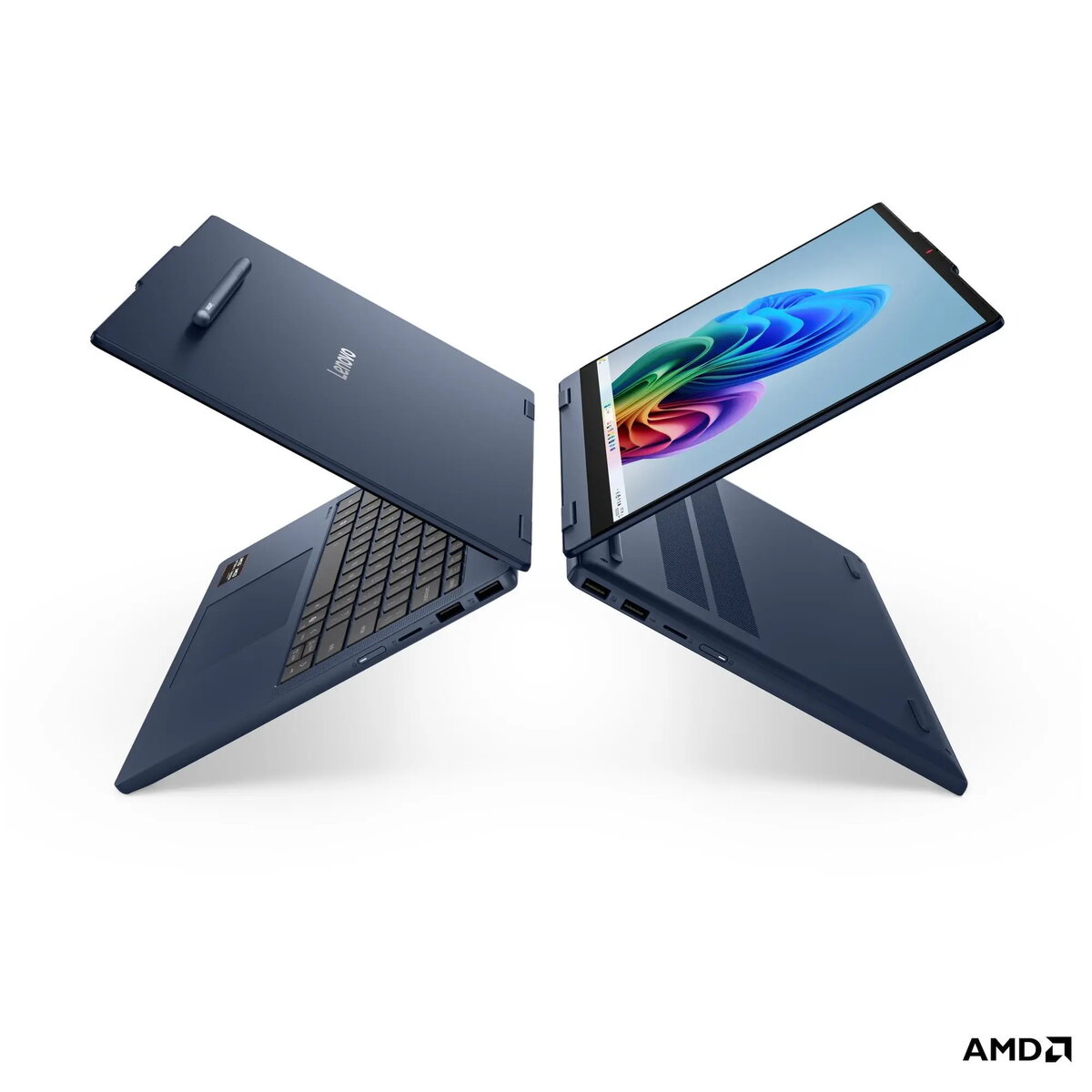
Lenovo IdeaPad 5 2-in-1 14AHP11 Laptop, 14-inch WUXGA Touchscreen, AMD Ryzen 5, 16GB RAM, 512GB SSD, No OS, Blue
The Lenovo IdeaPad 5 2-in-1 14AHP11 is a versatile convertible laptop designed to adapt to your dynamic lifestyle. Featuring a 14-inch WUXGA OLED touchscreen, this device offers vibrant visuals and responsive touch interaction, allowing you to switch seamlessly between laptop and tablet modes. Powered by an AMD Ryzen 5 processor and 16GB of DDR5 memory, it delivers reliable performance for multitasking and daily computing tasks. The sleek Cosmic Blue chassis combines durability with a modern aesthetic, making it a portable companion for professionals and students alike.
The primary benefit of this device is its 2-in-1 convertible design, which provides the flexibility of a tablet with the full functionality of a laptop. The high-quality OLED display ensures excellent color accuracy and brightness, enhancing both work and entertainment experiences. With integrated AMD Radeon graphics and a fast 512GB NVMe SSD, the system handles applications efficiently. The inclusion of a backlit keyboard and a Full HD webcam with a privacy shutter adds convenience and security to your daily workflow, while the robust port selection ensures easy connectivity to external displays and peripherals.
This laptop is not intended for high-end professional gaming or intensive 3D rendering, as it relies on integrated graphics. Additionally, since it is sold without an operating system, it may not be suitable for users who are not comfortable with installing and configuring their own software environment.
To begin using the Lenovo IdeaPad 5, you must first install a compatible operating system via a bootable USB drive, as the device is delivered without pre-installed software. Once the OS is set up, you can utilize the 360-degree hinge to transition between laptop mode for typing and tablet mode for touch-based navigation. The device supports USB-C Power Delivery, allowing you to charge it using compatible adapters. Use the integrated microSD card reader for quick file transfers and the HDMI 2.1 port to connect to external monitors for an expanded workspace.
To maintain optimal performance and battery longevity, ensure that you keep the system firmware and drivers updated. When using the device in tablet mode, handle the screen with care to avoid excessive pressure. For best results, use a high-quality USB-C charger that meets the power delivery requirements of the laptop.
{{highlightedFeature.featureTitle}}:
{{getProductFeatureValueById(product, highlightedFeature.featureId)}}
{{ productComparisonGenerationError }}
