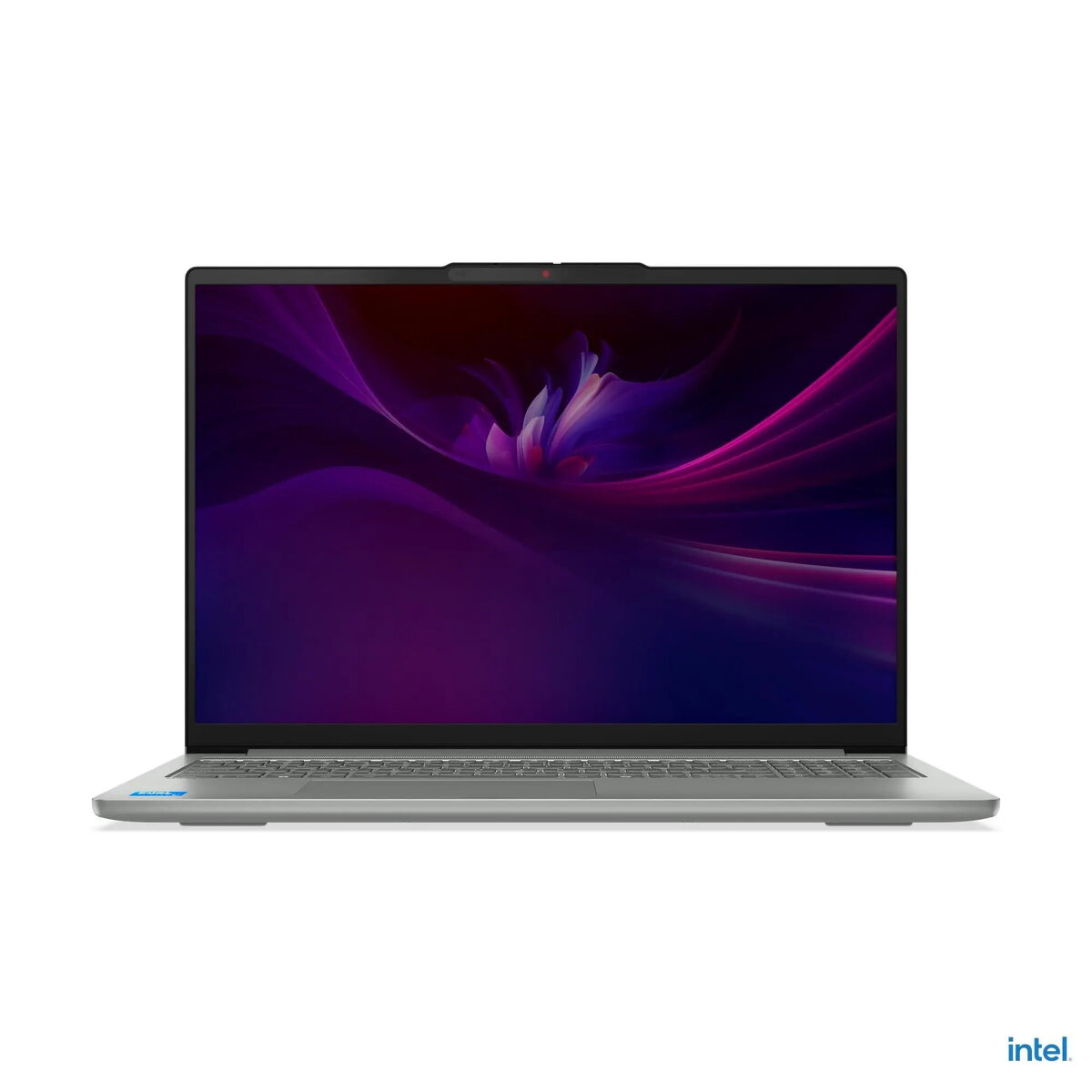
Lenovo IdeaPad Slim 5 16IMH10 is a 16" WUXGA (1920x1200) laptop in a slim aluminum chassis finished in Luna Gray, designed for everyday productivity, study and multimedia. It is powered by an Intel Core Ultra 5 135H processor with integrated Intel Arc Graphics and Intel AI Boost NPU, and comes with 16 GB DDR5-5600 memory (2x8 GB) and a 512 GB PCIe 4.0 NVMe SSD. The device includes a 16-inch IPS display with anti-glare coating, FHD 1080p + IR webcam with privacy cover and TOF sensor, backlit keyboard with numeric keypad, dual speakers tuned with Dolby Audio, Wi-Fi 6 and Bluetooth 5.2, and an 80 Wh integrated battery. The notebook passed MIL-STD-810H tests and ships with Windows 11 Home.
Advantages
The combination of an Intel Core Ultra 5 135H processor, up to 11 TOPS NPU performance and Intel Arc integrated graphics provides balanced CPU, AI and graphics capabilities for multitasking, content playback and light creative workloads. Fast DDR5 memory and a PCIe 4.0 NVMe SSD ensure responsive system performance and quick application loading. A bright 16" WUXGA IPS display with anti-glare treatment offers extended vertical space for documents and spreadsheets. A durable aluminum body, MIL-STD-810H verification and an 80 Wh battery support extended mobile use.
Suitable for
- Office work and document editing
- Remote study and video conferencing
- Web browsing, media streaming and light photo/video editing
- Everyday multitasking and productivity applications
Key specifications
- Display: 16" WUXGA (1920x1200) IPS, 300 nits, anti-glare, 60 Hz
- Processor: Intel Core Ultra 5 135H (14 cores / 18 threads)
- Neural processing: Intel AI Boost, up to 11 TOPS
- Memory: 16 GB (2x 8 GB) DDR5-5600, dual-channel (max up to 32 GB supported)
- Storage: 512 GB M.2 PCIe 4.0x4 NVMe SSD; two M.2 slots (2242 and 2280)
- Graphics: Integrated Intel Arc Graphics
- Web camera: FHD 1080p + IR with privacy cover and TOF sensor
- Audio: Stereo 2 x 2W speakers, Dolby Audio; dual microphones
- Keyboard and input: Backlit keyboard with numeric keypad; touchpad
- Connectivity: Wi‑Fi 6 (802.11ax) 2x2, Bluetooth 5.2
- Ports: 2x USB-C (10Gbps, USB PD 3.0, DisplayPort 1.4), 2x USB-A (5Gbps, one always-on), HDMI 2.1, 3.5 mm combo, microSD reader
- Security and firmware: Firmware TPM 2.0 enabled
- Battery: Integrated 80 Wh
- Chassis: Aluminum, Luna Gray; dimensions 356.5 x 250.6 x 16.9 mm; weight from 1.93 kg
- Operating system: Windows 11 Home
- Warranty: 2 years
How to use
Start the laptop and complete the Windows 11 Home setup with your user account and network connection. Use the included Wi‑Fi 6 and Bluetooth 5.2 for wireless network and peripheral pairing. For best performance in multitasking and creative applications, keep the system firmware and drivers updated and store large files on the PCIe 4.0 NVMe SSD or add a secondary M.2 drive if additional capacity is needed. The backlit keyboard and numeric keypad support extended typing sessions, while the FHD + IR camera with TOF sensor enables clearer video calls and faster sign-in when configured with Windows Hello.
Usage recommendations
To maintain long-term battery health, calibrate the battery periodically and avoid leaving the device at full charge or fully depleted for extended periods. For stable thermals during heavy workloads, use the laptop on a hard surface to ensure ventilation; consider enabling balanced or performance power profiles in Windows for CPU/GPU intensive tasks. Use the microSD slot or the second M.2 slot for additional storage rather than relying solely on cloud transfers when working with large media files.