
Filters you can trust. Pure water every day.
In cart {{totalProductsCount}} item(s)
Your cart is empty
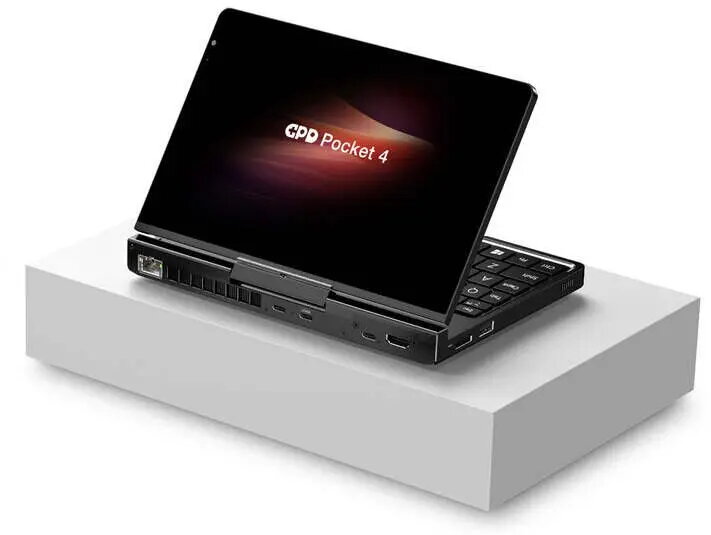
Laptop Lenovo GPD-Pocket-4 Ryzen 7 8840U 8" WQXGA 2560x1600 Touchscreen 144Hz IPS 16GB 1TB SSD x360 Radeon 780M
Compact Lenovo GPD-Pocket-4 laptop featuring an AMD Ryzen 7 8840U processor and an 8-inch WQXGA (2560x1600) 144Hz IPS touchscreen with a 360° hinge. The convertible x360 design lets the device function as a traditional laptop, a tablet, or a presentation display. Configured with 16GB of RAM and a 1TB SSD, this model includes integrated Radeon 780M graphics, Bluetooth connectivity and a fingerprint reader for secure, immediate access. The combination of high pixel density, fast refresh rate and a small footprint targets users who need portable productivity and clear image detail in a compact device.
The high-resolution 8" WQXGA display delivers detailed text and sharp images while the 144Hz refresh rate provides smoother on-screen motion for scrolling and video playback. The Ryzen 7 8840U CPU paired with 16GB RAM and a 1TB SSD provides responsive multitasking, quick application launches and ample storage for documents and media. The 360° hinge adds flexibility for different working modes, and the integrated Radeon 780M offers sufficient graphics performance for light creative tasks and multimedia. Built-in Bluetooth and a fingerprint reader enhance connectivity and secure access without adding external peripherals.
Power on the device and complete the initial setup by following the on-screen prompts to configure language, user account and network settings. Use the touchscreen for direct interaction, or open the laptop in standard mode to use the keyboard and trackpad. Switch between laptop, tent, stand and tablet modes by rotating the 360° hinge to suit your task. Use the fingerprint reader to sign in quickly and securely. Connect Bluetooth accessories such as headphones or a mouse through the wireless settings page. Store files on the internal SSD and manage applications through the operating system’s settings and storage tools.
For best battery life and thermal balance during sustained workloads, use balanced power settings and avoid prolonged maximum-refresh-rate use when battery-powered. For creative work, calibrate display color settings in the operating system or with dedicated color management software to match print or external displays. Use a protective sleeve or small case to prevent surface damage when carrying the device in a bag.
{{highlightedFeature.featureTitle}}:
{{getProductFeatureValueById(product, highlightedFeature.featureId)}}
{{ productComparisonGenerationError }}
