JBL speakers and headphones for pure and deep sound!
In cart {{totalProductsCount}} item(s)
Your cart is empty
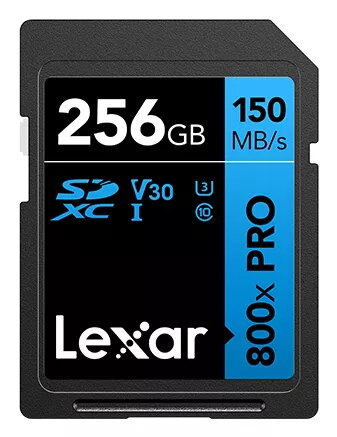
SDXC Flash Memory Lexar 256GB UHS-I 800xPRO — 150 MB/s read, 45 MB/s write, U3 V30, Class 10
Lexar 256GB SDXC UHS-I 800xPRO is a high-capacity SD card designed for professional photo and video capture. With a 256 GB capacity and black housing, the card supports UHS-I interface and delivers up to 150 MB/s read speed and up to 45 MB/s write speed. The card meets UHS Speed Class U3, Video Speed Class V30 and Class 10 ratings, making it suitable for 4K recording, fast file transfers and reliable continuous shooting. The construction is durable and rated to withstand shock, temperature extremes, vibration and X-ray exposure, and it is compatible with DSLRs, mirrorless cameras, camcorders and many card readers.
This SDXC card combines large capacity and sustained performance: 256 GB storage enables long recording times and large photo libraries, while the 150 MB/s read and 45 MB/s write speeds reduce waiting time during transfers and buffering. U3/V30/Class 10 ratings provide a clear performance guarantee for 4K video and burst shooting. The durable build protects data integrity during travel and field use, and the standard SD form factor ensures wide device compatibility.
Insert the Lexar SDXC card into a compatible SD card slot in your camera, camcorder or card reader with the label side facing up until it clicks into place. Format the card in the device before first use to ensure optimal file system settings and compatibility. During recording, monitor available space and remaining battery to avoid corrupt files; when transferring files, use a UHS-I compatible card reader and ensure the computer’s USB connection is stable. Eject the card safely from the operating system after file transfer to prevent data loss.
For reliable 4K video and continuous burst shooting, format the card in-camera and avoid full-capacity operation for extended periods; keep a second card as backup. Store the card in a protective case when not in use and avoid removing the card while the device is writing data.
{{highlightedFeature.featureTitle}}:
{{getProductFeatureValueById(product, highlightedFeature.featureId)}}
{{ productComparisonGenerationError }}