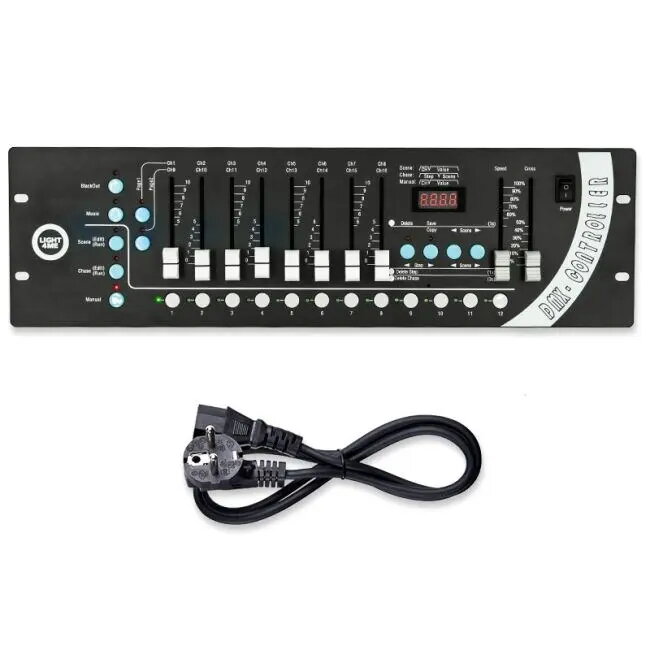
Light4Me DMX 192 v2 Slider is a 192-channel DMX lighting controller intended for live events, clubs and stage installations. The unit provides direct, tactile slider control for dimming and adjusting fixtures across multiple DMX universes, allowing fast manual changes to intensity and simple scene selection. The controller is designed for small to medium-sized setups that require immediate, hands-on regulation of lights and effects.
Advantages
The slider-based layout gives immediate access to individual channels and groups, reducing the need to navigate menus during performances. Real-time manual control supports smooth fades and quick corrections, while scene selection lets users store and recall lighting states. The compact form factor makes the controller portable and suitable for mobile rigs or confined technical desks. Connectivity and channel count support a variety of conventional and LED fixtures without complex programming for basic live operation.
Suitable for
- Small to medium live concerts and club shows
- Theatrical and stage lighting for community theatres and houses of worship
- Mobile DJs and event technicians needing tactile control
- Installations where hands-on dimming and quick scene recall are required
When it may not be suitable
The controller is focused on manual slider control and straightforward scene recall, so it may not meet the needs of complex productions that require advanced pixel mapping, extensive automation or networked control across many universes. Large venues or projects demanding deep programming, timecode synchronization, or software-based visual programming may require a more feature-rich console or software solution.
Key specifications
- Number of DMX channels: 192
- Control method: physical sliders for direct channel manipulation
- Scene storage and recall: basic scene selection functionality
- Form factor: portable console suitable for desk or rack use
- Intended use: manual dimming and live adjustments for lighting fixtures
How to use
Connect the controller to your lighting fixtures using standard DMX cabling and set fixture addresses according to your installation. Use the sliders to control channel intensity in real time and select stored scenes when needed to change multiple channels simultaneously. For live operation, adjust fade speeds and apply manual corrections on the fly; the direct slider access allows immediate response without menu navigation. Ensure proper grounding and cable routing to maintain signal integrity during performances.
What to consider before purchase
- Confirm that 192 channels cover the total number of channels required by your fixtures and any grouped control needs
- Assess whether slider-based manual control matches your workflow versus software-driven consoles
- Verify DMX cabling and connectors compatibility with your current rig
- Consider portability and available desk space for the physical console
Usage recommendations
For live events, map fixtures and label channel strips before the performance to speed up setup and reduce errors. Use scene memory for common looks and rely on sliders for fine-tuning during the show. Regularly check cable integrity and perform a pre-show run-through to verify scene recall and slider responsiveness.