{{ totalProductsCount }}

In cart {{totalProductsCount}} item(s)

Total:
{{sum | formatAmount}}

Your cart is empty

header-product Touchscreen Control Panel Logitech Tap 10.1" IPS Display
828.99 €

Touchscreen Control Panel Logitech Tap 10.1" IPS Display

Fast delivery available
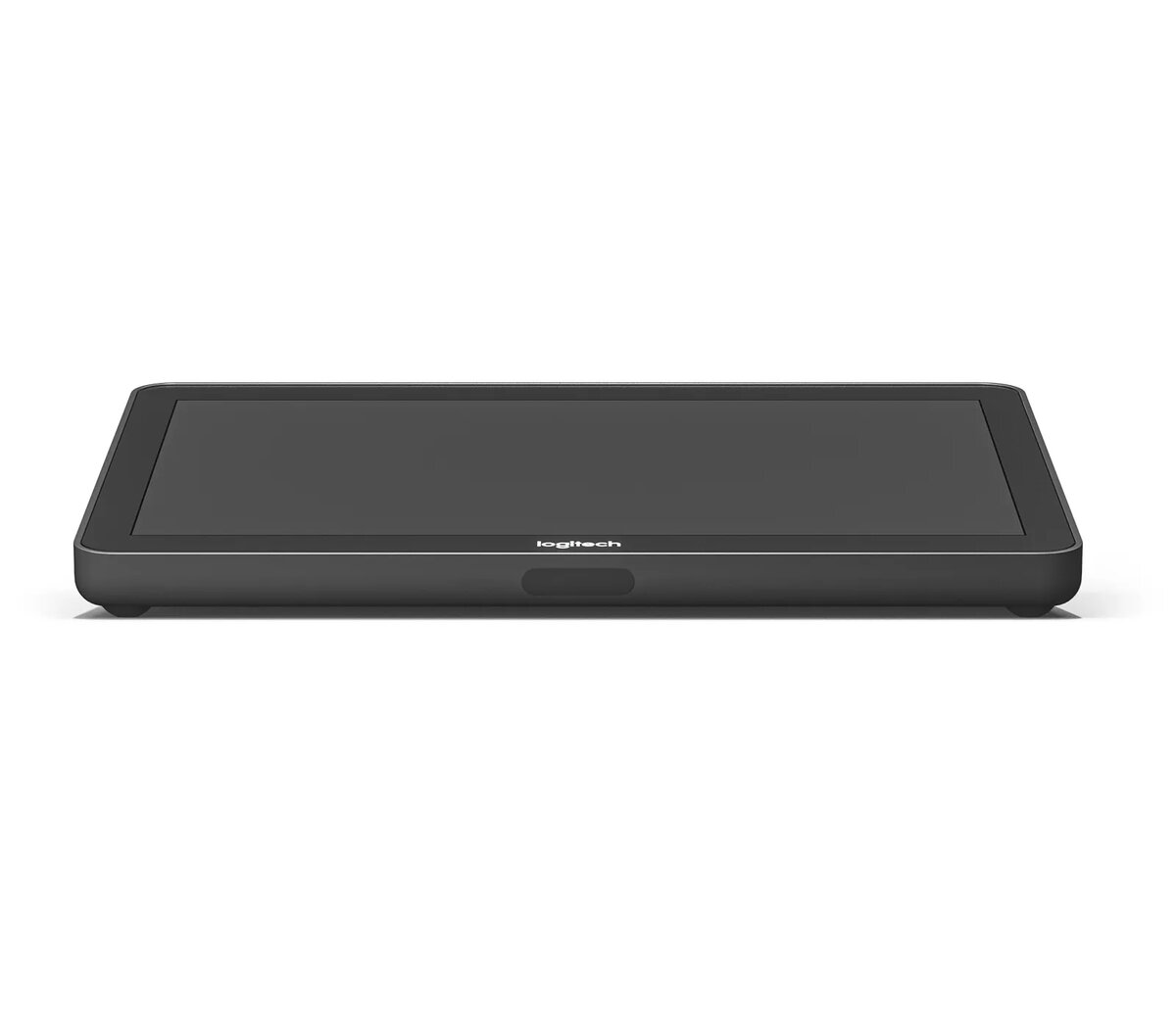
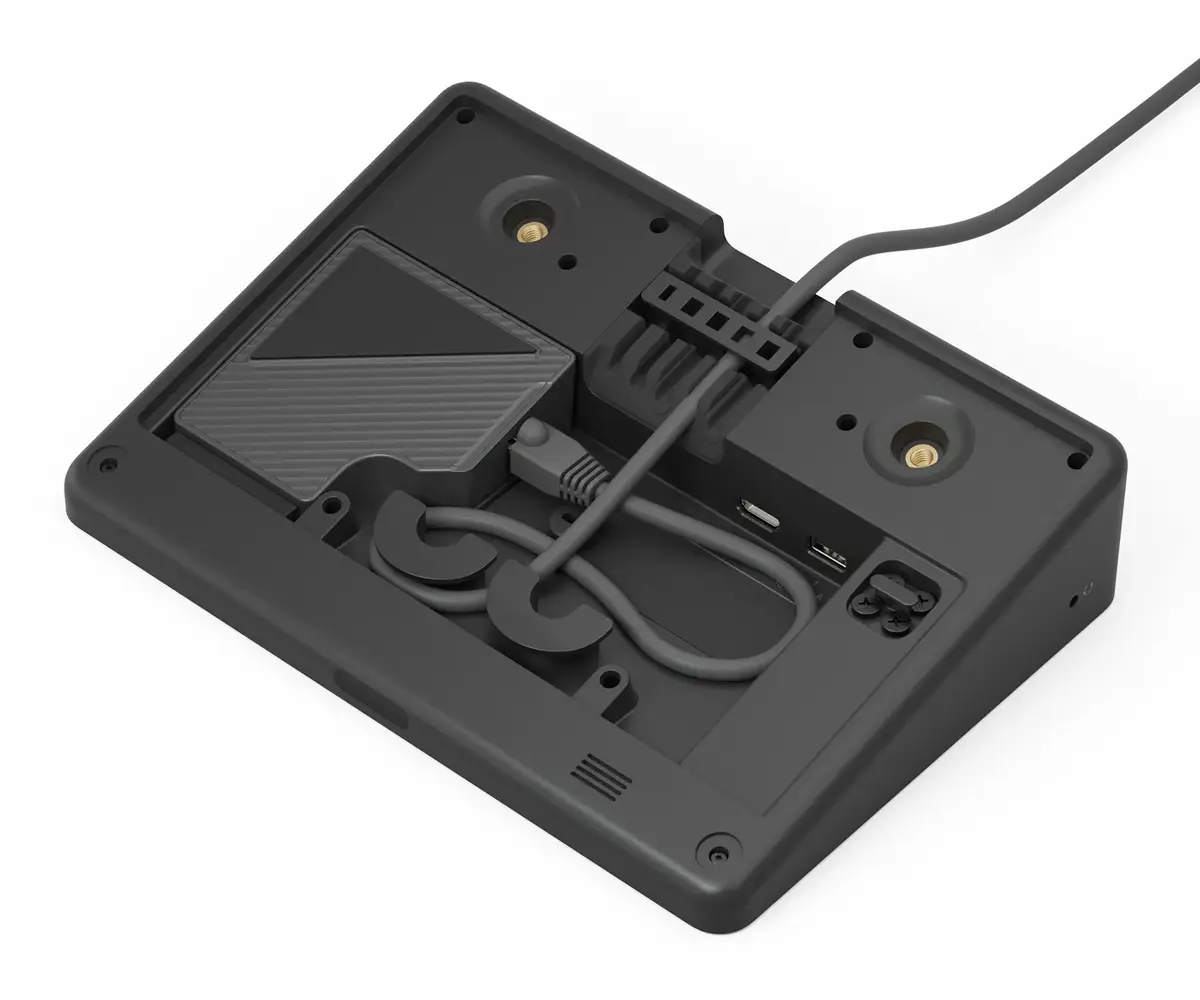
Touchscreen Control Panel Logitech Tap Photo 1
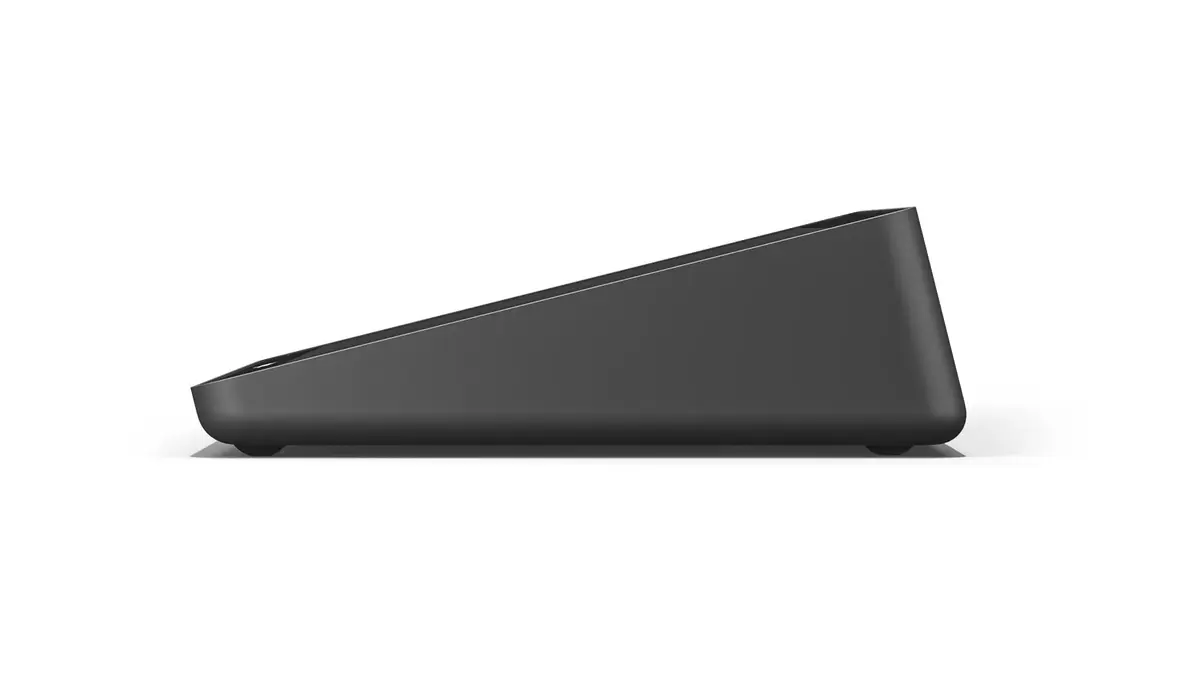
Touchscreen Control Panel Logitech Tap Photo 2
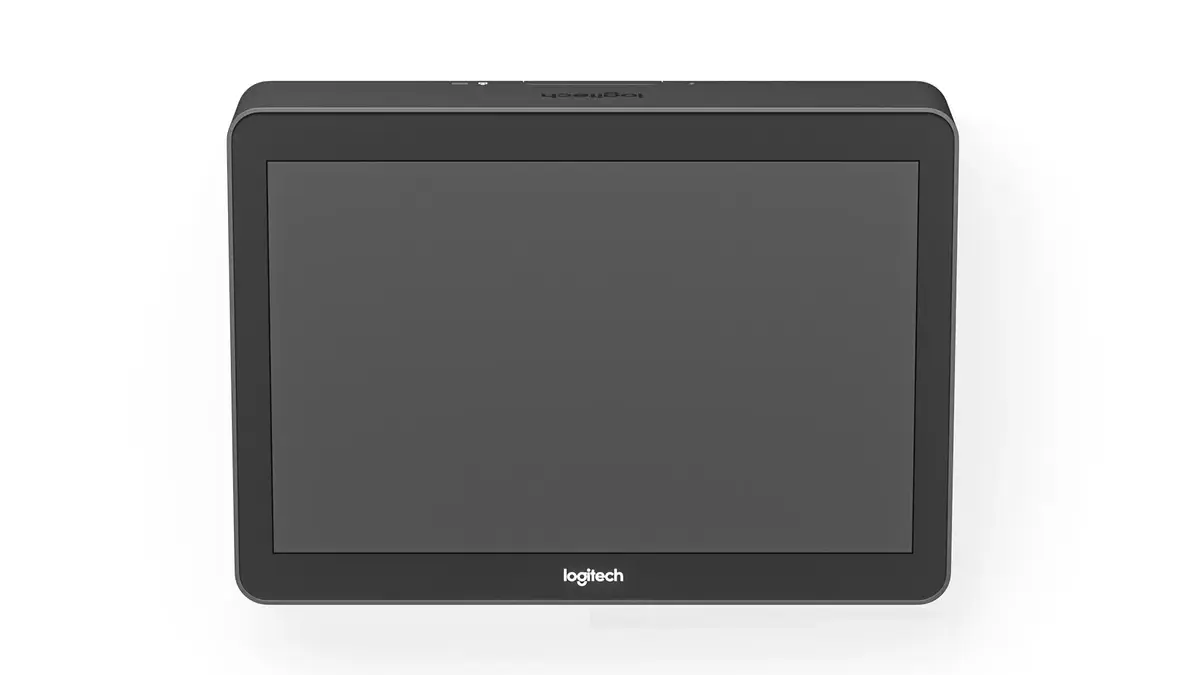
Touchscreen Control Panel Logitech Tap Photo 3
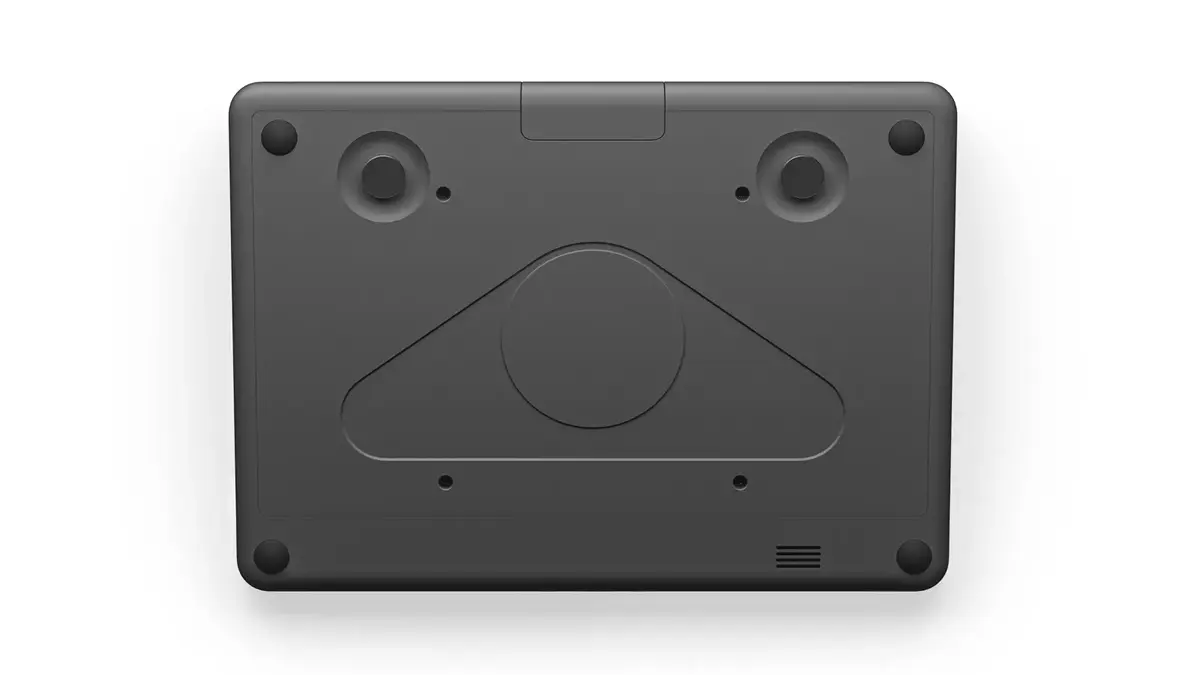
Touchscreen Control Panel Logitech Tap Photo 4
Touchscreen Control Panel Logitech Tap Photo 5
Touchscreen Control Panel Logitech Tap Photo 1
Touchscreen Control Panel Logitech Tap Photo 2
Touchscreen Control Panel Logitech Tap Photo 3
Touchscreen Control Panel Logitech Tap Photo 4
Touchscreen Control Panel Logitech Tap Photo 5

Excellent choice

Keep track of price changes You keep track of price changes
Watch the price drop

Leave your address - as soon as the price of the product goes down, you'll know about it right away

You keep track of price changes

Touchscreen Control Panel Logitech Tap 10.1" IPS Display

{{email}}
You keep track of price changes

Touchscreen Control Panel Logitech Tap 10.1" IPS Display

{{email}}
{{selectedOffer && selectedOffer.price | formatAmount}}

Short description

Logitech Tap features a 10.1" IPS display with a resolution of 1280 x 800 pixels. It has a sleek black housing and a panel mounting interface of 100 x 100 mm. The device is powered by AC and includes a Kensington cable lock slot for security. Ideal for conference rooms and collaborative spaces.
Available at price 828.99 €: 2 pcs.
Total available for order: 464 pcs.
Warranty: 2 Years
SKU: 10728117
Manufacturer: Logitech Alternativ
free shipment

Cheapest delivery:

Unisend LV

Pick-up points

Unisend LV

Cost

1.79 €

Deliver

{{selectedOffer.parcelStationDeliveryString}}

Customer service center
2b. Kengaraga str., Riga, Latvia, LV-1063
21.09.2026 {{selectedOffer.officeDeliveryString}}
free
Courier Delivery Please note that in case of a large parcel additional delivery costs may apply!
24.09.2026 {{selectedOffer.courierDeliveryString}}
From 4.99 € (Weight: 2.81 kg)
Parcel couriers
Unisend LV / Venipak Pickup LV / Venipak Locker LV / Latvijas Pasts pakomāts / DPD Paku skapis / Omniva LV / Latvijas Pasts nodaļa
24.09.2026 {{selectedOffer.parcelStationDeliveryString}}
From 1.79 €
0 credit

pay in 3 equal parts

today

0 €

afterward

3 mth. х 276.33 €

overpayment

0 €

All payment Methods:
Bank transfer, Bank cards on-line, Apple Pay, Google Pay, Installment, Leasing for legal entities
36 months installment: from 23.03 euros per month
Leasing for legal entities: from 28.85 euros per month
Together cheaper
{{product.price | formatAmount}}
{{product.title}}
{{productBundle.reference.specialPrice | formatAmount}}
{{productBundle.title}}
{{productBundlePreviousPrice | formatAmount}}
{{productBundleSpecialPrice | formatAmount}}

You saving {{productBundleYouSave | formatAmount}}

Product information

Description

Transform small meeting rooms into a Microsoft Teams-ready space with one-touch join and center-of-room control. The system bundles a Logitech MeetUp conferencecam, a host PC with mount and cable retention, the Logitech Tap touchscreen controller, and 90 days of initial integration and configuration support via Logitech JumpStart. Logitech Tap features a 10.1" IPS touchscreen with 1280 x 800 resolution, fan-free silent design, a 100 x 100 mm panel mounting interface, AC power, Kensington lock slot and a 10 m plenum-rated Logitech Strong USB cable for connection to the host PC.

Advantages

Logitech Tap provides simplified meeting start with one-touch join and a dedicated touch controller placed at the center of the room. The compact MeetUp camera is optimized for small-room seating and acoustics, delivering HD video and clear audio while RightSight™ auto-framing keeps participants in view. The 10.1" IPS screen offers a responsive touch surface in a slim, secure enclosure suitable for conference and collaborative spaces. Included initial JumpStart support helps accelerate deployment and configuration.

Suitable for

  • Small huddle rooms and compact meeting spaces
  • Conference rooms requiring Microsoft Teams Room systems
  • Collaborative areas where center-of-room touch control is preferred
  • Environments needing a secure, tamper-resistant touch panel

Key specifications

  • Display: 10.1" IPS, 1280 x 800 pixels
  • Mounting interface: 100 x 100 mm
  • Power: AC powered
  • Connectivity cable: 10 m plenum-rated Logitech Strong USB cable
  • Security: Kensington cable lock slot
  • Weight: 1.25 kg
  • Included items: Logitech Tap touchscreen, Logitech MeetUp conferencecam, host PC with mount and cable retention, 90 days JumpStart support

How to use

Install the Tap using the 100 x 100 mm panel mounting interface or place it on a table mount; connect to the host PC using the supplied 10 m Logitech Strong USB cable and provide AC power. Mount the Logitech MeetUp at the display according to the camera instructions and connect it to the host PC. Configure the Microsoft Teams Room software on the host PC and follow the Logitech JumpStart guidance for initial integration and settings. After setup, start or join Teams meetings directly from the Tap touchscreen with a single touch.

Usage recommendations

Place the Tap within easy reach at the center of the room for intuitive control, and mount MeetUp at display height for optimal framing. Use the plenum-rated USB cable for in-wall or ceiling runs where required and secure the Tap with the Kensington lock when installed in public or unattended spaces. For best audio and video results in small rooms, position participants facing the display and avoid placing loud HVAC vents near the microphone path.
All features
Contrast ratio (typical): The difference in light intensity between the brightest white and the darkest black.
1000:1
Wi-Fi standards: The type of wireless local area network (LAN). It can be ad-hoc, where units in a network communicate peer-to-peer, or Infrastructure, where units communicate with each other via an access point A LAN interconnects computers in a small area e.g. home, school or office.
Not supported
Ethernet LAN: An Ethernet LAN (Local Area Network) interface is present, for a wired conection via a cable.
Yes
Display brightness: Brightness is the amount of radiating light emitted from the screen. The brightness rating is measured in candellas per square meter, commonly known as 'nits'.
400 cd/m²
Display resolution: The number of distinct pixels in each dimension that can be displayed. It is usually quoted as width × height, with the units in pixels: for example, "1024 × 768" means the width is 1024 pixels and the height is 768 pixels. The higher the number of pixels, the sharper the image.
1280 x 800
Viewing angle:
85 °
Built-in speaker(s): The device contains speaker(s) to produce sound.
Yes
Wi-Fi: Popular technology that allows an electronic device to exchange data or connect to the internet wirelessly using radio waves.
No
Panel mounting interface: The product can be used wih VESA mounting interfaces.
100 x 100
Touchscreen: A screen of a laptop, smartphone, etc., that responds to touch so you can control the interface using your fingers.
Yes
LED backlight: A backlight is a form of illumination used in liquid crystal displays (LCDs). One type of backlight is made by LEDs, which can be either white or RGB (red green blue). White LEDs are used most often in notebooks and desktop screens, and in virtually all mobile LCD screens. RGB LEDs for backlighting are found in high-end color proofing displays such as HP DreamColor LP2480zx monitor or selected HP EliteBook notebooks, as well as newer consumer grade displays such as Dell's Studio series laptops which have an optional RGB LED display.
Yes
Touchscreen technology:
Capacitive
Built-in camera: The product has an integrated camera.
No
Display technology: The technology used in the display e.g. plasma, LED.
IPS
Motion sensor: Device that detects moving objects, particularly people. A motion detector is often integrated as a component of a system that automatically performs a task or alerts a user of motion in an area. Motion detectors form a vital component of security, automated lighting control, home control, energy efficiency, and other useful systems.
Yes
Housing colour: The colour of the housing, which is the rigid casing that encloses and protects a piece of moving or delicate equipment.
Black
RJ-45 ports quantity:
1
Number of simultaneous touchpoints:
10
Fingerprint resistant:
Yes
VESA mounting:
Yes
Anti-glare surface:
Yes
HDMI input ports quantity:
1
Oleophobic coating:
Yes

Logistics data

Master (outer) case height:
255 mm
Master (outer) case width:
260 mm
Master (outer) case gross weight:
6290 g
Master (outer) case length:
384 mm

Technical details

Built-in microphone: Microphone that is found inside the product.
No

Packaging content

Cables included:
AC, HDMI, LAN (RJ-45), USB Type-A to USB Type-C

Weight & dimensions

Weight: Weight of the product without packaging (net weight). If possible, the net weight is given including standard accessories and supplies. Please note that sometimes the manufacturer leaves out the weight of accessories and/or supplies.
1.25 kg
Package weight: Weight of the packaged product.
2890 g
Height: The measurement of the product from head to foot or from base to top.
58 mm
Package depth: The distance from the front to the back of the packaging.
370 mm
Package height: The distance from the top to the bottom of the packaging.
122 mm
Package width: The distance from one side of the packaging to the other.
240 mm
Depth: The distance from the front to the back of something.
179 mm
Width: The measurement or extent of something from side to side.
244 mm

Ports & interfaces

Cable lock slot: Holes on the edge of devices through which a cable lock can be passed, so the device can be locked to a desk etc.
Yes
Bluetooth: Bluetooth is a low-power radio technology developed to replace the cables and wires currently used to link or connect electronic devices such as personal computers, printers, and a wide variety of handheld devices including mobile phones. Because it uses radio-wave connectivity, a Bluetooth-enabled device has a constant, established connection to whatever browser it uses. This saves the user the trouble of logging on to check for emails or news updates, for example.
No
Cable lock slot type:
Kensington
3.5 mm connector:
Yes

Power

Power source type: What the power source is.
AC

Display

Display diagonal: Size of the display for this product, measured diagonally, usually in inches.
10.1 "

Similar products

{{product.title}}
Show details Hide details

{{highlightedFeature.featureTitle}}:

{{getProductFeatureValueById(product, highlightedFeature.featureId)}}

{{product.price | formatAmount}}

Product comparison

The touchscreen control panel Touchscreen Control Panel Logitech Tap 10.1" IPS Display is compared with similar meeting room and workspace alternatives: Touch Display Logitech Tap IP 10.1", Logitech Tap IP 10.1" Display 1280x800 400 cd/m² PoE, Touch Display Logitech Tap, and Logitech Tap Scheduler White 10.1" IPS Display 1280x800. All evaluated products share a core foundation featuring a 10.1-inch display with a 1280 x 800 pixel resolution designed for collaboration spaces. The main practical differences lie in the power supply method (AC power vs. PoE), network connectivity options (Wi-Fi and Ethernet), and specialized use cases such as room scheduling or video conferencing control.

⚙️ The specifications comparison covers key attributes including screen dimensions and resolution, display technology, power delivery methods, supported network interfaces, and mounting compatibility.

SpecificationTouchscreen Control Panel Logitech Tap 10.1" IPS DisplayTouch Display Logitech Tap IP 10.1" (4336166)Logitech Tap IP 10.1" Display 1280x800 400 cd/m² PoETouch Display Logitech Tap (4127805)Logitech Tap Scheduler White 10.1" IPS Display 1280x800Practical Significance
Display & Resolution10.1" IPS, 1280 x 80010.1", 1280 x 800, 400 cd/m²10.1", 1280 x 800, 400 cd/m²10.1" IPS, 1280 x 80010.1" IPS, 1280 x 800All models deliver identical visual clarity and detail due to the shared screen resolution.
Power SupplyAC powerPoEPoEAC powerWi-Fi / EthernetPower delivery determines cabling requirements, with PoE models simplifying installation in conference rooms.
Network ConnectivityNot specifiedWi-Fi, Ethernet 10/100 Mbit/sEthernet (PoE)Not specifiedWi-Fi, EthernetWi-Fi and Ethernet options provide greater flexibility for wireless and wired office integration.
Mounting & Purpose100 x 100 mm mount, meeting roomsDesktop or wall mountingConference rooms100 x 100 mm mount, workspacesRoom scheduling, white housingCertain variations are optimized for specific office roles like meeting scheduling or call management.

◎ The suitability analysis helps determine which product version best matches specific organizational requirements, workplace environments, and setup preferences.

Use CaseRecommended ProductWhy
Standard video conferencing control at a deskTouchscreen Control Panel Logitech Tap 10.1" IPS DisplaySuitable for deployments that utilize standard AC power outlets and a 100 x 100 mm mounting interface.
Conference room setups requiring minimal cablingTouch Display Logitech Tap IP 10.1"Power over Ethernet (PoE) and wireless support streamline physical installation in complex meeting environments.
Office workspace scheduling outside meeting roomsLogitech Tap Scheduler White 10.1" IPS Display 1280x800Designed specifically for efficient office scheduling and management with a stylish white finish.
Recommendation: The Touchscreen Control Panel Logitech Tap 10.1" IPS Display differs from network-based alternatives by relying on standard AC power and fixed mounting compatibility, making it dependable for traditional conference room setups. If your workspace requires simplified cabling through Power over Ethernet or flexible network integration, the alternative IP versions may provide a more adaptable solution.
Might be useful
{{product.manufacturerName}}
{{product.categoryName}}
{{product.title}}
{{product.specialPrice}}
{{product.price}}
Stock data
Warehouse Stock Delivery to the store Store Price
WH346 2 21.09.2026
828.99 € Best price
WH94 55 21.09.2026
847.49 €
EU86 6 21.09.2026
863.49 €
Show all offers Hide
Available only for legal entities
Warehouse Stock Delivery to the store Store Price
WH129 30 21.09.2026
883.99 €
WH109 13 05.10.2026
905.49 €
BT11 2 25.09.2026
926.49 €
Show all offers Hide
828.99 €
Stock: 2
Delivery Date: 21.09.2026
Warehouse: WH346
847.49 €
Stock: 55
Delivery Date: 21.09.2026
Warehouse: WH94
863.49 €
Stock: 6
Delivery Date: 21.09.2026
Warehouse: EU86
891.49 €
Stock: 10
Delivery Date: 21.09.2026
Warehouse: EU3
911.49 €
Stock: 13
Delivery Date: 17.09.2026
Warehouse: WH321
Fast shipping
956.99 €
Stock: 10
Delivery Date: Tuesday Best delivery
Warehouse: BT13
1,000.99 €
Stock: 4
Delivery Date: 21.09.2026
Warehouse: EU85
1,036.99 €
Stock: 28
Delivery Date: 21.09.2026
Warehouse: WH355
Available only for legal entities
883.99 €
Stock: 30
Delivery Date: 21.09.2026
Warehouse: WH129
905.49 €
Stock: 13
Delivery Date: 05.10.2026
Warehouse: WH109
926.49 €
Stock: 2
Delivery Date: 25.09.2026
Warehouse: BT11
939.99 €
Stock: 49
Delivery Date: 21.09.2026
Warehouse: EU6
1,154.99 €
Stock: 170
Delivery Date: 21.09.2026
Warehouse: WH15
1,185.49 €
Stock: 72
Delivery Date: 21.09.2026
Warehouse: EU9

Customer reviews

Customer questions

FAQ

How much does the Touchscreen Control Panel Logitech Tap cost, and is it available for purchase?

The price is 828.99 € (valid at the time of publication and already includes all taxes). The item is available for order — 464 pcs. are in stock, and you can place your purchase right now with delivery across Latvia and Europe or choose pickup at the Riga collection point. We offer favorable purchase terms, including the option to split the payment into convenient monthly installments. Availability and price are updated in real time, so we recommend placing your order in advance.

If I order this product today, when will I receive my order?

If you place your order today, delivery will be as fast and convenient as possible. You will be able to pick up your order on 21.09.2026 at the Riga pickup point or choose delivery across Latvia and Europe. We carefully inspect every purchase and pack it securely for safe transportation.

What payment options are available?

AiO.lv offers several payment methods: Bank transfer, Bank cards on-line, Apple Pay, Google Pay, Installment, Leasing for legal entities. All transactions are 100% secure and encrypted.

Can Touchscreen Control Panel Logitech Tap be purchased with a lease?

Yes, the purchase is available both on credit and with an interest-free installment plan. We work with leading banks and leasing companies in Latvia, allowing you to make your purchase on convenient terms — with a minimal down payment and a repayment period from 3 to 36 months. You can apply for credit or installments for the Touchscreen Control Panel Logitech Tap online, and the application process is as simple as possible:
  • Select the product on the website and add it to your cart;
  • When placing your order, choose the payment method “Installments”;
  • Fill in the required details for the lending partner;
  • Receive a decision within a few minutes.
For more information about available payment options, interest-free installment terms, and credit conditions in Latvia, please visit the Payment page.

Can this product be purchased for a company (with VAT)?

Yes. AiO.lv works with legal entities in Latvia and across Europe. The product price already includes VAT. For certain product categories, as well as for companies from other EU countries with a valid VAT number, a 0% VAT rate may apply. We issue the invoice immediately after the order is placed, support electronic BIS invoices, and automatically generate all necessary accounting documents. You can complete the purchase for a company online — simply select the company profile and choose bank transfer as the payment method during checkout.

What is the warranty period?

All Logitech Alternativ products come with an official 2 Years warranty. It covers all manufacturing defects and malfunctions that may occur during use. The warranty is valid at all authorized Logitech Alternativ service centers and through AiO.lv

Can the product be returned after purchase?

Yes, you can return the product within 14 days of purchase if you bought it as a consumer (not a legal entity). Returns are possible without giving any reason — the main condition is that the product retains its original appearance and full set of accessories. We will make the process as simple and convenient as possible: just contact our customer support team, and we will help you arrange the return.

Where should I contact for warranty service?

For warranty-related questions you can contact the AiO.lv (SIA VSPRO) customer support team. We will assist with consultation, warranty claim processing, and coordination with certified service centers.

Where can I download the instructions for Touchscreen Control Panel Logitech Tap?

You can download the instructions in PDF format from the “Instructions” section on the product description page. The file contains complete information about installation, setup, and usage.
warranty
14-Day Return Policy We are confident in our quality, but if the purchase doesn’t fit — you have 14 days to return the product with peace of mind.
shipping
Fast Delivery Get your orders as quickly as possible — right to your door, parcel lockers, or pickup points across Latvia and the EU.
payment
Secure Payment Pay the way you prefer: cash, VISA, MasterCard, Apple Pay, Google Pay, bank transfer, or 0% installment plan.
warranty
Quality Since 2008 AiO.lv has been on the market for over 18 years and has earned trust — with more than 6000 genuine positive reviews on Google.