
Save time and money with our discounts!
In cart {{totalProductsCount}} item(s)
Your cart is empty
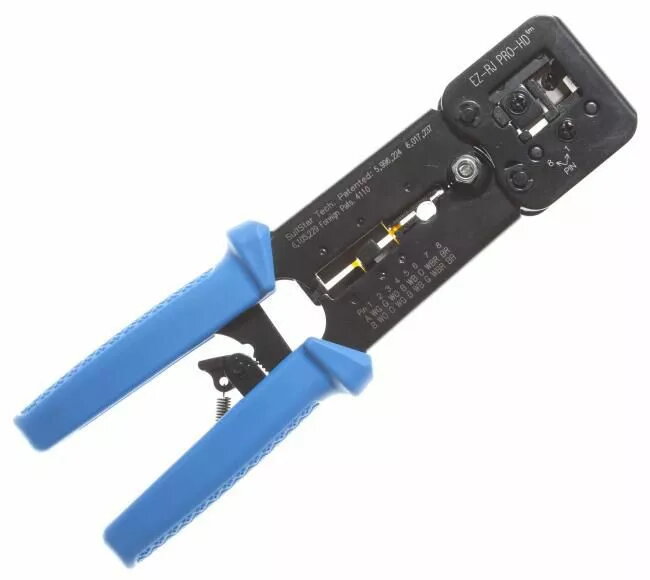
Crimping tool LOGON TWPHT001 for RJ11 and RJ45 connectors, hand-operated cable crimper
Hand-operated crimping tool LOGON TWPHT001 is designed for reliable termination of RJ11 and RJ45 modular connectors on telephone and Ethernet cables. The compact, single-purpose cable crimper provides the mechanical action needed to press connector contacts into conductor wires and secure the plug housing, enabling consistent crimps in both field and workshop environments. The tool is suitable for technicians and DIY users who require a portable, easy-to-use solution for creating secure network and telephony connections.
The LOGON crimper offers a compact profile and ergonomic handle geometry for better control during repetitive crimping tasks. Its dedicated dies are matched to standard RJ11 and RJ45 connector sizes, which reduces the risk of improper contact engagement. The hand-operated mechanism eliminates the need for power, making it immediately usable on-site or in locations without electrical access. The tool’s durable construction ensures stable alignment of connector and cable during each operation, promoting consistent electrical and mechanical joints.
Prepare the cable by stripping the outer jacket to the correct length and arranging the conductor order according to the connector wiring standard required (for example, T568A/T568B for Ethernet). Insert the conductors fully into the modular plug until the jacket reaches the plug end and the contacts align with the conductors. Place the plug and cable into the appropriate die of the crimping tool, ensuring proper orientation. Squeeze the handles firmly and evenly until the crimping cycle completes and the contacts are pressed into the conductors. Inspect the terminated connector for proper seating and secure contact engagement before deployment.
Use the tool with compatible, quality modular plugs and cables, and follow the selected wiring standard to ensure correct signal pairing. For repeated professional use, periodically inspect the crimping dies for wear and clean any debris to maintain consistent crimps. Avoid applying excessive force beyond normal operation to prevent damage to the tool or connectors.
{{highlightedFeature.featureTitle}}:
{{getProductFeatureValueById(product, highlightedFeature.featureId)}}
{{ productComparisonGenerationError }}