{{ totalProductsCount }}

In cart {{totalProductsCount}} item(s)

Total:
{{sum | formatAmount}}

Your cart is empty

header-product Toner MediaRange Brother TN-2120 2600 pages black

Toner MediaRange Brother TN-2120 2600 pages black

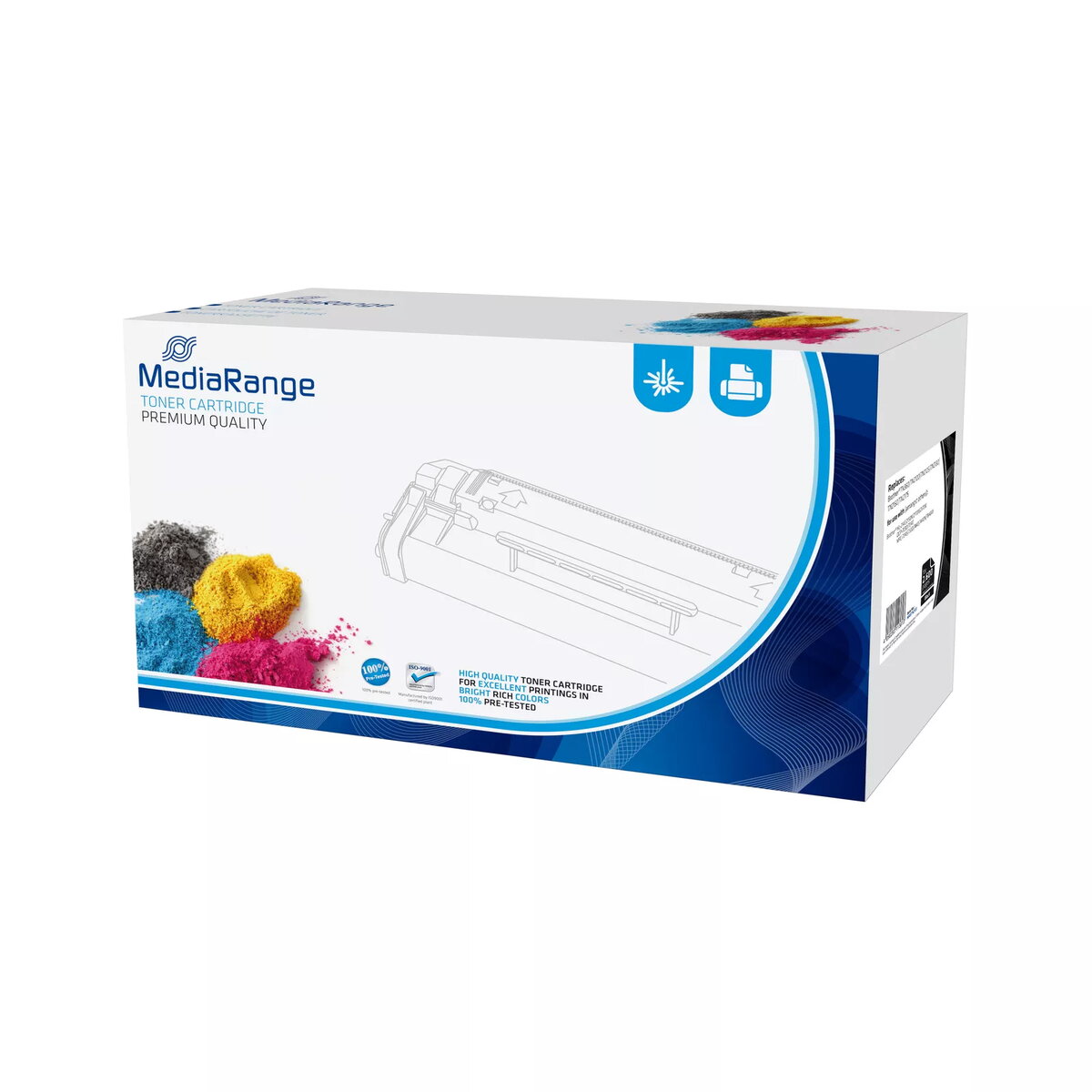
Toner MediaRange Brother TN-2120 MRBTN2120 Photo 1
Out of stock.
View similar!

Short description

The MediaRange Toner for Brother TN-2120 offers high-quality printing with a yield of up to 2600 pages. This black toner cartridge is designed to deliver sharp text and vibrant images, ensuring professional results for your documents. It is easy to install and compatible with various Brother printers, making it a reliable choice for both home and office use.
Warranty: 2 Years
SKU: 691736
Manufacturer: MediaRange
delivery
Information regarding the items availability for purchase will be posted on this site
price
Item cost information will be published on this site
Together cheaper
{{product.price | formatAmount}}
{{product.title}}
{{productBundle.reference.specialPrice | formatAmount}}
{{productBundle.title}}
{{productBundlePreviousPrice | formatAmount}}
{{productBundleSpecialPrice | formatAmount}}

You saving {{productBundleYouSave | formatAmount}}

Product information

Description

MediaRange Toner for Brother TN-2120 is a black laser toner cartridge designed for compatible Brother printers. It provides a stated yield of up to 2600 pages and is intended to reproduce sharp text and solid black areas for everyday office and home printing needs.

Advantages

This toner cartridge delivers reliable black printing with a manufacturer-stated yield of up to 2600 pages, easy installation tailored to compatible Brother models, and consistent results for text documents and monochrome graphics. Its single-pack format simplifies replacement and inventory management.

Suitable for

  • Printing business letters, invoices and reports
  • Mono document production in small offices or home offices
  • High-volume black-and-white printing tasks

Key specifications

  • Colour: Black
  • Print technology: Laser
  • Estimated yield: up to 2600 pages
  • Quantity per pack: 1 cartridge
  • Compatible brand: Brother

How to use

Turn off the printer and open the toner cartridge compartment according to the printer manual. Remove the empty cartridge carefully and unpack the replacement MediaRange TN-2120. Remove any protective seals, insert the cartridge until it clicks into place and close the compartment. Power on the printer and run a test print or alignment if prompted by the device.

Usage recommendations

Store the cartridge in a cool, dry place away from direct sunlight. For optimal print quality, use the cartridge with printers listed as compatible by Brother and follow the printer maintenance guidelines, including periodic cleaning of the paper path and regular firmware updates.

Specifications

Brand compatibility:
Brother
Quantity per pack:
1 pc(s)
Print technology:
Laser printing
Printing colours:
Black
All features

Features

Printing colours:
Black
Brand compatibility:
Brother
Quantity per pack:
1 pc(s)
Cartridge capacity:
Standard Yield
OEM code:
2120
Cartridge return & recycling:
No
Black toner page yield:
2600 pages
Compatibility:
Brother HL 2140, 2150N, 2170W / MFC 7320, 7340, 7440, 7840 / DCP7030 Lenovo LJ2200, 2250, 2250n

Weight & dimensions

Package weight:
1070 g
Package depth:
100 mm
Package height:
190 mm
Package width:
320 mm
Package type:
Box

Logistics data

Products per pallet (EU):
234 pc(s)
Master (outer) case height:
200 mm
Master (outer) case width:
330 mm
Master (outer) case gross weight:
2140 g
Pallet weight (EU):
265000 g
Master (outer) case length:
210 mm

Other features

Print technology:
Laser printing
Minimum order quantity:
2 pc(s)

Description

Machine translation. Load original

Similar products

{{product.title}} Show details Hide details

{{highlightedFeature.featureTitle}}:

{{getProductFeatureValueById(product, highlightedFeature.featureId)}}

{{product.price | formatAmount}}
Might be useful
{{product.manufacturerName}}
{{product.categoryName}}
{{product.title}}
{{product.specialPrice}}
{{product.price}}

Customer reviews

Customer questions

FAQ

What payment options are available?

AiO.lv offers several payment methods: Bank transfer. All transactions are 100% secure and encrypted.

Can this product be purchased for a company (with VAT)?

Yes. AiO.lv works with legal entities in Latvia and across Europe. The product price already includes VAT. For certain product categories, as well as for companies from other EU countries with a valid VAT number, a 0% VAT rate may apply. We issue the invoice immediately after the order is placed, support electronic BIS invoices, and automatically generate all necessary accounting documents. You can complete the purchase for a company online — simply select the company profile and choose bank transfer as the payment method during checkout.

What is the warranty period?

All MediaRange products come with an official 2 Years warranty. It covers all manufacturing defects and malfunctions that may occur during use. The warranty is valid at all authorized MediaRange service centers and through AiO.lv

Can the product be returned after purchase?

Yes, you can return the product within 14 days of purchase if you bought it as a consumer (not a legal entity). Returns are possible without giving any reason — the main condition is that the product retains its original appearance and full set of accessories. We will make the process as simple and convenient as possible: just contact our customer support team, and we will help you arrange the return.

Where should I contact for warranty service?

For warranty-related questions you can contact the AiO.lv (SIA VSPRO) customer support team. We will assist with consultation, warranty claim processing, and coordination with certified service centers.

How can I tell if this product suits my needs?

When making a choice, we recommend paying attention to the key features: brand compatibility, quantity per pack, print technology, printing colours, compatibility with your devices or usage conditions, material quality, functionality, and warranty terms. These characteristics will help you determine how well the model meets your needs.

Where can I download the instructions for Toner MediaRange Brother TN-2120 MRBTN2120?

You can download the instructions in PDF format from the “Instructions” section on the product description page. The file contains complete information about installation, setup, and usage.

warranty
14-Day Return Policy We are confident in our quality, but if the purchase doesn’t fit — you have 14 days to return the product with peace of mind.
shipping
Fast Delivery Get your orders as quickly as possible — right to your door, parcel lockers, or pickup points across Latvia and the EU.
payment
Secure Payment Pay the way you prefer: cash, VISA, MasterCard, Apple Pay, Google Pay, bank transfer, or 0% installment plan.
warranty
Quality Since 2008 AiO.lv has been on the market for over 18 years and has earned trust — with more than 6000 genuine positive reviews on Google.