


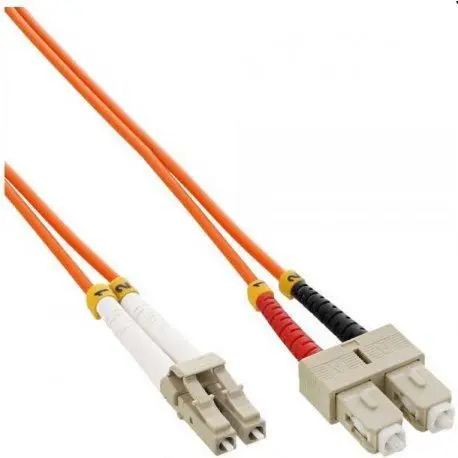
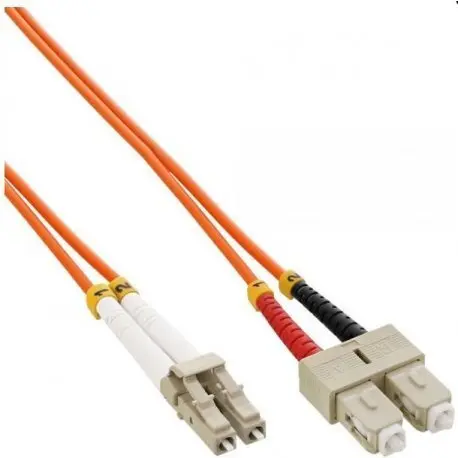
Mercodan Fiberpatchkabel LC-SC OM2 Multimode Fiber Optic Cable
Offer for a legal entity, non-cash payment.
Short description

Cheapest delivery:
Unisend LV
Product information
Description
The Mercodan Fiberpatchkabel LC-SC OM2 Multimode Fiber Optic Cable is a dependable networking solution designed to support efficient data transfer in local area networks and various telecommunication infrastructures. Featuring precision-crafted LC and SC connectors, this multimode fiber optic cable provides a dependable physical link between network hardware such as switches, routers, and other optical communication devices. Built to standard industry parameters, it facilitates stable signal integrity for day-to-day data communication requirements.
Advantages
This fiber patch cable offers reliable performance for standard multimode optical setups, helping to maintain stable connections across various network segments. The inclusion of factory-terminated LC and SC connectors saves installation time and minimizes the risk of signal loss associated with field terminations. Its flexible outer jacket allows for straightforward routing through standard cable trays, server racks, and network cabinets, making it a practical addition to enterprise environments, data centers, and institutional local networks.
Suitable for
- Connecting network switches to routers in local area networks
- Linking optical equipment within server racks and data centers
- Telecommunication installations requiring LC to SC connectivity
- Educational and corporate network infrastructure expansion
When it may not be suitable
This cable is not designed for long-distance telecommunications that require single-mode fiber infrastructure. It is also unsuitable for outdoor deployment without additional protective conduit, as standard patch cables are typically intended for indoor use within controlled environments.
Key specifications
- Cable type: Multimode fiber optic patch cable
- Fiber grade: OM2
- Connector type A: LC
- Connector type B: SC
- Application: Local area networks and telecommunication systems
How to use
Before installation, inspect both optical connectors for any dust or debris and clean them using appropriate optical cleaning tools if necessary. Align the connector with the corresponding port on your network switch, router, or optical transceiver, and gently push it straight in until a click is heard or a secure latch is engaged. Avoid bending the cable below its minimum bend radius and do not pull on the cable jacket when disconnecting; instead, grip the connector housing directly to release the latch.
What to consider before purchase
- Verify that your active network equipment supports OM2 multimode fiber specifications
- Check the required connector types on your devices to ensure LC and SC interfaces match
- Measure the physical distance between devices to confirm the necessary cable length
Usage recommendations: Handle optical connectors with care and always use protective dust caps when the cable is not connected to prevent contamination and maintain optimal signal transmission performance over time.
Stock data
| Warehouse | Stock | Delivery to the store | Store Price | |
| WH357 | 51 | 07.12.2026 | 20.99 € | Add to cart |
- 20.99 €Stock: 51Delivery Date: 07.12.2026Warehouse: WH357Add to cart
| Warehouse | Stock | Delivery to the store | Store Price | |
| EU6 | 51 | 07.12.2026 | 15.99 € | Add to cart |
- 15.99 €Stock: 51Delivery Date: 07.12.2026Warehouse: EU6Add to cart


