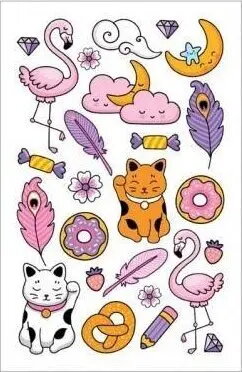
Temporary tattoo sheet MFP paper — cat designs, 8.5×13 cm is a single-sheet product featuring multiple cat-themed illustrations printed on a thin, flexible substrate sized 8.5×13 cm. The sheet is intended for temporary skin decoration and provides short-term body art that can be applied quickly and removed without long-term effects. It is suitable for events, parties, theatrical makeup, children's activities and costume accessories where a non-permanent decorative accent is required.
Advantages
The temporary tattoo sheet offers easy application and removal, a compact size for convenient storage and transport, and a range of cat motifs on one sheet so users can choose different designs. The material is designed to adhere smoothly to the skin when applied with water and to peel off cleanly without special solvents. Its small format makes it suitable for trial use or for adding themed accents to costumes and celebrations.
Suitable for
- Children's parties and activity sessions
- Costume parties, cosplay accents and theatrical makeup
- Themed events and photo sessions
- Promotional giveaways and small retail displays
Key specifications
- Design theme: cat illustrations
- Sheet size: 8.5 × 13 cm
- Number of designs: multiple motifs on one sheet
- Application method: water-activated transfer
- Duration: short-term, temporary skin decoration
- Material: thin, flexible transfer film suitable for skin
How to use
Clean and dry the area of skin where the tattoo will be applied. Cut out the chosen cat motif from the sheet if needed, remove any protective covering, place the printed side against the skin and wet the paper backing evenly with a damp cloth or sponge. Hold steady for the recommended time until the image transfers, then gently peel off the paper to reveal the tattoo. Allow the design to dry naturally for a few minutes before touching or covering. To remove, peel off or wash the area with soap and water; if necessary, use an oil-based product to help dissolve adhesive residues.
Usage recommendations
Test the product on a small skin area before full application to check for sensitivity. Avoid applying to broken, irritated or sensitive skin and keep away from eyes and mucous membranes. Supervise application on young children and follow basic hygiene: use clean hands and tools during cutting and application. Store the sheet flat in a cool, dry place away from direct sunlight to maintain print quality.