Dreame vacuums for fast and efficient cleaning!
In cart {{totalProductsCount}} item(s)
Your cart is empty
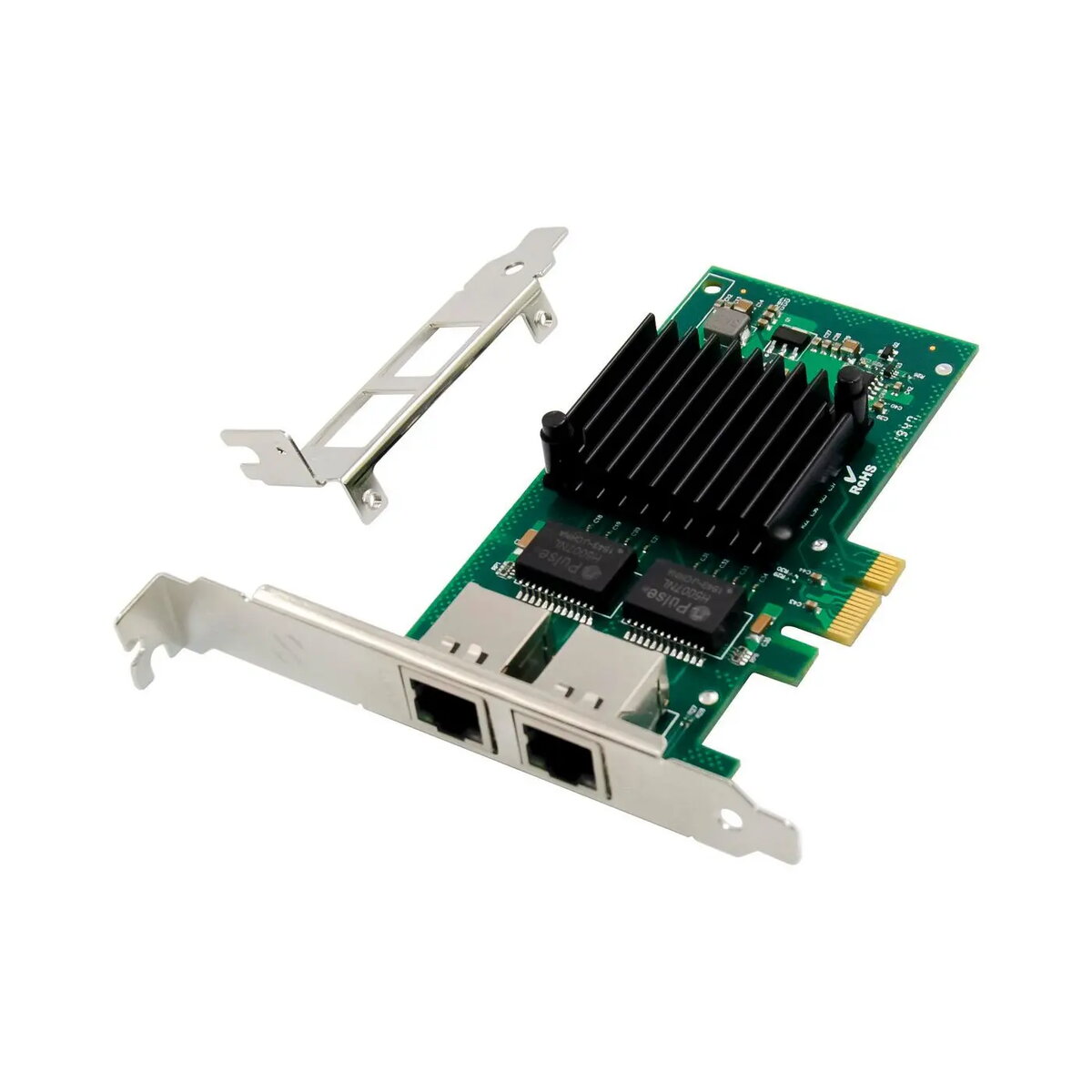
Network card MicroConnect I350-T2 PCIe x1 Dual Port 1GbE
MicroConnect I350-T2 PCIe x1 Dual Port 1GbE is a wired network adapter designed for desktop PCs and servers. Based on the Intel I350-T2 controller, this PCI Express x1 card provides two independent Gigabit Ethernet ports for reliable wired connectivity. It is intended to expand network capacity, enable link redundancy or traffic segmentation, and deliver consistent 1 Gbps connections for office workstations, virtualization hosts and home lab setups.
The card supports two full-featured 1GbE ports on a single PCIe x1 interface, offering dependable wired throughput and low CPU overhead thanks to the Intel controller design. Its compact single-slot form factor and standard bracket make installation straightforward in most desktops and small servers. Hardware-level features of the Intel controller improve compatibility with common operating systems and virtualization platforms, while dual-port operation enables flexible network configurations such as NIC teaming, failover or separate management and data networks.
Install the card into an available PCIe x1 slot or compatible PCIe slot on the motherboard with the system powered down and unplugged. Secure the bracket to the chassis, connect standard Ethernet cables to the RJ45 ports and power on the system. Install or update drivers provided by the operating system vendor or Intel to enable full functionality and offload features. Configure network settings in the operating system or hypervisor to set IP addresses, VLANs, bonding/teaming or other desired network topologies.
For optimal performance, use quality Cat5e or Cat6 cabling for Gigabit links and ensure the host BIOS and OS drivers are up to date. When deploying in virtualized environments, verify that the hypervisor supports the Intel I350 controller features you plan to use. In scenarios requiring redundancy or increased throughput, configure NIC teaming or link aggregation on both the host and the connected switch.
{{highlightedFeature.featureTitle}}:
{{getProductFeatureValueById(product, highlightedFeature.featureId)}}
{{ productComparisonGenerationError }}