Filters you can trust. Pure water every day.
In cart {{totalProductsCount}} item(s)
Your cart is empty
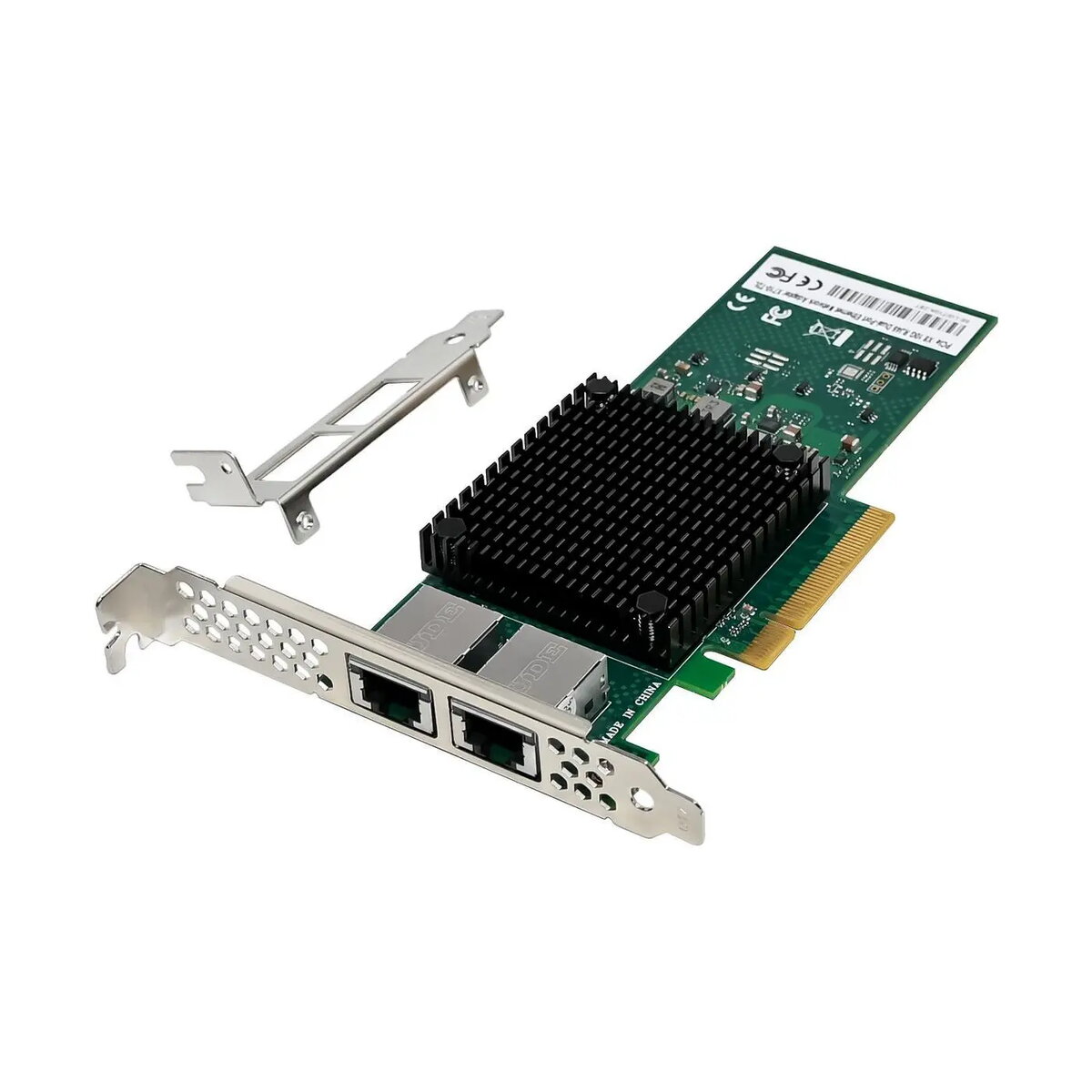
Network Card MicroConnect X710T2L PCIe x8 Dual Port 10GbE
MicroConnect X710T2L PCIe x8 Dual Port 10GbE is a server-grade network adapter designed to deliver two 10 gigabit Ethernet interfaces through a PCI Express x8 slot. The card provides high-throughput wired connectivity for desktops, workstations and rack servers, enabling faster data transfer, link redundancy and improved performance for virtualization, network storage and high-bandwidth applications. Its compact PCIe x8 form factor and dual-port layout make it suitable for systems that require multiple 10GbE links without occupying larger expansion slots.
The adapter supports dual independent 10GbE ports, allowing aggregated bandwidth or failover configurations to increase network resilience. Low-latency packet handling and hardware offload features reduce CPU load for intensive networking tasks. The PCIe x8 interface ensures a stable, high-bandwidth connection to the host system while the dual-port design enables flexible deployment for storage, virtualization and clustered environments. Broad driver support for common server operating systems simplifies integration into existing infrastructure.
Install the MicroConnect X710T2L into an available PCIe x8 slot on a powered-down system, secure the bracket to the chassis and connect the external Ethernet cables to the RJ-45 ports. Power on the host and install the appropriate drivers for your operating system according to vendor instructions. Configure network settings through the OS or management tools: assign IP addresses, set MTU sizes if necessary, and configure link aggregation or failover profiles when using multiple interfaces. Verify link status and throughput using system diagnostics or network monitoring utilities.
For best performance, use shielded Cat6a or higher-rated cable for 10GbE copper connections and ensure the host motherboard supports PCIe x8 bandwidth. When deploying in server environments, enable hardware offload features in drivers and configure jumbo frames and link aggregation where supported to reduce CPU overhead and increase sustained throughput.
{{highlightedFeature.featureTitle}}:
{{getProductFeatureValueById(product, highlightedFeature.featureId)}}
{{ productComparisonGenerationError }}