Dreame vacuums for fast and efficient cleaning!
In cart {{totalProductsCount}} item(s)
Your cart is empty
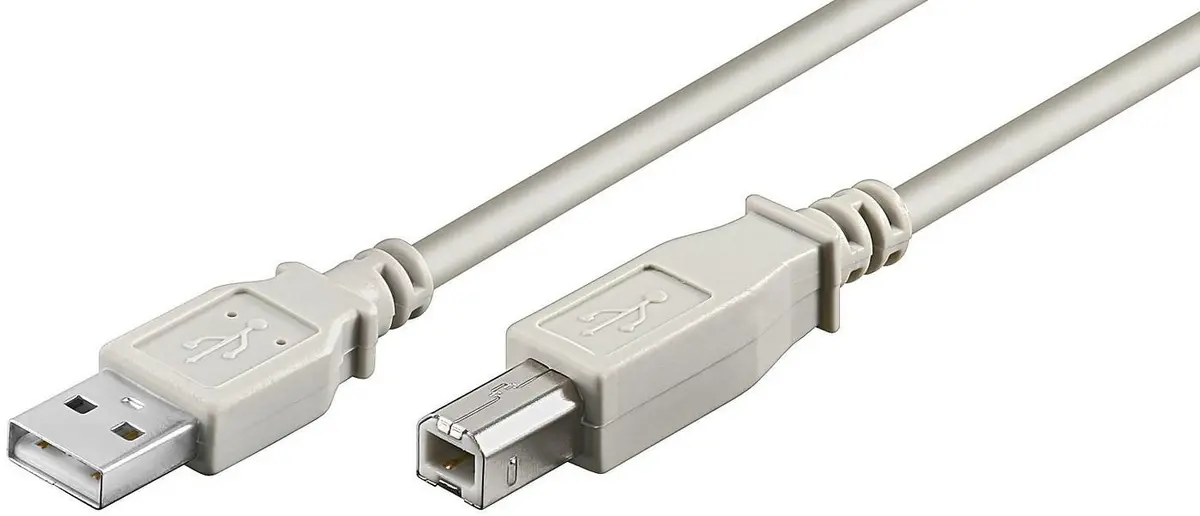
MicroConnect USBAB1 USB 2.0 Cable USB A to USB B Male to Male Grey 1 m
The MicroConnect USBAB1 USB 2.0 cable is a reliable data and connection cable designed to link peripheral hardware to a computer, notebook, or hub. Featuring a standard USB A male connector on one end and a USB B male connector on the other, this cable establishes a stable physical link between host systems and compatible external electronics. Built to meet USB 2.0 standards, it facilitates efficient communication and data exchange for everyday office and home computing requirements.
Constructed with integrated shielding, this cable helps minimize electromagnetic interference to maintain signal integrity during data transfers. The durable male connectors on both ends feature straight orientations for straightforward plug-in installation. Its 1-metre length provides an optimal reach for connecting devices located close to the host computer without generating excessive cable clutter on the desk. Furthermore, backwards compatibility ensures seamless operation with older USB 1.1 setups, while robust manufacturing standards deliver long-term reliability.
This cable is not designed for connecting devices requiring USB 3.0 speeds or higher, as its performance is capped at USB 2.0 limits. Additionally, the 1-metre length may be insufficient for setups where the peripheral device and computer are placed far apart.
To use the MicroConnect USBAB1 cable, insert the USB A male connector into an available USB port on your computer, notebook, or active hub. Next, insert the USB B male connector into the corresponding port on your peripheral device, such as a printer or scanner. The operating system should automatically recognize the connected hardware, allowing you to begin data transfer or printing tasks without requiring additional manual configuration.
Ensure the connectors are aligned correctly before plugging them into the device ports to avoid damaging the pins, and route the cable away from sharp edges or heavy foot traffic areas to preserve the shielding and inner conductors.
{{highlightedFeature.featureTitle}}:
{{getProductFeatureValueById(product, highlightedFeature.featureId)}}
{{ productComparisonGenerationError }}