


MicroConnect USBETHW USB 2.0 to Ethernet Network Media Converter White Wired
Short description


Cheapest delivery:
Unisend LV
Product information
Description
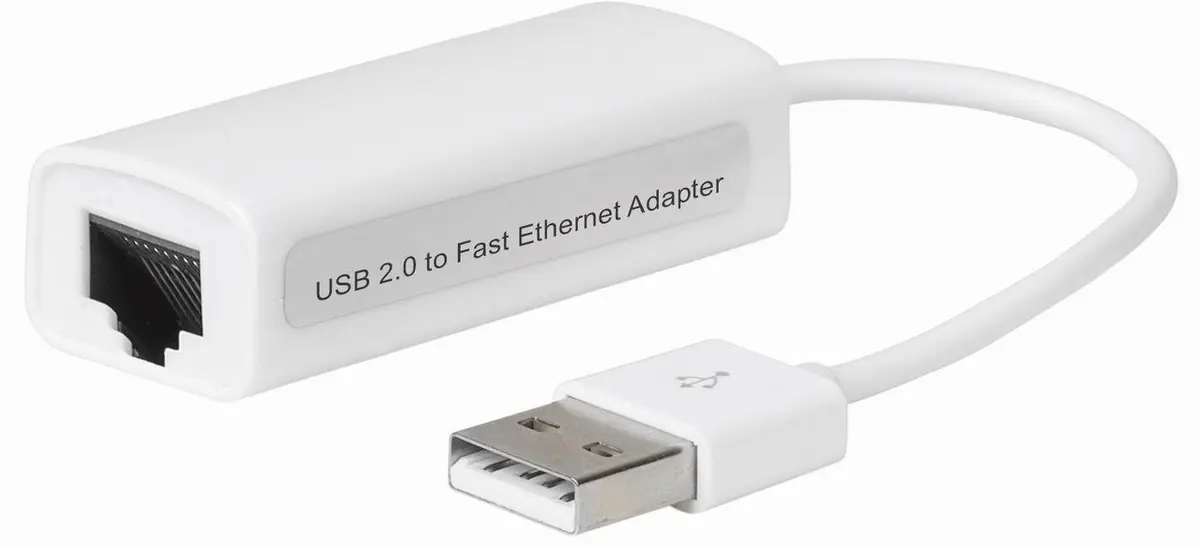
The MicroConnect USBETHW USB 2.0 to Ethernet Network Media Converter White Wired is a reliable network media converter designed to connect a USB 2.0 interface to an Ethernet RJ-45 network. This white adapter provides a dependable wired network connection for compatible devices and supports operating systems such as Windows 7 and Windows Vista. It serves as a practical solution for establishing a stable connection when a wireless network is unavailable or inconsistent.
Advantages
This network media converter delivers stable wired connectivity for devices equipped with a USB 2.0 port. Its compact and lightweight white design makes it portable and easy to integrate into existing setups without taking up excessive space. The inclusion of an Ethernet LAN RJ-45 port ensures standard wired integration into local area networks, while the built-in RTL8152B chipset facilitates efficient data processing for everyday network tasks.
Suitable for
- Connecting devices without built-in Ethernet ports to a wired local area network
- Providing stable network connectivity in home or office environments where Wi-Fi is unreliable
- Use with operating systems such as Windows 7 and Windows Vista
When it may not be suitable
This adapter is not designed for environments requiring high-speed Gigabit Ethernet connections, as it operates via a USB 2.0 interface which has bandwidth limitations. It is also not compatible with modern operating systems that lack driver support for the specified chipset, or for devices that exclusively feature USB-C ports without an appropriate adapter.
Key specifications
- Chipset: RTL8152B
- Connectivity technology: Wired
- Interface: USB 2.0
- Ethernet LAN RJ-45 ports: 1
- Color: White
- Weight: 20 g
How to use
To use the MicroConnect USBETHW network media converter, insert the USB 2.0 connector into an available USB port on your compatible computer or device. Connect a standard Ethernet network cable from your router or switch into the RJ-45 port on the adapter. Install any necessary drivers if prompted by the operating system, particularly for environments like Windows 7 or Windows Vista, to ensure proper recognition and network functionality.
What to consider before purchase
- Verify that your device features a standard USB 2.0 port and runs a compatible operating system such as Windows 7 or Windows Vista
- Confirm that your network requirements align with the data transfer capabilities of a USB 2.0 to Ethernet connection
- Ensure you have a standard Ethernet cable available to connect the adapter to your network source
Usage recommendations
For optimal performance, connect the adapter directly to a primary USB port on your computer rather than through an unpowered USB hub. Ensure that network cables are routed safely to prevent physical strain on the USB and RJ-45 connectors.
Features
- Internal:
- No
Instructions

Stock data
| Warehouse | Stock | Delivery to the store | Store Price | |
| WH357 | 126 | 07.12.2026 | 12.99 € | Add to cart |
- 12.99 €Stock: 126Delivery Date: 07.12.2026Warehouse: WH357Add to cart
| Warehouse | Stock | Delivery to the store | Store Price | |
| EU6 | 126 | 02.07.2027 | 14.49 € | Add to cart |
| WH109 | 126 | 21.12.2026 | 33.49 € | Add to cart |
- 14.49 €Stock: 126Delivery Date: 02.07.2027Warehouse: EU6Add to cart
- 33.49 €Stock: 126Delivery Date: 21.12.2026Warehouse: WH109Add to cart


