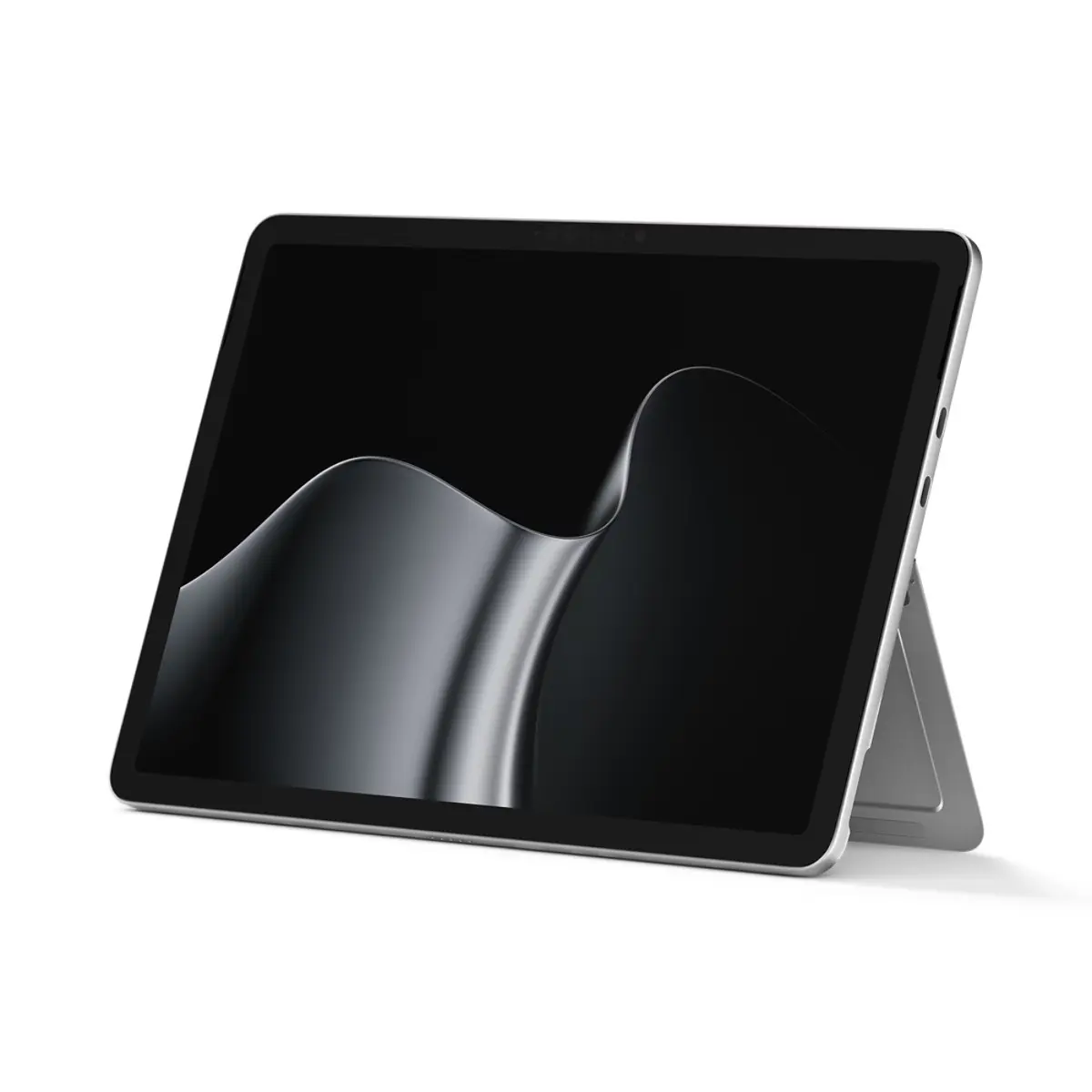
Discover the Microsoft Surface Pro 12-inch 2nd Edition Tablet PC featuring a Snapdragon X2 Plus processor, 16GB RAM, and 512GB SSD storage in a Platinum finish. This versatile 2-in-1 device combines the performance of a laptop with the flexibility of a tablet, designed to meet professional demands and everyday productivity tasks. Built to withstand demanding conditions, it meets MIL-STD 810H testing standards and incorporates a 165-degree flexible hinge stand for multiple viewing and working angles. Running on Windows 11 Pro, this Copilot+ PC integrates advanced artificial intelligence capabilities powered by the Qualcomm Hexagon NPU, delivering efficient performance for modern workflows, multitasking, and secure communications.
The device is equipped with a crisp 12-inch PixelSense LCD touch display featuring a 2196x1464 resolution, 90Hz refresh rate, and anti-glare coating for clear visibility in various lighting environments. Connectivity options include Wi-Fi 7, Bluetooth 5.4, 5G capabilities with nanoSIM and eSIM support, and dual USB-C ports supporting charging, data transfer, and external displays. Enhanced security features such as Microsoft Pluton TPM 2.0, BitLocker, and Windows Hello facial recognition ensure enterprise-grade protection for sensitive data. With a lightweight anodized aluminum chassis weighing 707 grams and a battery life supporting up to 13 hours of video playback, this tablet PC offers dependable mobility for professionals on the go.
Advantages
The Microsoft Surface Pro 2nd Edition provides exceptional processing power through its 6-core Snapdragon X2 Plus processor and dedicated NPU, enabling fast execution of AI-driven tasks and daily computing applications. Its high-resolution 12-inch touch screen with a 3:2 aspect ratio offers ample vertical workspace for document editing, web browsing, and creative tasks. The inclusion of advanced camera systems, including a Full HD front camera with Windows Studio Effects and a 10MP rear camera, ensures high-quality video conferencing and media capture. Furthermore, durability is a key strength, as the device meets rigorous military drop-test standards while maintaining a slim and portable profile.
Suitable for
- Business professionals requiring a portable and secure 2-in-1 device for office applications, presentations, and remote work.
- Frequent travelers and mobile workers needing reliable 5G connectivity and long battery life.
- Users utilizing AI-enhanced productivity tools and video conferencing platforms on a regular basis.
When it may not be suitable
This tablet PC may not be optimal for users requiring heavy graphics rendering, high-end 3D gaming, or specialized software that relies exclusively on x86 architecture, as the ARM-based Snapdragon processor may require compatible software versions. Additionally, users who prefer a traditional laptop form factor with an attached physical keyboard out of the box should note that compatible keyboards, pens, and mice are sold separately.
Key specifications
- Processor: Snapdragon X2 Plus, 6 cores, up to 4 GHz
- NPU: Qualcomm Hexagon, 80 trillion operations per second
- Memory: 16GB LPDDR5x RAM
- Storage: 512GB UFS
- Display: 12-inch PixelSense LCD touch, 2196x1464 resolution, 90 Hz refresh rate
- Graphics: Qualcomm Adreno
- Operating System: Windows 11 Pro
- Wireless: Wi-Fi 7, Bluetooth 5.4, 5G, GPS, Galileo, BeiDou
- Ports: 2x USB-C / USB 3.2, nanoSIM, eSIM, Surface Keyboard connector
- Cameras: Full HD front camera, 10MP rear camera
- Battery Life: Up to 13 hours of video playback
- Dimensions: 274 x 190 x 7.8 mm
- Weight: 707 g
How to use
To begin using the device, connect the provided USB-C charging cable and power adapter to charge the battery. Power on the tablet using the physical power button located on the chassis and follow the on-screen setup instructions to configure Windows 11 Pro and set up Windows Hello facial recognition for secure login. Adjust the 165-degree flexible hinge stand to your preferred angle for typing, viewing, or drawing. You can attach a compatible Microsoft Surface Keyboard to the dedicated connector for a traditional typing experience, or use the 10-point multi-touch screen and optional pen for navigation and creative input. Connect to wireless networks via Wi-Fi or configure your 5G mobile data using a nanoSIM or eSIM profile.
What to consider before purchase
- A physical keyboard, mouse, pen, and power adapter may need to be purchased separately depending on your accessory requirements.
- Software compatibility should be verified for applications that require standard x86 architecture, as this device utilizes an ARM-based Snapdragon processor.
- The unit includes nanoSIM and eSIM slots for mobile data connectivity, which requires a separate mobile data plan from your telecom provider.
Usage recommendations
For optimal battery performance and device longevity, use certified power supplies that meet Microsoft Surface charging requirements. Keep the operating system and pre-installed software updated through Windows Update to ensure maximum security, stability, and access to the latest Copilot+ features. Clean the PixelSense touch display using a soft, lint-free cloth and avoid abrasive cleaning agents.