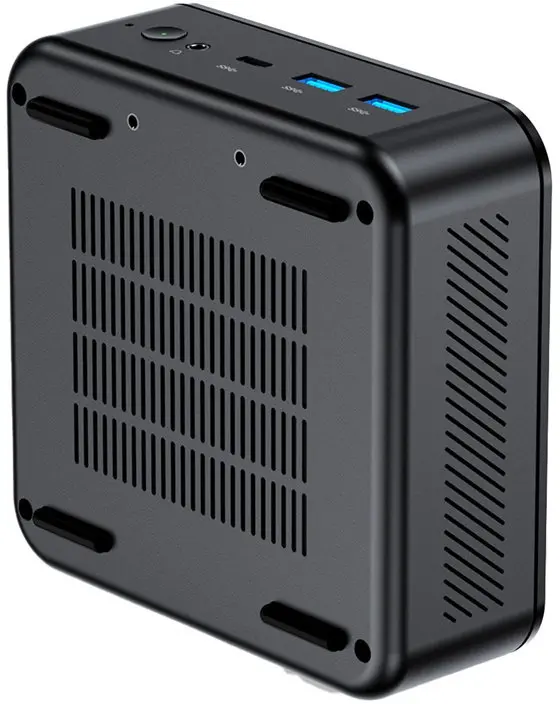
MiniX Mini PC NR660LP is a compact desktop computer powered by an AMD Ryzen 5 6600H processor, 16GB of RAM and a 512GB solid-state drive, running Windows 11 Pro. The small form factor houses full Windows desktop functionality and common connectivity options, making the unit suitable for office tasks, web browsing, multimedia playback and light content creation while occupying minimal desk space.
Advantages
The combination of an AMD Ryzen 5 6600H CPU and 16GB of memory provides responsive multitasking and smooth switching between office applications. A 512GB SSD delivers fast boot times and quick file access compared with traditional hard drives. Windows 11 Pro includes business-oriented management and security features. The compact chassis reduces footprint and simplifies placement in constrained environments such as small offices or home workstations.
Suitable for
- Office productivity: word processing, spreadsheets, email and video conferencing
- Web browsing, streaming video and multimedia playback
- Light photo and video editing, creative apps at moderate settings
- Point-of-sale terminals, kiosks or space-constrained workstation setups
When it may not be suitable
This Mini PC is not intended for demanding professional video rendering, heavy 3D modelling or the latest AAA gaming at high settings; those tasks typically require a discrete high-end GPU and higher thermal headroom. If you require extensive local storage beyond 512GB or sustained peak CPU performance under prolonged heavy loads, a larger desktop with enhanced cooling and expansion options may be more appropriate.
Key specifications
- Processor: AMD Ryzen 5 6600H (mobile-class high-performance CPU)
- Memory: 16GB RAM (installed)
- Storage: 512GB solid-state drive (SSD)
- Operating system: Windows 11 Pro preinstalled
- Form factor: compact mini PC desktop designed for small footprint use
- Typical connectivity: multiple USB ports, display outputs and network support (refer to official spec sheet for exact port types)
How to use
Connect the MiniX NR660LP to a monitor, keyboard, mouse and network using the available ports. Power on and follow the Windows 11 Pro setup prompts to configure user accounts, network settings and security options. Install required productivity or creative applications from trusted sources. Regularly run Windows Update and keep drivers current to maintain system stability and security. For storage expansion or peripheral additions, consult the user manual for supported interfaces and installation procedures.
What to consider before purchase
- Confirm that 16GB of RAM and a 512GB SSD meet your multitasking and storage needs, or plan for external or network storage if necessary
- Verify required display outputs and peripheral ports to ensure compatibility with your monitors and accessories
- Assess whether integrated graphics and the mobile-class CPU are sufficient for your intended workloads
- Check warranty, business features in Windows 11 Pro and available local support options
Usage recommendations
For reliable day-to-day performance, keep the unit well ventilated and avoid blocking air intakes. Use fast external or network storage for large media libraries, and enable Windows power and update settings appropriate for your environment to balance performance and energy use.