Hurry and order now – up to 50% off!
In cart {{totalProductsCount}} item(s)
Your cart is empty
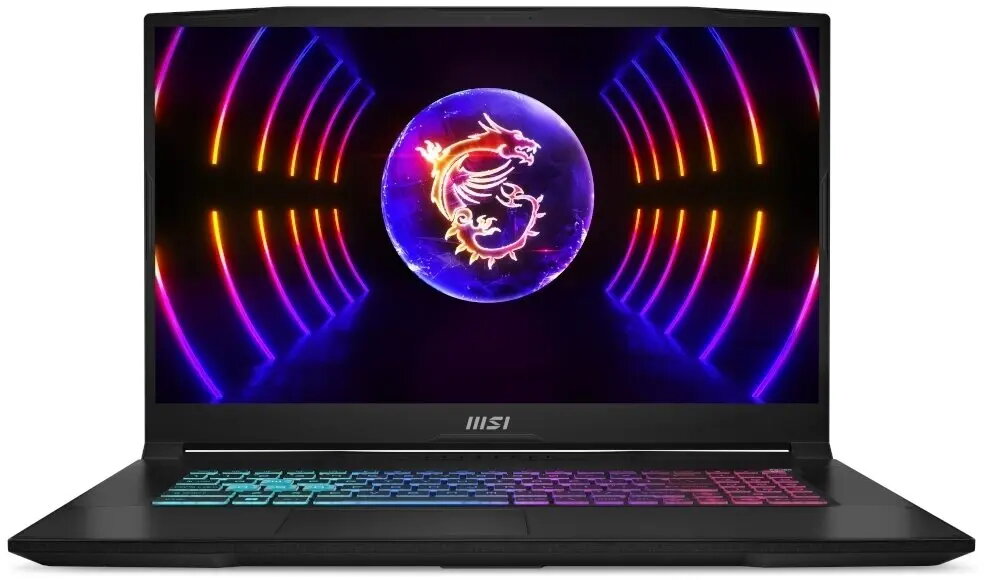
Laptop MSI Katana 17 B13VFK-1275 17.3" Intel Core i7-13620H 16GB 1TB RTX 4060 No OS
The MSI Katana 17 B13VFK-1275 is a 17.3" gaming laptop built around an Intel Core i7-13620H processor, 16GB of DDR5 memory and a 1TB solid-state drive. Designed for high-performance gaming and demanding productivity tasks, it integrates an NVIDIA GeForce RTX 4060 graphics card to deliver smooth frame rates and hardware-accelerated features such as ray tracing and DLSS. The device ships without an operating system installed, allowing users to install a preferred OS and configure drivers and software to their requirements.
The combination of a 13th-generation Intel Core i7 H-series CPU and 16GB DDR5 RAM provides strong multicore and single-core performance for gaming, streaming and content creation. The 1TB SSD offers fast boot times, quick application loadings and ample storage for games and media. NVIDIA GeForce RTX 4060 delivers hardware-accelerated graphics and support for modern gaming technologies, while the large 17.3" screen improves immersion and workspace for multitasking. No preinstalled operating system gives flexibility for custom installations and clean driver management.
Install a compatible operating system of your choice and then download the latest chipset, graphics and peripheral drivers from the manufacturer and component vendors. Configure power and thermal profiles to balance performance and noise depending on use: select higher performance modes for gaming sessions and quieter profiles for office work. Use the included tools or BIOS settings to check and update firmware and to manage storage or memory upgrades if needed. Connect external displays, controllers or network devices using the available ports to suit specific workflows.
For optimal gaming performance, ensure the graphics drivers are up to date and use a stable internet connection when streaming. Maintain adequate ventilation during extended high-load sessions and consider using a cooling pad to help manage thermals. Regularly back up important data from the SSD and install a suitable antivirus solution after OS installation.
{{highlightedFeature.featureTitle}}:
{{getProductFeatureValueById(product, highlightedFeature.featureId)}}
{{ productComparisonGenerationError }}