Dreame vacuums for fast and efficient cleaning!
In cart {{totalProductsCount}} item(s)
Your cart is empty
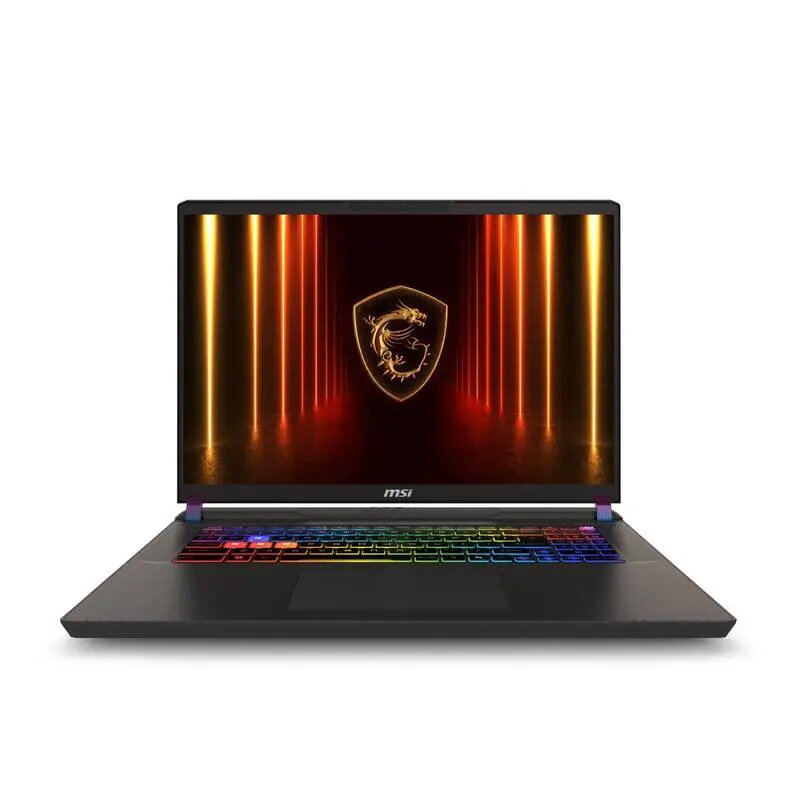
Laptop MSI Vector/17 HX AI A2XWHG-035CZ 17" 275HX 32GB 2TB RTX 5070Ti W11H
The MSI Vector/17 HX AI A2XWHG-035CZ is a 17-inch laptop designed for demanding computing tasks. It features a 2560 × 1600 resolution display that balances workspace and clarity, a high-performance 275HX CPU, 32 GB of system memory and 2 TB of internal storage. With an NVIDIA RTX 5070 Ti graphics card and Windows 11 Home preinstalled, the machine is configured to handle modern games, content creation workflows and complex productivity applications while maintaining a compact gray chassis suitable for mobile use.
The combination of a 275HX processor and 32 GB RAM enables smooth multitasking and fast load times for large projects. The 2560 × 1600 display provides increased screen real estate and sharper image detail compared with standard Full HD panels. The RTX 5070 Ti GPU accelerates real-time rendering, hardware-accelerated video encoding and modern game performance. A 2 TB internal drive allows storing large media libraries and project files locally. Windows 11 Home offers contemporary system features and compatibility with a wide range of professional and entertainment software.
Unpack the laptop and connect the included power adapter before first use to ensure the battery is charged. Use the Windows 11 Home setup wizard to create an account and configure system preferences. Install or update drivers through the manufacturer support site to ensure the RTX 5070 Ti and other components work at optimal performance. For graphics- or CPU-intensive tasks, select high-performance power profiles in Windows and, if available, the system utility that manages GPU modes. Regularly back up important files to an external drive or cloud storage to protect large projects kept on the 2 TB internal drive.
For sustained heavy workloads such as extended rendering or long gaming sessions, place the laptop on a hard, flat surface to allow adequate airflow. Keep system drivers and Windows updates current and use manufacturer-recommended power and cooling profiles to balance performance and thermals. Consider external storage or network backups for long-term archive and use a calibrated display workflow for color-sensitive video and photo work.
{{highlightedFeature.featureTitle}}:
{{getProductFeatureValueById(product, highlightedFeature.featureId)}}
{{ productComparisonGenerationError }}