Save time and money with our discounts!
In cart {{totalProductsCount}} item(s)
Your cart is empty
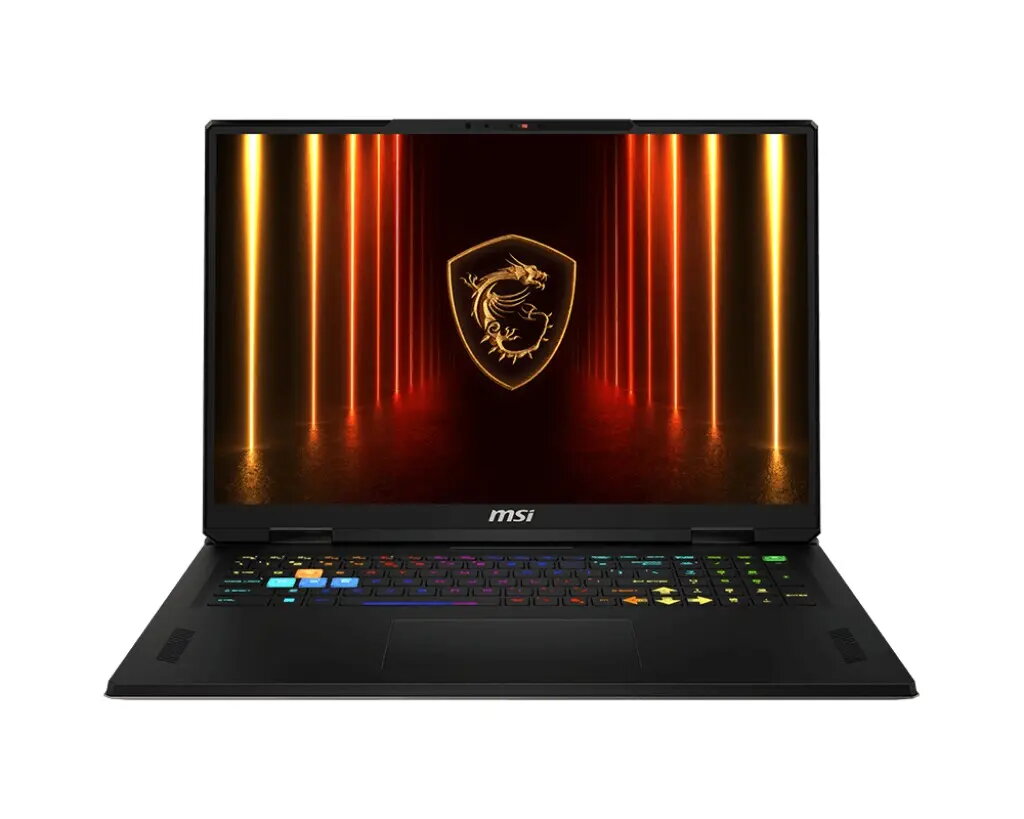
Laptop MSI Vector/A18 HX A9WIG-068CZ 18" R9-9955HX 32GB 2TB SSD RTX 5080 W11H
The MSI Vector/A18 HX A9WIG-068CZ is an 18" high-performance laptop designed for demanding computing tasks. It features a 2560×1600 IPS-class display that balances sharp detail and wide viewing angles, a multi-core R9-9955HX processor for intensive workloads, 32GB of system memory for fluid multitasking and large project handling, and a 2TB solid-state drive for fast storage and quick access to files. A dedicated RTX 5080 graphics card provides hardware-accelerated rendering and gaming performance. The system ships with Windows 11 Home and offers a combination of processing power, memory capacity and graphics capability suitable for professional and advanced consumer use.
The combination of a high-resolution 18" display, a high-end R9 mobile processor and an RTX 5080 GPU enables both compute-heavy applications and modern gaming titles to run smoothly. Large 32GB RAM and 2TB SSD storage reduce loading times and allow multiple applications and large datasets to be handled simultaneously. Windows 11 Home provides updated security and productivity features out of the box. The laptop's configuration focuses on delivering sustained performance for creative workflows, simulation tasks and graphics-intensive software.
Set up the MSI Vector/A18 HX on a stable surface and connect the supplied power adapter before first use to ensure optimal performance and charging. Complete the Windows 11 Home initial setup, create a user account and install required drivers via the manufacturer support site to keep firmware and GPU drivers up to date. Use the system settings to configure display scaling and power profiles according to workload: use a high-performance profile for gaming or rendering tasks and balanced or power-saver profiles for general office use to extend battery life. Store large projects on the internal 2TB SSD and consider external backups for long-term archival.
For sustained heavy workloads such as long render jobs or extended gaming sessions, keep the laptop on a ventilated surface, ensure ambient airflow and use the built-in performance utility to monitor temperatures and fan profiles. Regularly update graphics drivers and Windows updates to maintain compatibility and stability. For professional color work, calibrate the display with a colorimeter and use external storage or NAS for archival and version control.
{{highlightedFeature.featureTitle}}:
{{getProductFeatureValueById(product, highlightedFeature.featureId)}}
{{ productComparisonGenerationError }}