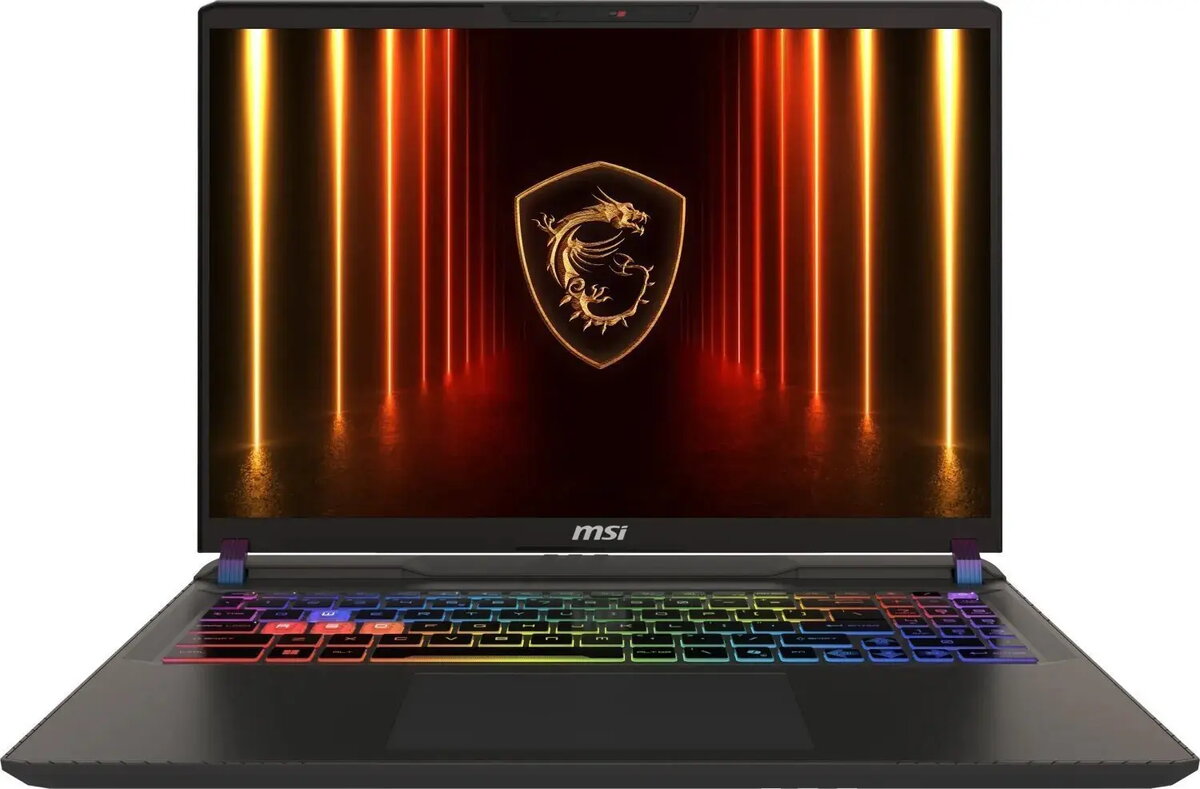
MSI Vector 16 HX is a 16" QHD+ (2560×1600, 16:10) laptop designed for high-performance tasks. It is equipped with an Intel Core Ultra 9 275HX processor (24 cores, up to 5.4 GHz turbo), integrated Intel Graphics and a discrete NVIDIA GeForce RTX 5080 with 16 GB GDDR7, 16 GB DDR5 memory (2×8 GB, 5600 MHz, expandable to 96 GB) and a 1 TB NVMe PCIe 4.0 SSD. The 16" anti-glare display supports 240 Hz refresh rate and 100% DCI‑P3 coverage. The chassis combines metal and plastic and the system includes Wi‑Fi 7, Bluetooth 5.4, Thunderbolt 5, HDMI 2.1, SD card reader, Full HD IR webcam, 90 Wh battery and Windows 11 Home.
Advantages
High multi-core CPU performance from the Intel Core Ultra 9 275HX combined with a powerful NVIDIA GeForce RTX 5080 GPU provides balanced compute and graphics capabilities for demanding applications. Fast DDR5 memory and a 1 TB PCIe 4.0 NVMe SSD deliver quick load times and responsive multitasking. The 16" QHD+ 240 Hz display with DCI‑P3 coverage supports accurate color work and smooth motion. Modern connectivity options including Thunderbolt 5, Wi‑Fi 7 and HDMI 2.1 allow versatile external device support. Long battery capacity and a metal-reinforced housing improve portability and durability.
Suitable for
- High-performance gaming
- Content creation (photo and video editing, 3D rendering)
- AI-accelerated workloads and development
- Multitasking and productivity with demanding applications
Key specifications
- Processor: Intel Core Ultra 9 275HX, 24 cores (8 performance + 16 efficient), base P-core 2.7 GHz, max turbo 5.4 GHz, processor base power 55 W, max turbo power 160 W, 36 MB cache
- Graphics: Integrated Intel Graphics; discrete NVIDIA GeForce RTX 5080 with 16 GB GDDR7
- Memory: 16 GB DDR5 (2×8 GB), 5600 MHz, 2x SO‑DIMM slots, expandable up to 96 GB
- Storage: 1 TB NVMe SSD (M.2, PCIe 4.0)
- Display: 16" (40.6 cm) QHD+ 2560×1600, 16:10, anti‑glare, 240 Hz, 100% DCI‑P3
- Battery: 90 Wh, 4‑cell Li‑Ion
- Connectivity: Wi‑Fi 7 (802.11be) 2x2, Bluetooth 5.4, Gigabit Ethernet
- Ports: 2× Thunderbolt 5 (USB‑C with DisplayPort alt mode), 2× USB 3.2 Gen 2 Type‑A, HDMI 2.1, combo audio jack, SD card reader, DC‑in
- Webcam: Full HD IR front camera (1920×1080, 30 fps)
- Audio: 2 speakers with NAHIMIC 3 audio system
- Weight & dimensions: approx. 2.7 kg; width 357 mm, depth 284 mm; height front 2.22 cm, rear 2.85 cm
How to use
Charge the laptop using the supplied 330 W AC adapter or via the USB‑C Power Delivery port where supported. Power on the system and complete Windows 11 Home initial setup. Install required applications and drivers, including GPU drivers for optimal graphics performance. Use system settings to configure memory, display refresh rate, and thermal profiles according to workload. For heavy GPU- or CPU-intensive tasks, keep ventilation unobstructed and use a stable surface to maintain cooling efficiency.
Usage recommendations
For sustained high-performance workloads, use the supplied AC adapter and select the appropriate performance/power profile in system utilities. Keep BIOS and drivers updated, and consider expanding RAM up to the supported maximum for large projects or advanced multitasking. Avoid blocking ventilation openings and follow safety warnings to keep the device away from children to reduce electric shock risk.