Filters you can trust. Pure water every day.
In cart {{totalProductsCount}} item(s)
Your cart is empty
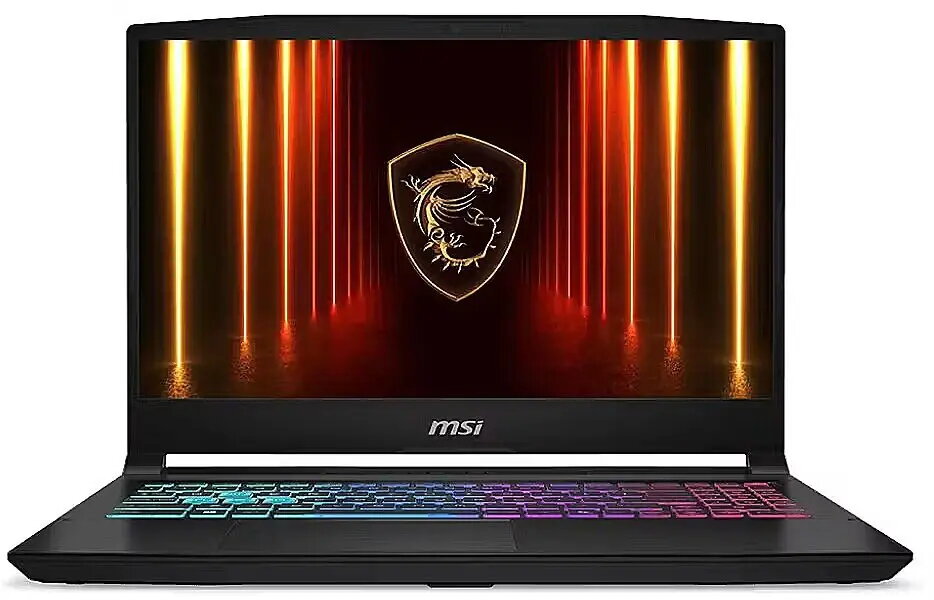
Laptop MSI Katana 15 HX B14WGK-061XPL 15.6 i7-14650HX 32GB 1TB RTX 5070 W11H
The MSI Katana 15 HX B14WGK-061XPL is a 15.6-inch laptop engineered for demanding gaming and content-creation workflows. Equipped with an Intel i7-14650HX high-performance CPU, 32 GB of system memory and a 1 TB solid-state drive, the system delivers fast load times, smooth multitasking and ample storage for games, media and project files. The dedicated NVIDIA RTX 5070 GPU provides hardware-accelerated rendering, ray-tracing support and high frame-rate capability for modern titles and graphical applications. Windows 11 Home comes preinstalled to provide an up-to-date operating environment with native support for gaming and productivity features.
The combination of a high-core-count Intel i7-14650HX processor and 32 GB of RAM ensures responsive performance under heavy multitasking and CPU-bound workloads. The 1 TB SSD offers quick system boot and reduced application loading times compared with mechanical drives. The NVIDIA RTX 5070 graphic module delivers improved visual fidelity and hardware-accelerated features for games, 3D rendering and video editing. The 15.6-inch display balances screen area and system portability, while the laptop’s thermal and power design supports sustained performance during extended sessions.
Start by setting up Windows 11 Home and installing your preferred device drivers and game or application clients. Use the preinstalled system utilities to configure power and performance profiles according to your needs: energy-saving mode for longer battery life or performance mode for gaming and rendering. Store frequently used projects and large assets on the internal 1 TB SSD for fastest access, and consider external storage for long-term archives. Keep graphics drivers updated to ensure compatibility and best performance with modern games and creative software.
For sustained high-load tasks such as prolonged gaming or rendering sessions, use a flat, well-ventilated surface and ensure the laptop’s vents remain unobstructed. Regularly update GPU drivers and Windows updates, and create a backup routine for important files. When mobility is required, switch to balanced or battery-saver profiles to extend runtime; for maximum performance, select the high-performance profile and connect to AC power.
{{highlightedFeature.featureTitle}}:
{{getProductFeatureValueById(product, highlightedFeature.featureId)}}
{{ productComparisonGenerationError }}