Powerful EcoFlow stations for energy anywhere!
In cart {{totalProductsCount}} item(s)
Your cart is empty
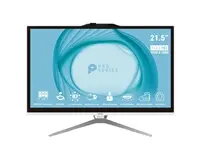
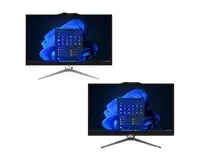
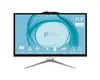
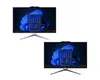
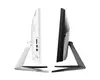
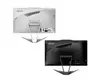
MSI PRO AP222T 14MA-663XEU All-in-One PC, Intel Core i3-14100, 21.5" FHD Touch Display, 16GB RAM, 512GB SSD, No OS
The MSI PRO AP222T 14MA-663XEU is a versatile all-in-one desktop computer designed to streamline professional workspaces. Featuring a 21.5-inch Full HD anti-glare touch display, this system combines computing power with a space-saving design. It is powered by an Intel Core i3-14100 processor, supported by 16GB of RAM and a 512GB SSD, ensuring responsive performance for everyday business applications and multitasking. The integrated webcam and speakers make it a ready-to-use solution for video conferencing and digital collaboration.
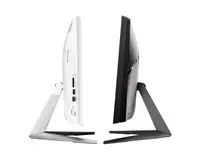
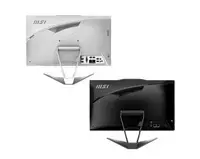
This all-in-one PC offers a significant reduction in cable clutter due to its integrated design, which houses all necessary components within the monitor housing. The anti-glare touch screen enhances user interaction and reduces eye strain during long working hours. With its robust connectivity options, including USB Type-C and HDMI ports, it easily integrates into existing office setups. The inclusion of high-speed Wi-Fi and Bluetooth ensures seamless wireless communication, while the efficient internal hardware provides a stable platform for professional software.
This device may not be suitable for high-end gaming, professional video editing, or complex 3D rendering tasks, as the integrated graphics and processor are optimized for business and productivity rather than heavy graphical workloads. Additionally, since it is delivered without an operating system, it requires technical knowledge to install and configure the preferred software environment.
To begin using the MSI PRO AP222T, connect the power adapter and your preferred peripherals such as a keyboard and mouse. Since the device is shipped without an operating system, you must first prepare a bootable USB drive with your chosen OS, insert it into one of the available ports, and follow the on-screen prompts during the initial boot sequence to install the system software and necessary drivers.
For optimal performance and longevity, ensure the device is placed in a well-ventilated area to allow for proper cooling. Regularly update your operating system and hardware drivers to maintain security and system stability.
{{highlightedFeature.featureTitle}}:
{{getProductFeatureValueById(product, highlightedFeature.featureId)}}
{{ productComparisonGenerationError }}