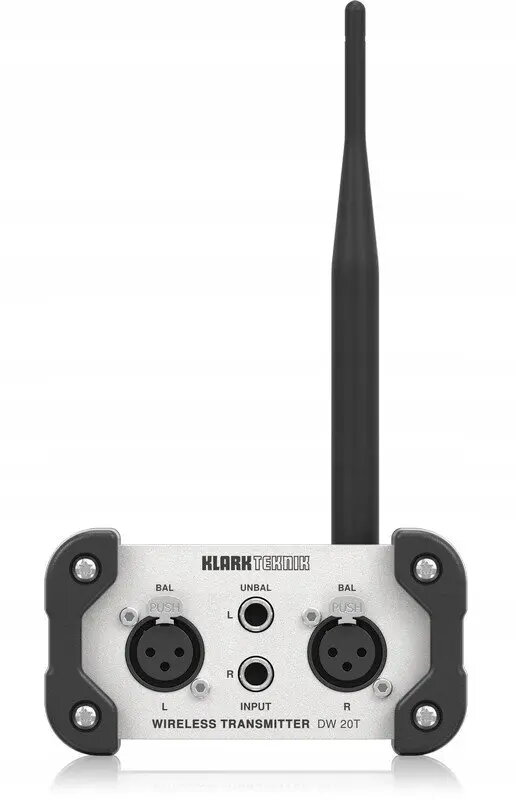
The Klark Teknik DW 20T is a professional 2.4GHz wireless stereo transmitter engineered to deliver high-quality audio signal transmission without the constraints of physical cabling. This device serves as a robust solution for bridging audio sources to sound systems, ensuring that signal integrity remains intact over a wireless link. Designed for versatility, it integrates seamlessly into professional audio setups, providing a reliable connection that minimizes setup time and complexity in various environments.
Advantages
The primary benefit of the DW 20T is its ability to eliminate long cable runs, which reduces the risk of signal degradation and tripping hazards in live performance spaces. By utilizing the 2.4GHz frequency band, it offers a stable and clear transmission path for stereo audio. The unit is built with professional-grade components that prioritize audio fidelity, making it an excellent choice for users who require consistent performance without the interference often associated with lower-quality wireless systems. Its compact design allows for easy placement in diverse setups, from permanent installations to temporary event rigs.
Suitable for
- Live sound reinforcement for small to medium venues
- Fixed audio installations in commercial spaces
- Studio monitoring setups where cable management is difficult
- Event production requiring rapid deployment of audio equipment
This transmitter may not be suitable for environments with extremely high levels of 2.4GHz radio frequency congestion, such as areas with dense Wi-Fi traffic or multiple competing wireless devices. It is also not intended for long-range outdoor applications where line-of-sight cannot be maintained or where professional-grade UHF systems with higher power output are required.
Key specifications
- Frequency range: 2.4GHz
- Transmission type: Wireless stereo
- Connectivity: Professional audio inputs
- Application: Point-to-point audio signal distribution
To use the Klark Teknik DW 20T, connect your audio source to the input terminals on the rear panel of the transmitter. Ensure the device is powered using the provided power supply and that the antenna is positioned correctly for optimal signal propagation. Once powered on, the transmitter will establish a link with a compatible receiver. Adjust the input levels as necessary to ensure a clean signal path and monitor the status indicators to confirm a stable connection is maintained throughout your operation.
What to consider before purchase
- Compatibility with existing 2.4GHz receiver units
- The distance between the transmitter and receiver for stable signal strength
- Potential interference from other 2.4GHz devices in the vicinity
- Power availability at the installation location
Usage recommendations
For the best performance, maintain a clear line-of-sight between the transmitter and the receiver. Avoid placing the unit behind large metal objects or walls that could obstruct the 2.4GHz signal path.