
Filters you can trust. Pure water every day.
In cart {{totalProductsCount}} item(s)
Your cart is empty
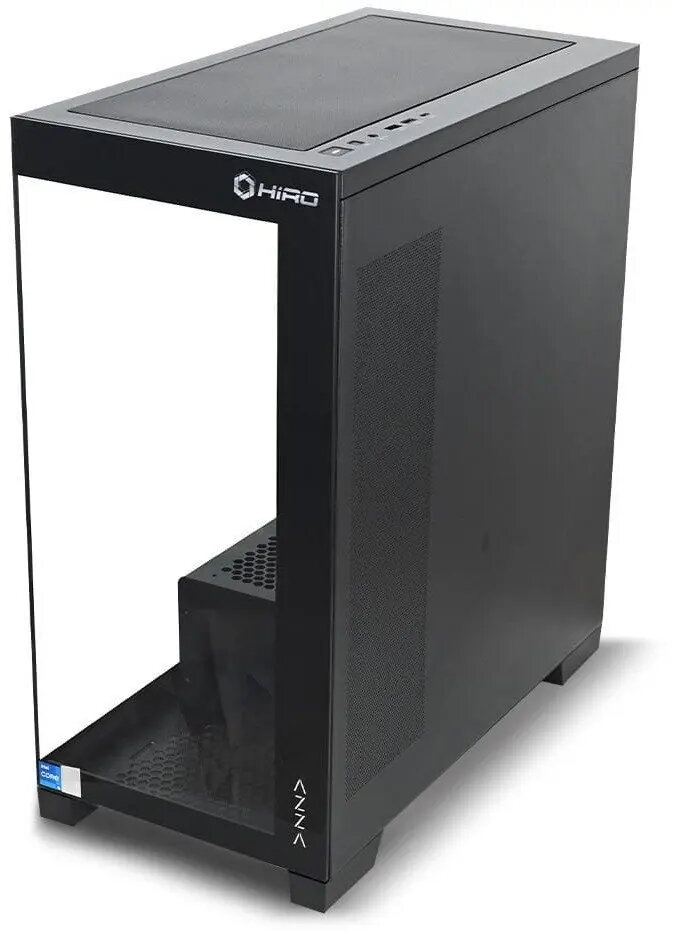
Desktop PC NTT System HIRO Aurora — Intel Core i7-14700F, NVIDIA RTX 5070 Ti 16GB, 32GB RAM, 1TB SSD, Wi‑Fi, Windows 11 Pro
NTT System HIRO Aurora is a high-performance desktop PC built around an Intel Core i7-14700F processor and an NVIDIA RTX 5070 Ti graphics card with 16 GB of dedicated VRAM. The system is configured with 32 GB of system memory and a 1 TB solid-state drive, and it includes built-in Wi‑Fi and Windows 11 Pro. The combination of a modern multi-core CPU and a powerful GPU makes this desktop suitable for demanding applications such as 3D rendering, video editing, gaming at high settings and other professional workloads requiring both CPU and GPU resources.
The Intel Core i7-14700F provides strong multi-threaded performance for compute-heavy tasks while maintaining responsive single-thread performance for interactive applications. The NVIDIA RTX 5070 Ti with 16 GB VRAM supports real-time rendering, hardware-accelerated ray tracing and AI-accelerated workflows. A 1 TB SSD offers fast system responsiveness and reduced load times for applications and large files, and 32 GB of RAM supports multitasking and larger projects without frequent memory swapping. Built-in Wi‑Fi simplifies network connectivity and Windows 11 Pro provides security and management features for professional use.
Place the desktop on a stable, well-ventilated surface and connect the monitor, keyboard and mouse to the appropriate ports. Attach the power cable and connect to mains power, then press the power button to start the system. Follow on-screen setup steps for Windows 11 Pro, create a user account and complete network configuration to enable Wi‑Fi. Install or update device drivers and GPU drivers from official sources before installing any professional software, games or content-creation applications to ensure compatibility and optimal performance.
For sustained heavy workloads such as long rendering sessions or extended gaming, ensure adequate ambient cooling and avoid blocking air intakes and exhausts. Keep graphics drivers and Windows updates current, and consider using backup solutions for important projects. If you plan to run memory- or storage-intensive tasks, monitoring system resource usage and adding additional storage or external backups can help maintain performance and data safety.
{{highlightedFeature.featureTitle}}:
{{getProductFeatureValueById(product, highlightedFeature.featureId)}}
{{ productComparisonGenerationError }}