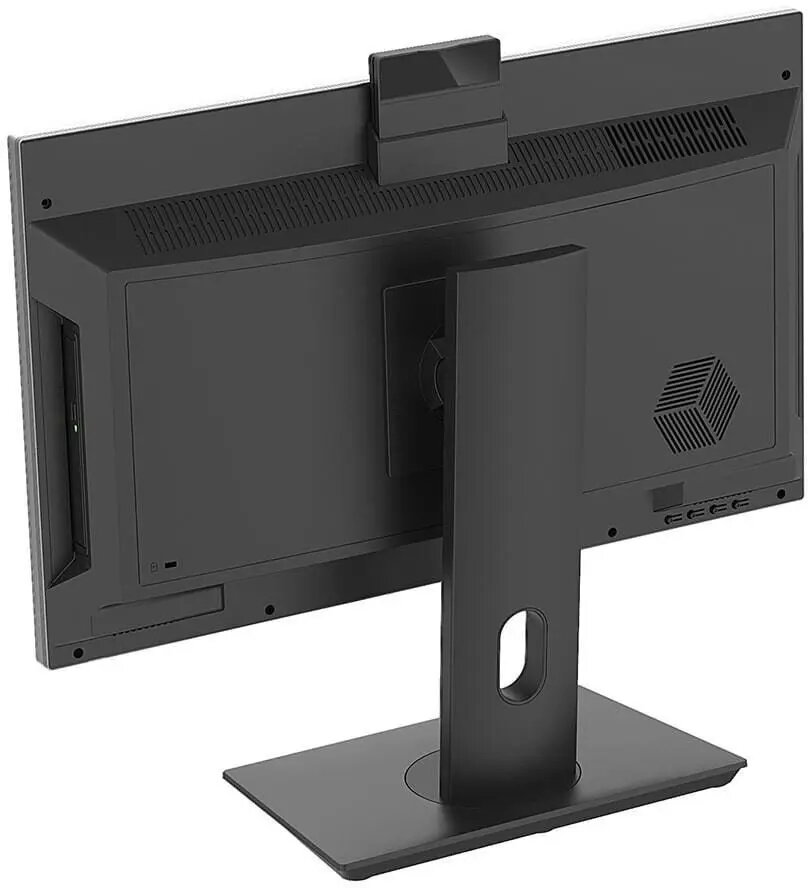
The NTT System All-in-One computer is a comprehensive desktop solution designed to streamline your workspace by integrating all essential components into a single, sleek 23.8-inch display unit. Powered by the Intel Core i3-14100 processor, this system provides reliable performance for daily computing needs, supported by 8GB of RAM and a fast 512GB SSD for quick data access and storage. With built-in Wi-Fi and Windows 11 Home pre-installed, it offers a ready-to-use experience right out of the box.
Advantages
The primary benefit of this All-in-One system is its space-saving design, which eliminates the need for a separate bulky tower and reduces cable clutter significantly. The 23.8-inch screen provides a balanced viewing area suitable for multitasking, while the modern processor ensures that office applications and web browsing remain smooth and responsive. Its integrated nature makes it an ideal choice for users who prioritize a clean, minimalist aesthetic without compromising on functional desktop power.
Suitable for
- General office productivity and document management
- Home learning and educational tasks
- Web browsing and media consumption
- Light administrative work and communication
When it may not be suitable
This computer is not designed for resource-intensive tasks such as professional video editing, 3D rendering, or high-end gaming, as it lacks a dedicated graphics card and high-performance cooling systems. Users requiring significant hardware upgrades in the future may find the integrated nature of the chassis limiting compared to traditional desktop towers.
Key specifications
- Display size: 23.8 inches
- Processor: Intel Core i3-14100
- Memory: 8GB RAM
- Storage: 512GB SSD
- Operating System: Windows 11 Home
- Connectivity: Integrated Wi-Fi
How to use
To set up the NTT System All-in-One, place the unit on a stable, flat surface and connect the provided power cable to an electrical outlet. Once powered on, follow the on-screen instructions provided by the Windows 11 Home setup wizard to configure your language, network settings, and user account. You can connect external peripherals such as a keyboard and mouse via the available ports on the back or side of the monitor housing.
What to consider before purchase
- Verify that the 8GB of RAM is sufficient for your specific software requirements
- Ensure your workspace has adequate desk depth for the 23.8-inch display
- Check if your preferred peripherals are compatible with the available port selection
Usage recommendations
For optimal performance, keep the ventilation areas on the back of the unit clear of obstructions to ensure proper airflow. It is also recommended to regularly update the Windows 11 operating system and drivers to maintain system security and stability.