Powerful EcoFlow stations for energy anywhere!
In cart {{totalProductsCount}} item(s)
Your cart is empty
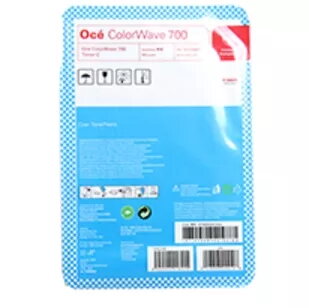
Toner Oce Toner CW 700 Cyan 1070036651 5000 pages
The Oce Toner CW 700 Cyan is a replacement imaging product designed for use in compatible Oce colour printers. Formulated to deliver clear, consistent cyan output, this toner supports high-quality printing of documents and graphics with a rated yield of up to 5000 pages. The cartridge is supplied as a single unit and is intended to produce vivid colour reproduction and sharp text ideal for business reports, marketing materials and technical drawings.
This cyan toner provides stable colour density across long print runs and is engineered for reliable installation and consistent performance. It supports accurate colour matching in mixed-colour documents and helps maintain fine detail in text and images. The cartridge’s yield makes it suitable for moderate-to-high volume use while reducing the need for frequent replacements.
Turn off the printer and open the front access panel according to the printer manual. Remove the empty cartridge following the manufacturer’s instructions and unpack the replacement toner, taking care to avoid spilling toner powder. Insert the new cyan cartridge into the designated slot until it seats securely, close the access panel, and power the printer on. Allow the device to perform any initialization or calibration routines before printing a test page to confirm proper installation and colour output.
Store the toner in a cool, dry place away from direct sunlight and extreme temperatures. Handle by the cartridge housing and avoid touching the drum or contact points. For consistent print quality, run periodic calibration and use manufacturer-recommended maintenance routines for the printer. Recycle or dispose of the empty cartridge according to local regulations.
{{highlightedFeature.featureTitle}}:
{{getProductFeatureValueById(product, highlightedFeature.featureId)}}
{{ productComparisonGenerationError }}