-
Type:
Characteristics of the device.
-
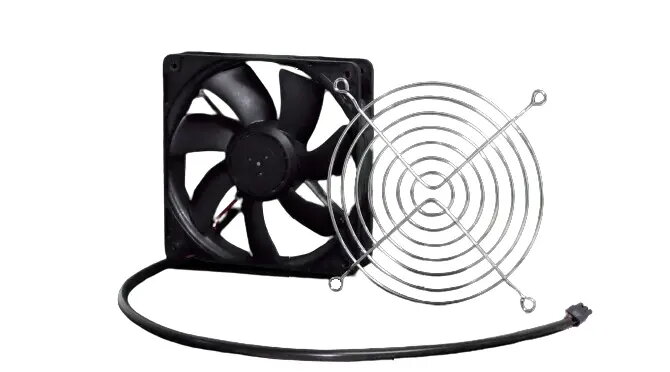
Cooling fan
-
Power consumption (typical):
Amount of power consumed by this model, often expressed in watts (W). Typical values that manufacturers give are power consumption when off, standby/suspended mode, typical use, maximum usage.
-
7.7 W
-
Package weight:
Weight of the packaged product.
-
300 g
-
Compatibility:
The other products, software and hardware this product can be used with.
-
Rittal 5503.010, 5503.020, 5503.025.
-
Operating temperature (T-T):
The minimum and maximum temperatures at which the product can be safely operated.
-
5 - 55
-
Power source:
What is providing power for the product e.g. mains electricity.
-
DC
-
Height:
The measurement of the product from head to foot or from base to top.
-
119 mm
-
Input voltage:
The voltage (V) which is required to power the product.
-
24
-
Width:
The measurement or extent of something from side to side.
-
119 mm
-
Depth:
The distance from the front to the back of something.
-
25 mm
-
Product colour:
The colour e.g. red, blue, green, black, white.
-
Black
-
Noise level:
The amplitude level of the undesired background noise, usually measured in decibels (db).
-
44 dB
-
Input current:
-
0.32
-
Housing material:
What the casing of the product is made of.
-
Metal, Plastic
-
Airflow:
-
150 m³/h
-
International Protection (IP) code:
The IP code classifies and rates the degree of protection provided against the intrusion (including body parts such as hands and fingers), dust, accidental contact, and water by mechanical casings and electrical enclosures. It is published by the International Electrotechnical Commission (IEC). The digits (characteristic numerals) indicate conformity with the conditions summarized in the tables below. Where there is no protection rating with regard to one of the criteria, the digit is replaced with the letter X. an electrical socket rated IP22 is protected against insertion of fingers and will not be damaged or become unsafe during a specified test in which it is exposed to vertically or nearly vertically dripping water. Another example is the Sony Xperia Z Ultra, one of the first cellular phones to be IP-rated; it is rated at IP58 and marketed as "dust resistant" and can be "immersed in 1.5 meter of freshwater for up to 30 minutes".
-
IP20
-
Quantity per pack:
-
1 pc(s)