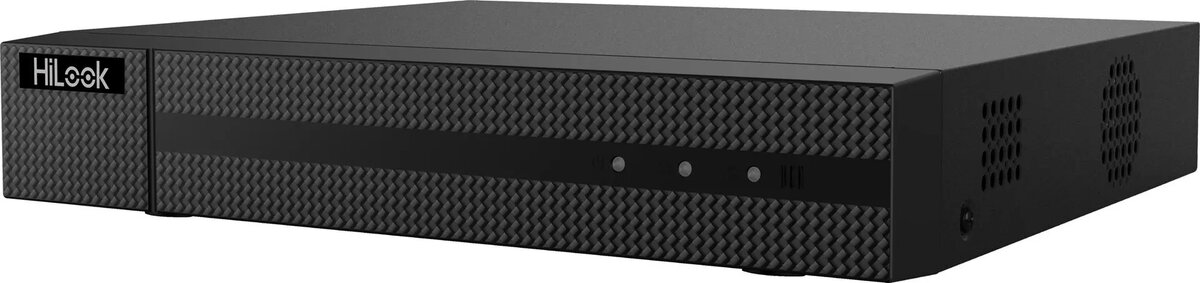
The Hilook DVR-208Q-M1 (E) is a high-performance 8-channel digital video recorder engineered to provide robust surveillance capabilities for both residential and commercial environments. This 5-in-1 device offers broad compatibility, supporting HD-TVI, AHD, CVI, CVBS, and IP camera technologies, allowing for flexible integration into existing security infrastructures. With support for up to 5MP resolution, it ensures clear and detailed video capture, making it an essential component for modern monitoring systems requiring reliable data management and high-quality playback.
Advantages
This digital video recorder stands out due to its versatile multi-format support, which eliminates the need for replacing legacy cameras when upgrading a security system. The efficient video compression technology optimizes storage space without compromising image quality, ensuring longer recording durations. Its 8-channel capacity allows for comprehensive coverage of multiple areas, while the stable recording performance guarantees that critical footage is captured consistently. The user-friendly interface simplifies the management of video feeds and playback, providing a seamless experience for both novice and professional users.
Suitable for
- Residential security systems for homes and apartments
- Small to medium-sized business surveillance
- Retail store monitoring and loss prevention
- Office building security and access oversight
- Upgrading existing analog camera systems to high-definition
When it may not be suitable
This device is not suitable for large-scale enterprise installations requiring more than 8 camera channels. It is also not intended for use with high-resolution IP cameras exceeding the supported resolution limits or for systems requiring advanced AI-based analytics not supported by this specific model.
Key specifications
- 8-channel video input
- Supports up to 5MP resolution
- 5-in-1 compatibility: HD-TVI, AHD, CVI, CVBS, and IP
- Efficient video compression standard
- HDMI and VGA output interfaces
How to use
To set up the Hilook DVR, connect your cameras to the BNC ports on the rear panel using coaxial cables or integrate IP cameras via the network interface. Connect a monitor to the DVR using an HDMI or VGA cable to access the local interface. Power on the device and follow the on-screen setup wizard to configure network settings, recording schedules, and motion detection zones. Once configured, you can manage the system locally via a mouse or remotely through the dedicated mobile application or web browser.
What to consider before purchase
- Ensure your existing cameras are compatible with the supported signal formats
- Verify that the storage capacity of your hard drive meets your recording duration requirements
- Check if your network infrastructure supports the remote viewing features
- Confirm the number of cameras needed matches the 8-channel capacity
Usage recommendations: For optimal performance, use a surveillance-grade hard drive designed for 24/7 operation. Regularly update the firmware to ensure the latest security patches and feature improvements are applied to your system.