

Fast shipping
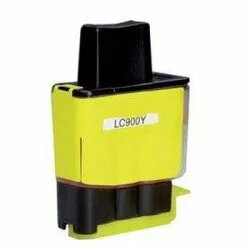
Cartridge Brother LC41/47/900/950 Yellow
2.99 €
{{selectedOffer && selectedOffer.price | formatAmount}}
Short description
This Brother LC41/47/900/950 Yellow cartridge is designed for high-quality printing. It offers vibrant colors and sharp text, ensuring professional results. Compatible with various Brother printers, it provides easy installation and reliable performance, making it an ideal choice for home or office use.
Cheapest delivery:
Unisend LV
Pick-up points
Unisend LV
Cost
1.79 €
Deliver
{{selectedOffer.parcelStationDeliveryString}}
Customer service center
2b. Kengaraga str., Riga, Latvia, LV-1063
Wednesday
{{selectedOffer.officeDeliveryString}}
free
Courier Delivery
Please note that in case of a large parcel additional delivery costs may apply!
From 4.99 €
Parcel couriers
Unisend LV / Venipak Pickup LV / Venipak Locker LV / Latvijas Pasts pakomāts / DPD Paku skapis / Omniva LV / Latvijas Pasts nodaļa
03.08.2026
{{selectedOffer.parcelStationDeliveryString}}
From 1.79 €

Payment Methods:
Cash payment, Bank transfer, Bank cards on-line, Apple Pay, Google Pay


