JBL speakers and headphones for pure and deep sound!
In cart {{totalProductsCount}} item(s)
Your cart is empty
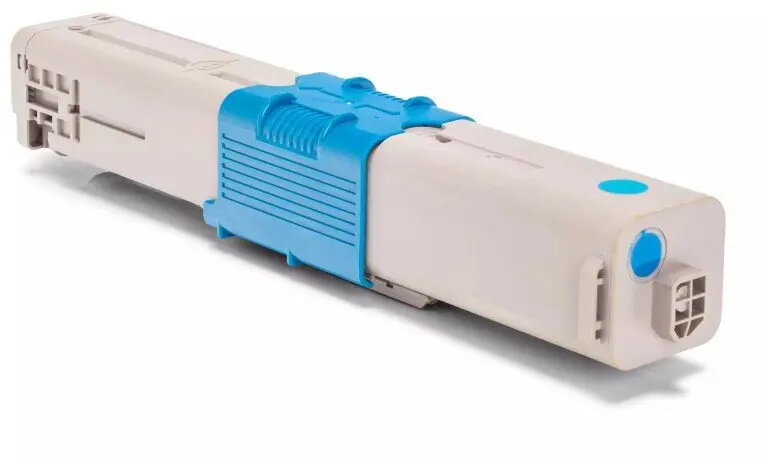
Toner OKI GenerInk Cyan O.310C-GI-OEM for compatible OKI printers, replacement cartridge 44469706
Toner OKI GenerInk Cyan O.310C-GI-OEM is a cyan replacement toner cartridge compatible with a range of OKI colour printers. Designed to restore cyan printing capability, this cartridge provides cyan toner for document and graphics output in office and home environments. It is supplied as a compatible alternative to original cartridges and intended to maintain continuous print workflow on supported devices.
This replacement cyan toner cartridge offers a straightforward swap-in alternative to manufacturer originals, allowing users to continue colour printing without interruption. The cartridge is designed to deliver consistent cyan toner coverage for text and graphics, supporting routine office print volumes. Its packaging and format match standard installation procedures for easy handling and minimal setup time.
Turn off the printer and follow the device manufacturer’s instructions for replacing toner cartridges. Remove the empty cyan cartridge from the printer, unpack the replacement cartridge and remove any protective seals or covers. Insert the replacement cyan cartridge into the correct printer slot until it clicks into place, then close access panels and power the printer back on. Run a test print or colour alignment procedure if recommended by the printer to confirm correct installation and colour output.
Store the cartridge in a cool, dry place away from direct sunlight and high humidity. Use genuine print settings for colour calibration in the printer driver to achieve consistent cyan tones. If prints show streaks or uneven coverage after installation, perform the printer’s cleaning or calibration cycle before replacing the cartridge.
{{highlightedFeature.featureTitle}}:
{{getProductFeatureValueById(product, highlightedFeature.featureId)}}
{{ productComparisonGenerationError }}