Dreame vacuums for fast and efficient cleaning!
In cart {{totalProductsCount}} item(s)
Your cart is empty
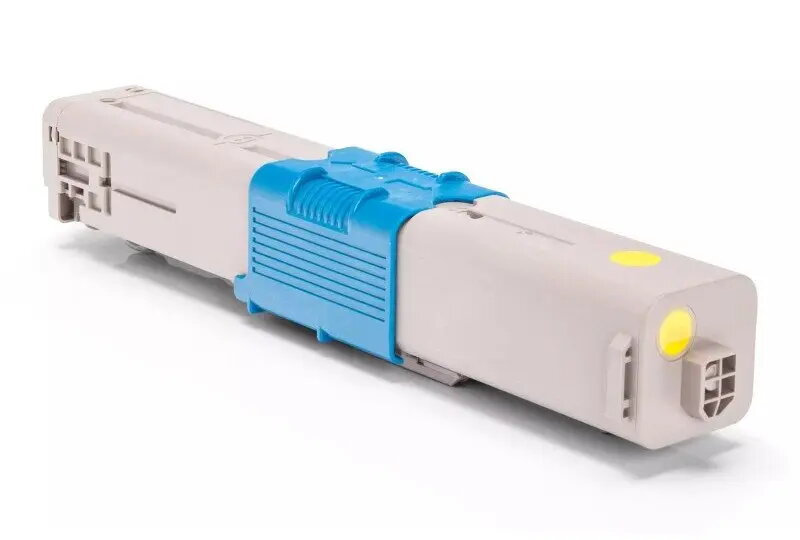
Toner OKI GenerInk 44469704 Yellow — OKI O.310Y-GI-OEM high-yield yellow toner cartridge
The OKI GenerInk 44469704 Yellow toner cartridge (model O.310Y-GI-OEM) is a high-yield replacement cartridge designed to restore yellow print output in compatible OKI colour printers. It supplies yellow toner for both text and graphic printing, enabling accurate yellow reproduction in documents, reports, and full-colour pages. As a consumable intended for regular replacement, this cartridge supports continued colour printing performance in office and home environments.
This high-yield yellow toner cartridge delivers extended page yield compared with standard cartridges, reducing the frequency of replacements and supporting sustained print volumes. The cartridge is engineered to provide consistent yellow density and reliable feeding in compatible OKI devices, which helps maintain colour balance across multi-colour prints. It is suitable for users who require predictable colour output and stable printing behaviour with minimal downtime.
Turn off the printer and allow it to cool if it has been operating. Open the printer’s front or top cover according to the device manual, remove the empty yellow cartridge following the manufacturer’s instructions, and unpack the replacement cartridge. Remove any protective seals or packaging materials, align the cartridge with the guides in the toner bay, and insert it until it clicks into place. Close the cover, power the printer on if required, and run a test print or alignment procedure as recommended by the printer manufacturer to verify correct installation and colour output.
Store the cartridge in a cool, dry place away from direct sunlight and extreme temperatures. Use genuine or compatible toner recommended for your OKI printer model and follow the printer manufacturer’s handling instructions to avoid damage and ensure consistent print quality. Replace the cartridge when yellow prints fade, show streaks, or if the printer indicates low toner for the yellow channel.
{{highlightedFeature.featureTitle}}:
{{getProductFeatureValueById(product, highlightedFeature.featureId)}}
{{ productComparisonGenerationError }}