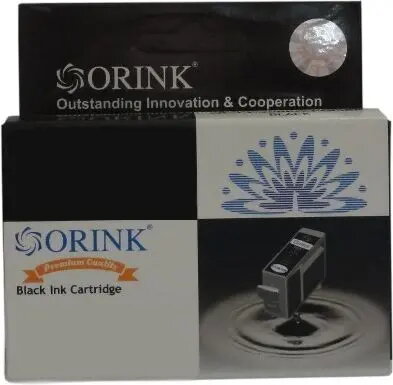
The Orink ink cartridge for Canon CLI-521BK is a high-quality, reliable alternative designed for users who require consistent printing performance. This black inkjet cartridge is engineered to produce sharp, professional-grade text and clear images, making it an excellent solution for daily document printing and photo projects. Equipped with a smart chip, the cartridge ensures seamless communication with your Canon printer, allowing for accurate ink level monitoring and hassle-free installation.
Advantages
Choosing this Orink cartridge provides a cost-effective printing solution without compromising on output quality. The precision-engineered ink formulation ensures that every page features crisp lines and deep black tones, which is essential for both academic and professional documentation. Furthermore, the integrated chip technology simplifies the setup process, as the printer recognizes the cartridge immediately upon insertion, preventing common compatibility errors and ensuring a smooth workflow in any home or office environment.
Suitable for
- Printing high-quality text documents and reports
- Producing clear, detailed black and white photographs
- Daily printing tasks in home offices or small business environments
- Educational materials and school assignments
When it may not be suitable
This cartridge is specifically designed for use with Canon printers compatible with the CLI-521BK model and will not function in printers requiring different ink series. It is not intended for high-volume industrial printing or specialized commercial printing applications that require archival-grade, pigment-based inks.
Key specifications
- Color: Black
- Compatibility: Canon CLI-521BK series
- Technology: Inkjet
- Chip: Integrated for printer recognition
How to use
To install the cartridge, open the printer cover and wait for the carriage to move to the replacement position. Remove the empty cartridge by pressing the release tab and pulling it out. Take the new Orink cartridge out of its packaging, remove the protective orange clip or tape as indicated on the casing, and insert it into the corresponding slot. Press down firmly until you hear a click, then close the printer cover. The printer will automatically detect the new cartridge and prepare it for use.
What to consider before purchase
- Verify your printer model is compatible with the CLI-521BK ink series
- Ensure the printer is currently powered on during the installation process
- Check your printer's ink level status before replacing to ensure the cartridge is fully depleted
Usage recommendations
For the best results, perform a nozzle check or print head alignment after installing a new cartridge to ensure optimal print quality and color accuracy. Store unused cartridges in a cool, dry place away from direct sunlight.