Powerful EcoFlow stations for energy anywhere!
In cart {{totalProductsCount}} item(s)
Your cart is empty
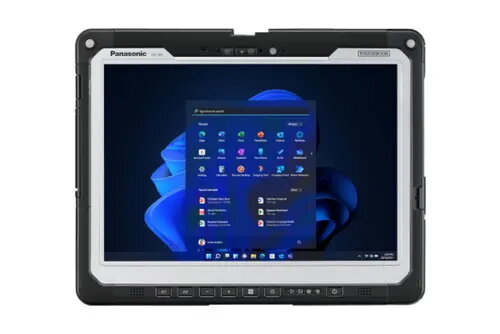
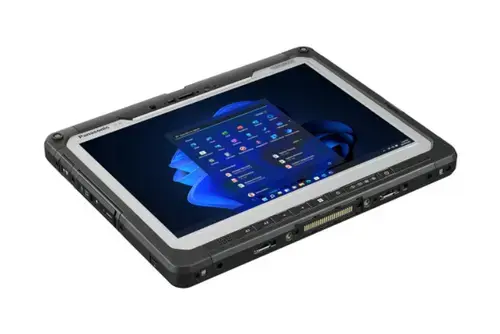
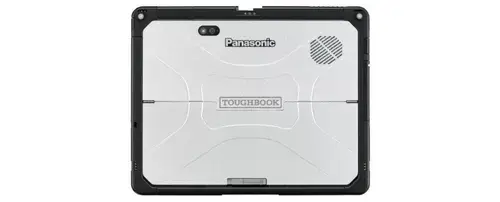
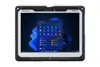
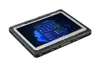
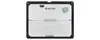
Panasonic Toughbook CF-33 Tablet, Intel Core i5-1345U, 16GB RAM, 512GB SSD, 12-inch 2160x1440 Display, Windows 11 Pro, IP65, Black
The Panasonic Toughbook CF-33 is a high-performance, rugged 12-inch tablet engineered to withstand the most challenging professional environments. Powered by an Intel Core i5-1345U processor and equipped with 16GB of RAM and a 512GB SSD, this device delivers the speed and reliability required for intensive field operations. Its 2160x1440 resolution display provides exceptional clarity, while the IP65-rated chassis ensures robust protection against dust and water ingress. Running on Windows 11 Pro, this tablet is a versatile tool for professionals who need a dependable computing solution that performs consistently in harsh conditions.
The primary advantage of the Panasonic Toughbook CF-33 lies in its industrial-grade durability, which allows it to operate in environments where standard consumer tablets would fail. The integration of Wi-Fi 6E ensures high-speed connectivity, while the combination of a high-resolution display and powerful internal hardware facilitates complex data processing and clear visual output. Its lightweight yet rugged design makes it highly portable for mobile workers, and the inclusion of both front and rear cameras supports documentation and video communication tasks in the field. The hot-swap battery capability further enhances productivity by allowing for continuous operation without the need for frequent downtime.
This device may not be the ideal choice for users who require a lightweight, ultra-thin tablet for casual media consumption or office-based administrative tasks, as its ruggedized build adds significant weight and bulk compared to standard tablets. Additionally, users who do not require IP65-rated protection may find more cost-effective alternatives that offer similar processing power without the premium cost associated with industrial-grade durability.
To begin using the Panasonic Toughbook CF-33, ensure the battery is fully charged or connected to a power source. Power on the device using the dedicated button and follow the Windows 11 Pro setup prompts to configure your user account and network settings. The touchscreen interface is designed for high responsiveness, even when wearing gloves, allowing for seamless navigation through applications. Utilize the integrated cameras for capturing site photos or conducting video calls. For data transfer or peripheral connection, utilize the available ports to integrate the tablet into your existing workflow.
To maintain the longevity of your device, regularly inspect the port covers to ensure they are securely closed, as this is essential for maintaining the IP65 dust and water resistance. Keep the display clean using a soft, lint-free cloth to ensure optimal touch sensitivity and visual clarity during outdoor use.
{{highlightedFeature.featureTitle}}:
{{getProductFeatureValueById(product, highlightedFeature.featureId)}}
{{ productComparisonGenerationError }}