


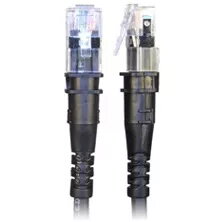
Patchsee TP-6A-U/5 networking cable Black 1.5 m Cat6a U/UTP (UTP) RJ-45 Male / RJ-45 Male
Offer for a legal entity, non-cash payment.
Short description

Cheapest delivery:
Unisend LV
Product information
Description
The Patchsee TP-6A-U/5 networking cable is a 1.5-meter black Ethernet cable designed for reliable data transmission in professional local area networks and home setups. Featuring Cat6a standard and U/UTP shielding, this cable ensures stable high-speed connectivity for office and home network devices. Equipped with RJ-45 male connectors on both ends, it provides a secure and standard physical interface for routers, switches, computers, and other network hardware.
Advantages
This networking cable delivers reliable performance adhering to Cat6a standards, making it suitable for modern high-speed Ethernet environments. The 1.5-meter length offers optimal reach for connecting devices in close proximity, such as patching a switch to a patch panel or connecting a desktop to a wall outlet without excessive cable slack. Its black color allows for discreet cable management and professional rack organization. Additionally, the inclusion of RJ-45 male connectors on both ends ensures immediate plug-and-play compatibility with standard networking equipment.
Suitable for
- Connecting desktop computers and laptops to network switches or wall outlets
- Linking routers, modems, and network switches in home or office environments
- Professional local area network installations requiring Cat6a performance
- Short-distance Ethernet patching in server racks or network cabinets
When it may not be suitable
This cable may not be suitable for long-distance runs exceeding its 1.5-meter length specification. It is also unshielded (U/UTP), meaning it might not provide adequate protection against electromagnetic interference in environments with heavy electrical cabling or industrial machinery.
Key specifications
- Cable length: 1.5 m
- Cable standard: Cat6a
- Cable shielding: U/UTP (UTP)
- Connector 1: RJ-45 Male
- Connector 2: RJ-45 Male
- Product colour: Black
How to use
To use the networking cable, insert one RJ-45 male connector into the Ethernet port of your network device, such as a computer, printer, or IP camera. Insert the remaining RJ-45 male connector into an active port on your network switch, router, or wall socket. Ensure both connectors click firmly into place to guarantee a stable physical connection and reliable data transfer.
What to consider before purchase
- Verify that the 1.5-meter length is sufficient for the distance between your network devices
- Confirm that your equipment utilizes standard RJ-45 Ethernet ports
- Assess whether U/UTP unshielded cabling is appropriate for your operating environment's electromagnetic conditions
- Check that Cat6a standard meets your network speed and bandwidth requirements
Usage recommendations
Route the networking cable carefully to avoid sharp bends, crushing, or excessive tension on the RJ-45 connectors. Keep the cable away from power lines and high-voltage equipment to minimize potential signal interference.
Features
- Connector 1 gender:
- Male
- Connector 2 gender:
- Male
- Connector 2:
- RJ-45
- Connector 1:
- RJ-45
- Cable shielding:
- U/UTP (UTP)
- Cable standard:
- Cat6a
- Cable length:
- 1.5 m


